Am I Getting Addicted to ChatGPT?
What “ChatGPT addiction” looks like in everyday life
Overuse rarely starts on purpose; it sneaks in because it’s easy. Watch for these simple signs:
You open a chat before you jot a quick plan or list.
You skip checking sources and go with what “sounds right.”
You send messages or emails drafted by AI without a careful read‑through.
Long chat threads replace proper notes in your tracker.
Plans drift because the model guessed a “status.”
Your tone changes from message to message depending on the prompt or who typed it.
Someone asks what data you pasted into the chat, and you don’t have a quick answer.
When things go wrong, “AI misunderstood me” shows up more than once.
If you took a one‑week break from ChatGPT, what would truly get harder—and what would be fine?
How overuse quietly messes with your plans, memory, and follow‑ups
Planning is usually the first wobble. Quick, confident text can hide fuzzy responsibilities, rosy estimates, and risks you haven’t really checked.
Then your shared knowledge splinters. Useful ideas stay trapped in chats and never make it into your notes or docs, so you redo work and lose context.
Soon your contact follow‑ups get messy. AI‑written notes can slip in assumptions, so everything looks fine on paper while reminders and forecasts miss reality.
This isn’t a call to quit AI. It’s a nudge to use it with intention so it supports, not replaces, your judgment.
Try a gentle 14‑day reset
You don’t need a new system—just pay attention for two weeks:
Notice your habits. For 14 days, jot down when you open ChatGPT, what you used it for, and roughly how long.
Mark the wins. Note where it saved time, avoided rework, or sparked a better idea.
Spot the oops. Record missing sources, private info pasted, or anything you wouldn’t want public.
Check the output. Each day, pick one answer and ask, “Would I sign my name to this?”
Get a second view. Ask a friend or teammate where AI helps and where it gets in the way.
Decide simply. Label each use: “keep,” “limit,” or “drop.”
Keep it light. The aim is momentum, not another dashboard.
Simple guardrails that make AI a good helper
What’s okay and what’s not
Okay for: first drafts, summaries, translations, brainstorming, and code review—only when you can cite sources.
Not okay: legal or medical advice, changing prices or contracts, writing compliance text, or pasting direct PII.
What “done” looks like for AI‑assisted work
If it makes a claim, include a link to a source or your own note.
A human gives final approval before anything goes out.
Put the finished text where it belongs (task, doc, calendar), not just in chat.
If it touches customer data, pause and ask a security‑savvy person first.
Everyday basics
For AI‑related work, use a shared account for work stuff, not personal logins.
Where possible, opt out of training on your private data.
Keep simple logs with clear retention timelines.
Turn chats into actions you can actually track
Grab the useful bits from chat and turn them into small actions, decisions, and notes your other tools can handle. You’ll cut rework and speed up reviews.
If you still live in personal‑only apps, ask why they don’t scale when others join. Learn more in this explainer. Move AI‑generated text into formats your current tools understand:
Project management: turn suggestions into bite‑size tasks with an owner and a date.
Knowledge management: turn helpful answers into a page with tags and a tiny change log.
CRM: save clean notes, activities, and attachments in the right fields with simple rules.
Structure won’t slow you down. It prevents the silent drift that erodes trust and results.
When a real tool beats another chat
Some things need dedicated tools. Chat is great for ideas; doing the work belongs in your main systems.
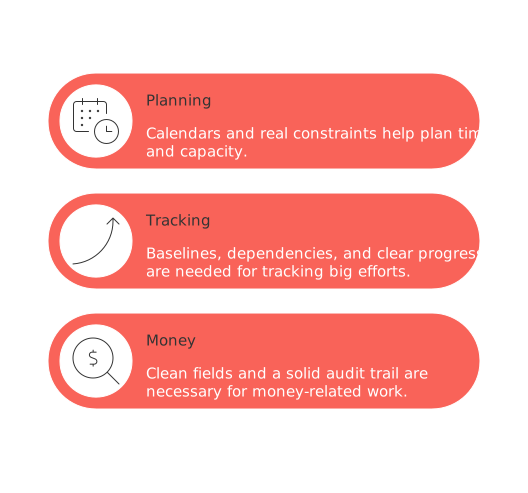
Planning time and capacity needs calendars and real constraints.
Tracking big efforts needs baselines, dependencies, and clear progress.
Money‑related work needs clean fields and a solid audit trail.
If you’re unsure how to choose between an all‑in‑one workspace and focused tools, start with this in‑depth comparison. It helps you weigh trade‑offs before you scale another chat‑only habit.
Privacy, money, and peace‑of‑mind checks to do now
Treat ChatGPT like any important service. Ask a few basics and write down the answers:
Data boundaries: where your data lives, how it’s protected, and how long it’s kept.
Controls: can you sign in safely (SSO), manage access, and keep spaces separate?
Evidence: any third‑party audits or security tests, plus how fast they respond to incidents?
PII policy: how personal data is handled, redaction options, and regional data choices.
Support model: who helps when something breaks, and how quickly?
Billing caps: spending limits to avoid runaway costs.
Jot the answers in a simple doc and review them every few months or after big updates.
Avoid lock‑in with a simple exit plan
Dependence shapes your setup. Give yourself options from day one:
Send requests through a small layer you control so switching later is easier.
Save a few reusable prompts and lightweight tests you can take with you.
Keep a backup model for the truly critical tasks.
Cache non‑sensitive results briefly so you’re not blocked during hiccups.
Write a short “hold fire” plan for outages or breaches: what to pause, what to use instead, who to tell.
List alternatives now so stress doesn’t make the choice for you later.
Guide people without dimming their spark
Great teams mix curiosity with care. Coach for both:
Practice adding sources and explaining your thinking.
Run short weekly show‑and‑tells for wins and oopses.
Share model updates and what they mean in real life.
Collect examples of clear, well‑scoped requests.
Reward outcomes, not prompt gymnastics.
Culture beats features. Leaders go first.
Are you getting hooked? A quick self‑check
Run through this list. If you answer “yes” to three or more, plan a reset this quarter:
You can’t run your week for seven days without ChatGPT.
Your AI outputs lack sources or need frequent fixes.
You store decisions in chat instead of your calendar or docs.
Privacy or security worries have slowed a project more than once.
Your plans shifted because of AI‑written contact notes or updates.
No one has reviewed your AI usage or costs in the last six months.
You don’t need to quit AI. You need a few humane guardrails and the freedom to choose alternatives. Build them now to stay fast without risking what matters.
FAQ
What are the signs of \"ChatGPT addiction\" in business teams?
The signs include relying excessively on AI for critical tasks, neglecting source citation, and letting AI-generated CRM updates go unverified. This misuse leads to skewed project scopes and unreliable forecasts.
How does ungoverned AI usage impact project management?
Ungoverned AI usage causes scope creep and unclear responsibilities due to unvetted outputs. It can obscure real risks, leading to misinformed decision-making that jeopardizes project goals.
How can AI misuse affect CRM systems?
Misuse fills CRM fields with unchecked assumptions, leading to unreliable forecasts and missed targets. Businesses must ensure inputs are validated and incorporated into structured records.
What measures can be implemented to control AI use?
Set clear boundaries on tasks AI can perform and require human oversight for critical outputs. Routine recommends structured workflows and documentation to prevent \"AI misunderstanding.\"
Why should businesses conduct regular diagnostics on AI usage?
Regular diagnostics help identify AI’s value, risks, and areas that need containment or changes. Without these checks, the misuse can silently degrade systems supporting revenue and service delivery.
Are there tasks that should be banned from AI handling?
Yes, AI should not handle legal guidance, compliance language, or personally identifiable information as these require nuanced understanding and secure handling beyond AI’s capability.
Why is structure important when integrating AI into business processes?
Structure provides a reliable framework for integrating AI outputs, reducing errors and rework. It ensures that AI contributions align with business goals rather than causing operational drift.
How can businesses reduce their dependence on a single AI vendor?
Develop a service layer for flexibility, create transferable prompts, and maintain fallback models. Preparing alternatives mitigates risks associated with outages or vendor-specific issues.
What should businesses ask about AI vendors regarding data security?
Inquire about data residency, encryption practices, incident response timelines, and compliance with data privacy regulations. Routine advises documenting these findings for continuous risk assessment.
How can leaders coach teams to balance AI use and initiative?
Leaders should promote transparency by encouraging source citation and reasoning processes. Routine suggests hosting review clinics to address successes and challenges in AI integration.

Julien Quintard
Founder & CEO at Routine02/04/2026
