Why Personal Productivity Apps Don’t Work for Teams? And How Structured Data Solves the Problem
Personal apps collapse at team scale
Your ideal individual workflow often falls apart as soon as work extends across roles or team members. What worked as a private notebook or to‑do list becomes messy the moment you need shared visibility, handoffs, and accountability.
Teams require shared context, standardized fields, and lasting history. Most personal productivity tools are not equipped to meet these needs, especially when projects cross functions or compliance matters. The symptoms are common and predictable:
Status information often hides inside narrative text, which makes summary reporting tedious and error‑prone.
Labels and tags drift from person to person, so reports and audits stop matching reality.
Templates split into countless variations over time, fragmenting data and breaking comparability.
Permissions are typically all‑or‑nothing, so sensitive fields can’t be shared safely while the rest stays visible.
References between tools are fragile; a single rename or move creates duplicates and conflicting sources of truth.
Automations built on free‑form text degrade quickly as complexity grows, producing noisy alerts and silent failures.
Leadership dashboards rely on copy‑paste and heroic manual updates, so they lag behind the work they describe.
The real problem: unstructured versus structured work data
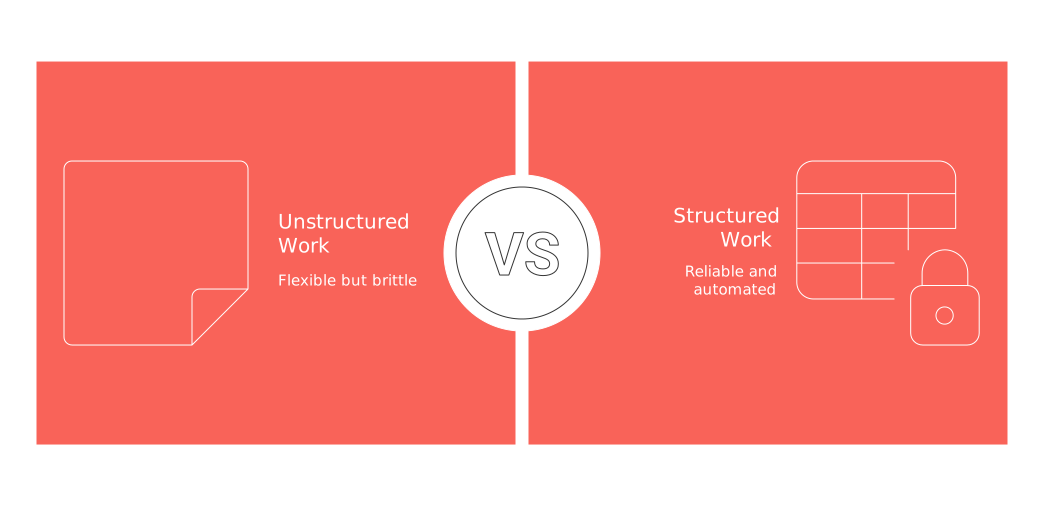
Unstructured work resides in open‑ended paragraphs, informal tags, and checklists without clear rules. This sort of data is difficult to search or report on accurately. It’s flexible for brainstorming, but brittle for operations because meaning lives in prose, not in fields the system can validate.
Structured work depends on defined objects, standardized fields, clear relationships, and strict validation. This approach allows for reliable operations and analysis. It limits ambiguity and enables automation without guesswork.
When key elements, like tasks, deals, and decisions, become clearly defined records, teams benefit from increased clarity, historical insight, and repeatable processes. By promoting these elements to first‑class records, you create a shared language that scales.
What structured looks like across CRM, projects, and knowledge
Core objects
Account: the legal name, industry, size, domain, and record owner, your anchor for planning revenue and delivery.
Contact: role, seniority, opt‑in status, and relationship health, giving context for outreach and consent.
Opportunity: stage, amount, expected close date, and probability so forecasting is comparable across reps.
Project: sponsor, scope, budget, and delivery model, defining how value will be delivered.
Milestone: target date, current status, and risk level to track progress at meaningful checkpoints.
Task: assignee, priority, estimated effort, and dependencies, making handoffs explicit.
Decision: owner, date, options considered, outcome, and rationale to preserve institutional memory.
Document: type, version, connected object, and visibility so the right people find the latest file.
Common interrelationships between entities
An Account can be linked to multiple Opportunities, Contacts, and Projects, creating a single view of revenue and delivery activity.
An Opportunity, once it is closed, results in a single Project, carrying over relevant fields so delivery starts from the same truth sales used.
A Project can contain multiple Milestones, Tasks, and Decisions, keeping the work breakdown aligned to outcomes rather than tasks alone.
A Decision may relate to multiple Documents and Tasks, and vice versa, ensuring context travels with the artifacts that implement it.
This organized schema transforms disjointed updates into reliable project views and clear timelines. It also reduces re‑work because teams stop re‑asking questions that the system has already answered.
Seven tests for team readiness
Every record has a unique, stable ID and a clear owner, so nothing gets orphaned and audits are straightforward.
Critical fields are required and type‑validated (dates as dates, money as currency) to prevent garbage‑in.
Status values come from a single controlled list adopted by the whole team, eliminating one‑off synonyms.
Records are cross‑linked in both directions rather than relying on pasted URLs that break.
All changes are logged, who, when, and what, so you can reconstruct history and meet compliance needs.
Granular permissions exist at both field and object levels, enabling least‑privilege access.
Dashboards pull live data from the system instead of manual spreadsheets, keeping leadership views current by default.
Implementation playbook: move to a shared data model
Map the key entities from prospecting to delivery and ongoing support, agreeing on the names you will use.
Define each entity’s fields, their types, and allowable values, including default values and help text.
Design and document relationships, specifying how entities connect, their cardinality, and what happens on delete or status change.
Set clear lifecycle stages with defined handoffs and completion criteria, so every team knows what “ready” means.
Create tailored views for roles like sales, service delivery, and finance to reduce noise and highlight action.
Write strict validation rules and duplication prevention policies, including matching logic and merge procedures.
Migrate your records in batches and systematically archive old checklists to prevent backsliding.
Train owners and establish governance protocols from week one, including who can add fields and when.
Schedule monthly reviews to iterate and improve your schema based on real usage and support tickets.
Pre‑sales to delivery handoff in practice
Here is a simple workflow designed to preserve full task context and prevent information gaps. It shows how structured objects hand off seamlessly from sales to delivery without losing decisions, owners, or deadlines:
When an Opportunity reaches Closed‑Won, the system locks key sales fields and records the final terms.
The system automatically creates a Project and carries over essential fields, including scope, contacts, and timing.
Kickoff tasks are assigned immediately based on team roles, with due dates relative to the close date.
Decision records capture scope discussions and chosen outcomes, linking to tasks that implement them.
Milestones track how value is delivered, measuring outcomes instead of just logging activities.
If your status updates rely purely on freeform text, your forecasts may be unreliable and difficult to reproduce.
Buyer’s checklist for structured work platforms
Customizable objects with built‑in formulas and summary rollups, so totals and health scores calculate themselves.
Support for many‑to‑many links and reverse lookups between records to model real‑world relationships.
Field‑level permissions plus approval workflows to control sensitive edits.
An exportable audit trail of all historical changes for compliance and root‑cause analysis.
Robust APIs, webhooks, and native app integrations so your system fits into the broader stack.
Bulk import, merge, and automated deduplication to keep records clean at scale.
Reusable automation components with testing and monitoring to prevent fragile one‑off scripts.
Enterprise‑grade controls for uptime, backup, and recovery to protect critical operations.
Integrated hub or point tools? Make a conscious choice
Some teams thrive with unified hubs that centralize tasks, documents, and data; others do better with a suite of specialized tools optimized for a specific job. The right answer depends on your workflows, governance maturity, and tolerance for change.
Platforms like Routine and Notion are all‑in‑one solutions designed to centralize workflows across tasks, documents, and projects. In contrast, Asana and HubSpot provide focused solutions that excel at specific tasks such as project management or CRM. Your choice should align with your current processes and how structured your data model is; if your model is mature, a hub can compound value, while evolving models may benefit from best‑of‑breed tools that let each team move faster.
For a deeper perspective on these choices and relevant trade‑offs, read this detailed comparison of all-in-one workspaces versus dedicated project tools. It outlines criteria and examples to help you decide with confidence.
Visualization matters for adoption
Structured data makes it possible to create adaptable views, such as dashboards and timelines, without ever altering the core data source. When people can view the same truth from different angles, adoption improves and meetings shorten.
Pipeline boards use standardized stages across the organization, so status changes tell a consistent story.
Gantt charts and other timelines read directly from structured dates and dependencies, not prose, so plans update automatically.
Simple tracking dashboards roll up quantitative fields into clear visuals, making weekly reviews faster.
For more information, check out this guide to visualization tools, from Gantt charts to basic project trackers. It highlights practical patterns you can introduce without changing your schema.
Common pitfalls and how to avoid them
Over‑modeling: start simple and add structure only as evidence demands; complexity should earn its keep.
Loose governance: designate accountable data owners for each object and publish their responsibilities.
Hidden fields: audit who can see what on a quarterly schedule to avoid surprise blind spots.
Shadow spreadsheets: retire them gradually in favor of governed, shared views with the same filters.
Ad hoc automations: standardize triggers, add tests and monitoring, and version your workflows.
Preserve the integrity of your schema with attentive, ongoing management. Update it regularly, incorporate user feedback, and keep it stable between planned release cycles, small, predictable changes beat disruptive overhauls, and clear roadmaps help teams stay aligned.
FAQ
Why don't personal productivity apps work well for team dynamics?
Personal productivity apps lack the structured data necessary for team collaboration. Without standardized fields and consistent data, these tools become unreliable when scaling to multiple users.
What is the primary issue with using unstructured data in team environments?
Unstructured data often resides in freeform text, which is difficult to analyze and prone to inconsistencies. This leads to fragmented processes and unreliable reporting.
How can structured data improve team productivity?
Structured data provides clarity through defined objects, standardized fields, and controlled relationships. This enables consistent processes and reliable tracking, elevating team productivity.
What risks are associated with failing to structure team data properly?
Improperly structured data can lead to duplicate and conflicting data, miscommunication, and inefficient processes. Ultimately, it erodes trust and hampers decision-making.
Why is it important to have granular permissions in team tools?
Granular permissions ensure that information is accessible only to those who need it, minimizing security risks and fostering accountability. This prevents unauthorized changes and protects sensitive data.
How does structured data support effective decision-making?
With structured data, decision-making is backed by reliable and consistent information. This framework allows teams to analyze historical trends accurately and make informed decisions swiftly.
What pitfalls should teams be aware of when implementing structured data?
Teams should avoid over-modeling and overly complex systems, which can stifle flexibility and lead to inefficiencies. Start simple and evolve based on evidence and necessity.
Is it better to use integrated hubs or specialized point tools for team tasks?
The choice depends on the team's current processes and data structure. While hubs offer centralized workflow management, specialized tools provide deep functionality tailored to specific needs.

Julien Quintard
Founder & CEO at Routine12/03/2025
