How to Write a Daily Standup Update When You Work Async
Why daily standups still matter when your team works async
Meetings can vanish. Status drift cannot. A brief written standup keeps priorities visible and work moving. It builds trust with teammates and clients and reduces random pings that break focus.
You do not need paragraphs. Five lines are enough. Share outcomes, not busyness. Link the work. State what you need. That is it.
Async is a writing culture. Clear standups document decisions, surface risks early, and show steady progress. Freelancers use them to keep clients informed and assured of progress. Managers use them to spot stuck work without calling a meeting.
The core structure of an async daily standup update
Maintain a consistent, repeatable format for your updates. Use the five-part template below and keep each section to one or two sentences.
Since last update: Outcomes shipped. Reference issue IDs, PRs, or deliverables.
Next focus: The single most important task you will tackle today.
Blockers: What is stopping you, who can help, and by when.
Risks or decisions: Call out trade‑offs or deadlines that may slip.
Links: Point to the ticket, doc, mockup, or CRM record.
Write in plain language. Prefer verbs and nouns over status adjectives. Replace “making progress” with “merged PR #214; deployed to staging.”
How to write blockers people can act on
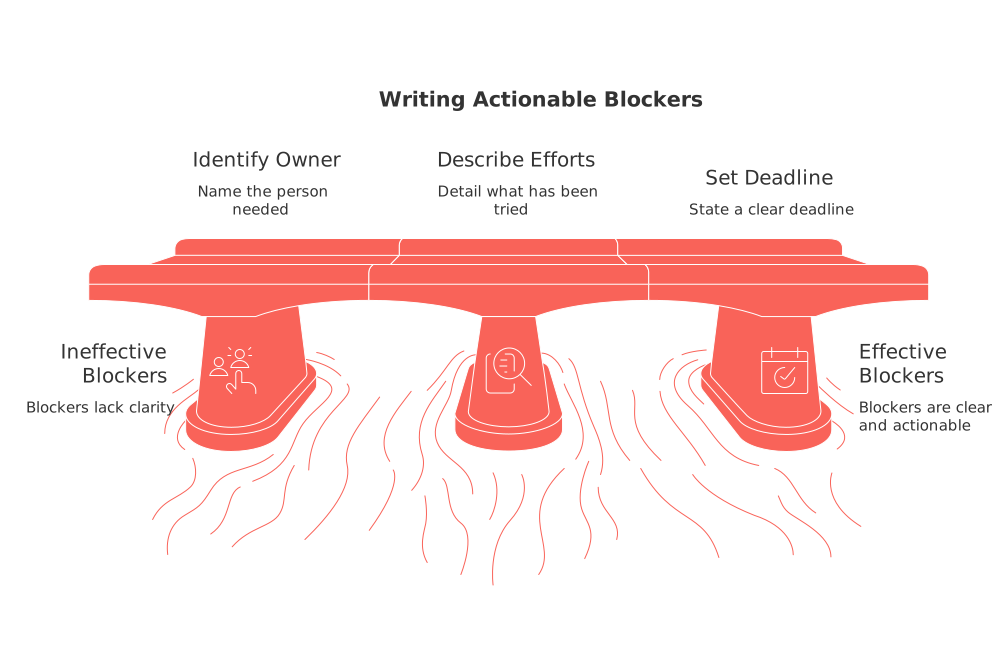
Great blockers are actionable. They include the ask, the owner, and a time frame.
Name the person or team you need help from.
Describe what you already tried. Add a link or screenshot.
State a clear deadline. Propose an alternative if it slips.
Blocker: Need billing API key from Maria to test refunds. Tried sandbox; 402 errors persist. Sent DM at 09:00 PT. Need by Sep 6 to keep launch date.
Decision: Pick headline A or B for ad set 14. CTR target is 2.5%. If no reply by Sep 5 15:00 UTC, I will ship A.
Reporting progress without noise in async updates
Report outcomes, not effort. Tie updates to visible artifacts.
For technical work, replace “worked on onboarding” with “shipped step‑by‑step tour; see Loom link in ticket #482.”
For non‑technical work, be specific about measurable progress. For example, “Completed three stages of the five‑stage onboarding process today.”
Group small tasks under one outcome when possible.
Avoid vanity percentages without context. Link to the plan or tracker.
If your team tracks work visually, align your standup lines to that view. For ideas on simple visuals that help, see this guide to visual project trackers and lightweight Gantt alternatives.
Where to post your async standup and how to structure the thread
Choose one platform for your async standups and maintain consistency in its use. The regularity of communication is more important than the specific tool you choose.
Channel: Create a dedicated “team‑standup” channel. Archive old ones per quarter.
Format: One thread per day. Start the thread at a predictable hour.
Naming: Use a clear prefix, for example “Standup – 2026‑09‑04”.
Replies: Post your update as a reply. Keep discussion in sub‑threads.
Unsure which chat fits your size and workflows? Compare options in this analysis of Slack versus Microsoft Teams for small companies. Choose based on channels, search, and integrations your team will actually use.
Examples you can copy for common roles
Software engineer
Since last update: Merged PR #214. Fixed race condition on checkout. Deployed to staging. Next focus: Write tests for refund flow. Pair with QA at 14:00 CET. Blockers: Waiting on billing API key from Maria. Need by Sep 6. Risks: Refund SLA may slip one day if key delays persist. Links: Ticket ABC‑482, Refund spec v3.
Marketer
Since last update: Launched onboarding email A/B test. Segment: new trials, 7‑day window. Next focus: Build retargeting set for pricing page visitors. Blockers: Need final copy sign‑off from Dora by Sep 5 10:00 ET. Risks: Creative review queue is long. I will self‑approve if no response. Links: Campaign brief, Ad set 14 in Ads Manager.
Designer
Since last update: Delivered mobile states for Paywall v2. Next focus: Prototype trial timer for onboarding flow. Blockers: Need product decision on timer placement by Sep 7. Links: Figma file Paywall v2. Prototype draft.
Freelancer or consultant
Since last update: Shipped content outline for client ACME. Added SEO brief. Next focus: Draft section one. Share preview by 16:00 PT. Blockers: Awaiting access to ACME analytics. Requested yesterday. Links: Contract milestone two. Invoice scheduled on delivery.
Async etiquette that keeps updates readable
Write like a changelog. Short, clear, and link‑heavy.
One update per person per day. If you need to make changes to your update, edit your original post instead of creating a new one.
Use threads for questions. Keep the main channel clean.
Agree on emoji cues. For example, ✅ for shipped, ⛔ for blocker.
Mention people only when action is needed. Avoid FYI pings.
Respect time zones. Set response windows, not instant replies.
Automate reminders and rollups without nagging the team
Light automation helps, especially across time zones. Schedule a daily thread starter. Post a summary at day’s end. Archive weekly highlights in a shared space.
If you prefer one place for tasks, docs, CRM, and standups, consider an all‑in‑one workspace. Tools like Routine or Notion keep links close to the work. Dedicated project tools such as Asana or ClickUp can also work if your team lives there.
If you’re unsure whether to choose a single workspace or multiple specialized tools, consider reading our article, “All‑in‑One Workspaces vs Dedicated Project Tools: Which Serves Your Business Best?” It outlines trade‑offs to help you set a long‑term direction.
Tie your standup to visible plans and goals
Async updates land best when they connect to a plan people recognize. Point to your sprint board, a milestone, or a quarterly theme. This context helps teammates weigh trade‑offs and make decisions without delay.
For visual alignment ideas, revisit the earlier visual project trackers resource above. It shows simple ways to make progress obvious to anyone who reads your update.
FAQ
Why are async standups still important for teams?
Async standups keep everyone aligned on priorities and responsibilities without interrupting workflows. They ensure clarity in communication, highlight early risks, and trust is built over transparent progress reporting, which is critical when physical meetings aren't feasible.
What is the most effective structure for a daily async standup update?
An effective async standup update includes key accomplishments, today's focus, immediate blockers, potential risks, and pertinent links. This format avoids unnecessary information and keeps the team focused on actionable items.
How can Routine aid in maintaining effective async communication?
Routine centralizes tasks, documents, CRM, and standups, reducing the need for disparate tools and improving communication efficiency. It helps teams quickly access and update relevant information in one workspace, reducing \"random pings\" that interrupt focus.
What makes a good blocker description?
A good blocker description is actionable and includes the person responsible, what has been attempted, and a clear deadline. Providing insufficient details leads to delays and unresolved issues, hindering the team's overall momentum.
How can standup reports avoid becoming noise?
Standup reports should focus on tangible outcomes rather than effort, linking to visible artifacts or progress indicators. Superfluous commentary or vague metrics obscure actual progress and fail to provide value or direction to the team.
What platforms are best for hosting async standups?
The best platform for async standups is one that integrates well with your team's workflow and communication tools, such as Routine or Slack. Consistency and ease of use are more critical than the specific tool, as they ensure regular and meaningful updates.
How can teams respect time zones in async communication?
Teams can respect time zones by setting clear response windows and automating thread starters and summaries. Prompt responses shouldn't be expected, as different time zones can inadvertently create pressure and diminish work-life balance.
Why should companies prefer action-oriented updates?
Action-oriented updates drive projects forward by clearly outlining what is done, what's next, and what needs attention. In contrast, updates lacking direction or specificity waste valuable time and dilute team impact.
How do visual trackers enhance async standups?
Visual trackers align async standups with broader goals, offering a clear view of project status and progress. They prevent updates from becoming isolated tasks without context, thus improving strategic decision-making and prioritization.

Julien Quintard
Founder & CEO at Routine09/04/2026
