WOOP Goals: The Science-Backed Alternative to SMART and OKRs
Why WOOP goals work when SMART and OKRs stall
SMART and OKRs excel at structure. They still miss a crucial driver: letting emotion meet reality. WOOP creates that collision. You picture wins, surface roadblocks, and script precise actions. That shift turns intention into follow‑through.
WOOP blends two well‑researched ideas. First, mental contrasting: your desire is held up against real limits. Second, if–then planning: clear cues trigger decisive moves. Together, they curb wishful planning and procrastination.
Hope sets direction. WOOP builds the path you will actually walk.
What the WOOP method is and how to use WOOP goals
WOOP stands for Wish, Outcome, Obstacle, and Plan. Do it in one focused sitting. Keep language plain and personal.
Wish: Choose one meaningful, feasible goal for the next few weeks.
Outcome: Describe the best, concrete result. Feel why it matters.
Obstacle: Name the internal blocker you control, not outside chaos.
Plan: Write an “if–then” response to that blocker.
If Wish: Run a 5K in August. Outcome: Finish under 30 minutes. Obstacle: Evening fatigue. Plan: then it’s 6 p.m. and I feel tired, Personal example: I put on shoes and jog one block to start.
If Wish: Publish a case study this month. Outcome: Land two inquiries. Obstacle: Perfectionism. Plan: then I edit more than 30 minutes, Freelancer example: I ship the draft to a peer.
WOOP versus SMART goals and OKRs with practical differences you will feel
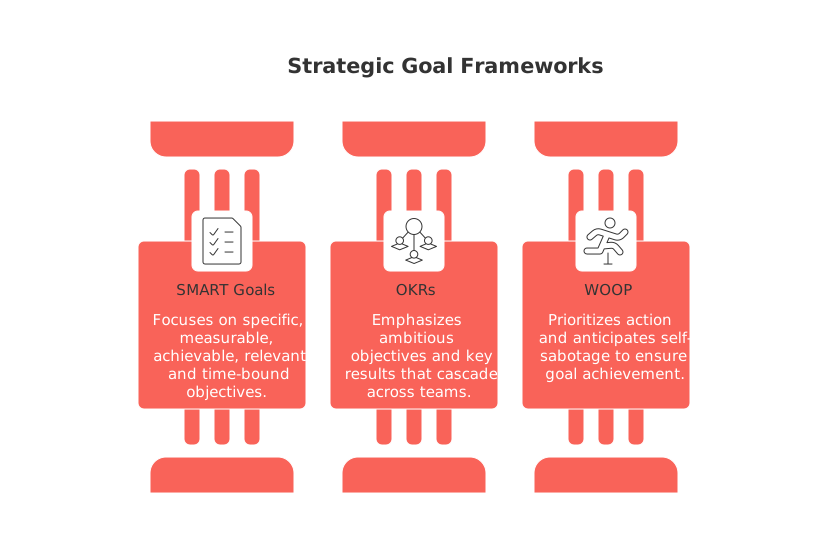
SMART and OKRs excel at specifying. WOOP excels at doing.
SMART sets criteria. WOOP anticipates self‑sabotage.
OKRs cascade across teams. WOOP activates daily behavior.
WOOP pairs well with both, but prevents pretty‑yet‑stalled plans.
A quick WOOP goals canvas you can run inside any workspace
Use a one‑page canvas inside a digital tool of your preference, for example, project and knowledge platforms like Routine, Notion, or ClickUp work well even if you’re new to them.
Copy this layout
Wish: One sentence.
Outcome: One paragraph that you can visualize.
Main internal obstacle: One sentence, brutally honest.
If–then plan: One line, clear trigger and action.
Two leading indicators: Immediate evidence you are moving today.
How executives and teams can apply WOOP goals to projects and CRM
Teams ship faster when they WOOP key deliverables. Use it for launches, onboarding, and renewals. Keep scope small and rhythm steady.
Product: Wish: Ship the onboarding revamp. Obstacle: Review bottlenecks. Plan: If a pull request waits 24 hours, then the owner pings the reviewer in the channel.
Sales: Wish: Shorten stage two by three days. Obstacle: Silent prospects. Plan: If no reply in 48 hours, then send a value summary and suggest two times.
Support: Wish: Cut reopen rates. Obstacle: Vague resolutions. Plan: If we close a ticket, then we add steps customers can retry.
Set realistic time horizons for WOOP goals to keep momentum
Short cycles keep urgency high. Many solo operators thrive with 12‑week windows. Consider this cadence before drafting your Wish. Learn how quarters sharpen focus in this 12‑week year guide for solo operators.
Turn WOOP goals into visible project plans without complexity
After formulating your WOOP goals, translate them into a simple, streamlined action plan. There’s no need for complex or overly detailed planning methodologies. A brief roadmap and a clear charter often suffice. See practical project planning templates like roadmaps and charters to structure the work.
For longer efforts, map deliverables to milestones. Keep if–then plans attached to each task. That link preserves execution discipline.
Common WOOP goal mistakes and how to fix them
Vague outcomes: Describe a scene you could film, not a slogan.
External obstacles: Focus on what you control first.
Missing trigger: Name a clear time, place, or cue.
Too many wishes: Pick one core Wish per cycle.
One‑time setup: Review the canvas every weekday.
Measure progress on WOOP goals and adjust fast
Track two leading indicators, not only totals. Examples: daily outreach count, draft paragraphs, or shipped fixes. Inspect trends weekly. Update the if–then plan when a new blocker appears.
Conduct a quick retrospective analysis at the end of each goal cycle. Ask three questions: What worked? What slipped? Which obstacle returned? Then rewrite the plan for the next round.
Real examples of WOOP goals for consumers and solo operators
Health example
Wish: Cook at home four nights weekly. Outcome: Save $160 and feel lighter. Obstacle: Late‑night cravings. Plan: If it’s 9 p.m. and I want takeout, then I heat frozen soup and drink tea.
Freelance designer example
Wish: Raise rates by 15% this quarter. Outcome: Keep income with fewer clients. Obstacle: Fear of pushback. Plan: If a client objects, then I present three package options with value anchors.
Where WOOP goals fit in your broader delivery process
WOOP sets behavior at the front line. Pair it with a clear, simplified view of your entire project life cycle for better understanding. Many teams frame work across initiation, planning, execution, control, and close. Use WOOP at each phase to surface blockers early and script responses.
FAQ
What is the WOOP method and how does it differ from SMART goals?
WOOP stands for Wish, Outcome, Obstacle, and Plan, emphasizing emotional clarity and proactive action. Unlike SMART, which focuses on structuring goals, WOOP addresses internal blockers you control, transforming abstract intentions into concrete actions.
Why incorporate emotional elements into goal setting with WOOP?
Emotional elements create a personal connection to goals, driving motivation and commitment. This prevents the disconnect often found in traditional goal-setting where plans may remain attractive on paper but stall in execution.
How can WOOP goals combat procrastination effectively?
WOOP's if–then planning creates automatic responses to common pitfalls, turning potential procrastination into productive action. This structured approach to anticipate challenges leaves no room for wishful thinking.
Can WOOP be integrated into team settings and large projects?
Yes, WOOP helps teams accelerate project pace by resolving individual hurdles that can delay progress. By aligning WOOP with existing project management tools like Routine, Notion, or ClickUp, teams can maintain momentum and agility.
What are some common pitfalls when using WOOP goals and how can they be avoided?
Avoid vague outcomes by ensuring goals are visual and specific, focusing on internal obstacles you can influence. Maintain a single wish per cycle to stay focused, and regularly review progress against the plan.
How can you ensure continuous motivation with WOOP goals?
Setting short cycles, such as 12-week windows for goals, maintains a sense of urgency and intensity. Regularly update and adapt your if–then plans based on weekly outcomes, ensuring alignment with dynamic work environments.
How does Routine enhance WOOP goal setting?
Routine integrates seamlessly with WOOP, allowing for organized goal tracking and project management within a digital workspace. Its user-friendly interface enables documenting wishes, outcomes, obstacles, and plans efficiently, ensuring nothing is overlooked.

Julien Quintard
Founder & CEO at Routine06/19/2026
