The Difference Between Urgent and Important Tasks (And Why We Confuse Them)
What urgent tasks mean and why our brains chase them
Urgent tasks demand attention now. A client pings, a form expires, a server hiccups. Your brain treats these as fires. Speed feels like progress, so you jump.
Several biases push you there: recency bias, social pressure, and sunk costs. Short tasks also lure you. They promise quick relief. The relief is real, yet the results are often small.
What important tasks mean and how they compound results
Important tasks change outcomes. They improve revenue, quality, trust, or your skills. They rarely expire today, so they wait. That delay hides their value.
For individuals: exercise, portfolio pieces, and deep learning.
For freelancers: proposals, client onboarding playbooks, and testimonials.
For teams: product discovery, process documentation, and customer research.
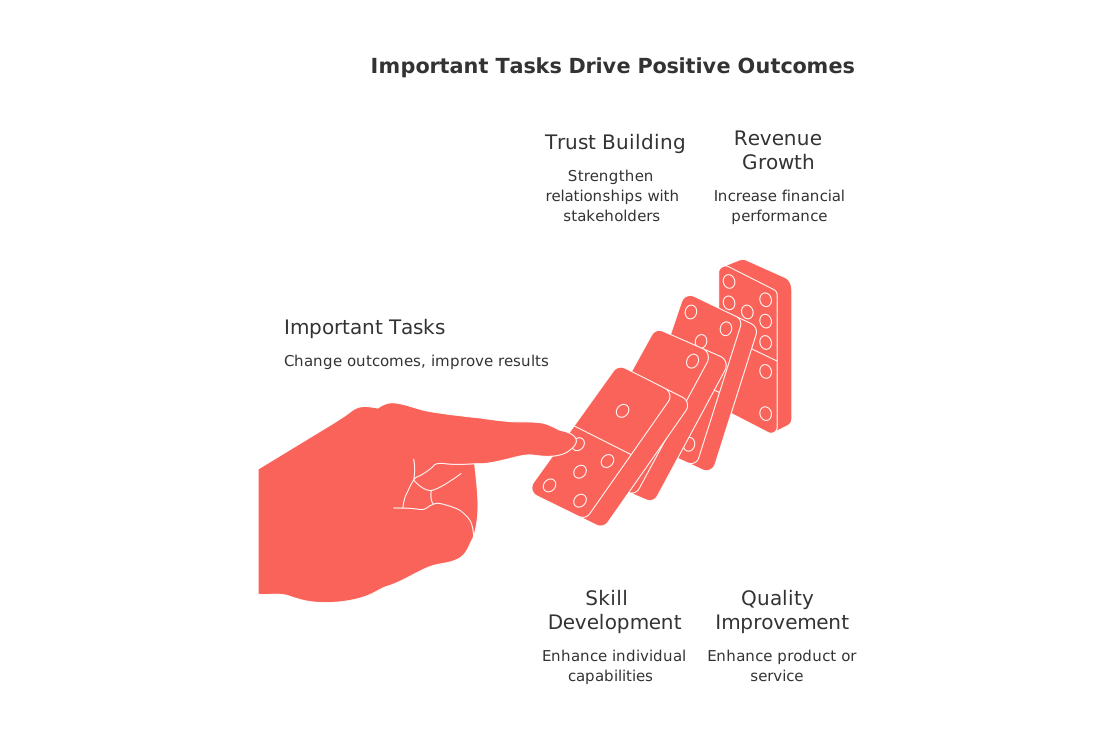
These efforts compound. Improvements such as a better offer, a tighter process, or a stronger brand continue to provide benefits over time.
Why we confuse urgent with important in real life
Notifications set your agenda. Pings arrive with context and emotion. They feel like a threat to relationships or status. You react to restore safety.
My inbox defines my day. If that sounds familiar, you are optimizing for other people’s clocks.
The fix is not silence. The fix is evidence. Decide based on a task’s importance and urgency, rather than the sheer volume of requests.
Use the urgent–important matrix with real-world examples
Quadrant 1 , Urgent and important: fix a payment failure; submit taxes; ship a client deliverable due today.
Quadrant 2 , Important, not urgent: refine your offer; create a case study; set up a customer knowledge base; train a teammate.
Quadrant 3 , Urgent, not important: unscheduled chat pings; FYI requests; status checks with no blocker.
Quadrant 4 , Neither urgent nor important: vanity metrics; random file tidying; tool tinkering without a goal.
Protect Quadrant 2. That is where careers, products, and independent businesses grow.
Prioritize by impact, not noise: a quick scoring method
Use three plain signals. Keep it simple and visible.
Impact: high, medium, or low. Ask, who benefits and how much?
Effort: small, medium, or large. Prefer small first when impact ties.
Risk of delay: high, medium, or low. Consider deadlines and reputation.
Do high‑impact, small‑effort, high‑risk items first. Defer low‑impact urgencies with a clear reply.
Turn priorities into a visible plan using simple project views
Clarity in task management grows when you understand the dependencies or relationships between different tasks and their deadlines. A lightweight board or timeline makes those relationships, and true blockers, easy to see. If you need help choosing the right view, compare options in this guide to Gantt charts and simple project trackers. Match the view to the decision you must make today.
Choosing a single platform over multiple ones can help maintain your focus and improve task management. All‑in‑one workspaces can reduce the need to switch between different tools, while dedicated, specialized tools can provide more advanced features. Choose what reduces dithering for your team.
Shrink the horizon to reduce false urgency
Year‑long goals create vague stress. A shorter window forces trade‑offs. Plan in 12‑week cycles and judge by outcomes, not activity. Learn how solo operators do it in the 12‑Week Year guide for independent professionals. Shorter horizons reduce noise and surface what matters now.
Tie tasks to customers, not inboxes
Work should orbit real people, not channels. Link tasks to contacts, companies, or deals. That simple shift makes sales follow‑ups and support improvements feel important, not optional.
All‑in‑one workspaces like Routine or Notion, and competitors such as ClickUp, can connect tasks, docs, and lightweight CRM. Pick the one your team will actually keep updated.
When everything is “urgent”: scripts to reset expectations
Use short, polite replies that trade speed for clarity.
Ask for the goal:“What outcome do you need by when?”
Offer choices:“I can do A today or B and C by Thursday. Which solves it?”
Surface impact:“If I switch now, Project X slips one day. Is that acceptable?”
“Got your message. To deliver quality, I can send the draft by 4 pm, or the final tomorrow at 11 am. Which do you prefer?”
Try this 10‑minute reset each morning
List every open task in one place.
Mark each with Impact, Effort, and Risk of delay.
Move two items into Today. Not three.
Schedule one 45‑minute block for an Important‑not‑Urgent task.
Write one deferral script for a low‑impact urgency.
Review your plan after lunch. Adjust once.
A prompt you can reuse to sort your day
When you feel pulled by pings, get a second brain to classify and plan.
Act as a prioritization coach. Today is August 25, 2026. Classify each task I paste into the Eisenhower matrix: (1) Urgent & Important, (2) Important not Urgent, (3) Urgent not Important, (4) Neither. For every task, assign Impact (High/Med/Low), Effort (S/M/L), and Risk of Delay (High/Med/Low). Then: pick the top two tasks to do first with 3 concrete next actions each; suggest one polite deferral script for any low‑impact urgent tasks; list dependencies I should clear today. Here are my tasks: [paste your list].
FAQ
Why do urgent tasks often feel more satisfying than important ones?
Urgent tasks offer immediate gratification and a false sense of accomplishment, which tricks the brain into prioritizing them over strategically important tasks. Although satisfying in the moment, they often deliver negligible long-term value. Recognize this mental trap and reallocate effort to truly impactful activities.
How can I keep my focus on important tasks rather than get distracted by urgent ones?
Start by categorizing your tasks using the Eisenhower matrix to distinguish urgency from importance. Reserve a dedicated time block daily for high-impact activities, and utilize platforms like Routine to streamline task management and minimize distractions.
What is a simple method to score tasks by their priority?
Evaluate tasks based on impact, effort, and risk of delay. High-impact, low-effort tasks should be prioritized first, with specific attention to those involving high risks if deferred. This ensures strategic alignment with overall objectives.
How can using a single workspace improve task management?
Centralizing tools in one workspace reduces cognitive load and the inefficiencies caused by jumping between platforms. Routine or similar tools simplify the process, leading to better focus and more effective time management.
What does the term \"shrinking the horizon\" mean in task management?
Shrinking the horizon involves breaking down long-term goals into shorter, more actionable cycles, like 12-week plans. This approach clarifies priorities, mitigates procrastination, and aligns actions with immediate needs, avoiding the vague stress of extended timelines.
Why is linking tasks to people, not channels, beneficial?
Centering tasks around actual stakeholders rather than abstract channels encourages accountability and relevance. This shift ensures that activities contribute directly to customer or client needs, making your efforts feel purposeful and not just administrative clutter.
How can I better manage disruptions from task notifications?
Reframe notifications as non-urgent unless proven otherwise, and structure your response valuation based on importance rather than quantity. Prioritize tasks through Routine's categorization features, which help maintain focus amidst constant digital interruptions.

Julien Quintard
Founder & CEO at Routine09/02/2026
