Theme Days: Give Each Weekday a Job
Why theme days calm the chaos of modern work
Constant switching drains attention. Theme days replace that churn with clear lanes, predefined themes for each weekday that guide your focus. Give each weekday one job. Make progress feel predictable, not lucky.
Pick a lane for the day. Respect it. Ship within it.
Use short, simple labels that speed decisions: Money, Delivery, Outreach, Strategy, Learning. You still handle true emergencies. You just stop inviting chaos by default.
How theme days reduce decision fatigue for individuals and small teams
Theme days shrink choices. You decide once per week, not every hour. That frees energy for real work.
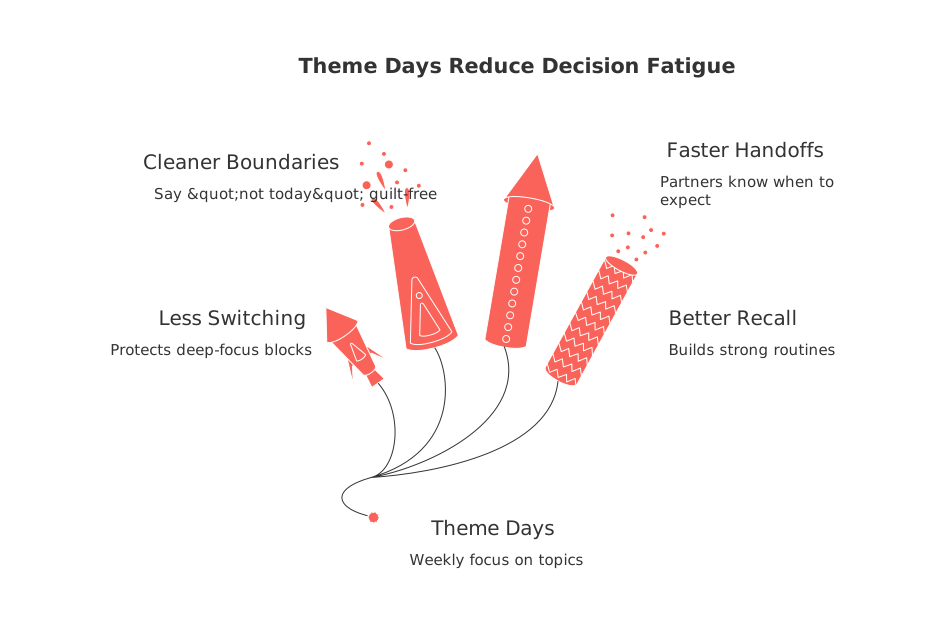
Less context switching: You protect deep-focus blocks.
Cleaner boundaries: You say “not today” without guilt.
Faster handoffs: Partners know when to expect you on a topic.
Better recall: Repeating a theme builds strong routines and muscle memory.
Keep it flexible. If Wednesday is Outreach, a quick invoice can still ship. Just return to the lane fast.
Weekly theme examples for freelancers, students, and solo founders
Freelancers
Monday, Money: Send proposals, process invoices, reconcile expenses.
Tuesday, Delivery: Produce client assets and publish drafts.
Wednesday, Outreach: Pitch, follow up, and nurture leads.
Thursday, Strategy: Plan offers, pricing, and positioning.
Friday, Learning: Improve skills and refine playbooks.
Students
Research: Source materials and summarize findings.
Practice: Problem sets, labs, or mock exams.
Review: Consolidate insights and quiz yourself.
Solo founders
Growth: Run experiments and measure signups or revenue.
Product: Ship fixes and small improvements.
Ops: Contracts, vendors, and compliance.
Notice the pattern: verbs that clarify action. Short labels remove friction.
Theme days applied to project management workflows without complex tooling
Map each day to a project category. Delivery Day pulls only execution tasks. Strategy Day fills the roadmap. Growth Day handles experiments, analysis, and next bets.
Divide your backlog into five clear lanes (one per weekday).
Attach one lane to each weekday.
Right-size tasks so they fit inside that day.
Keep a small “triage” slot for surprises.
Review outcomes next morning and roll unfinished work forward.
Visual trackers help here. Use swimlanes or simple lists that mirror your weekday jobs.
Theme days for CRM: pipeline building without anxiety
Outreach thrives on rhythm. Dedicate one strong day to prospecting and follow-ups. Use another for demos and proposals. Reserve quick daily micro-windows for urgent replies.
Prospect list build: Research and qualify targets.
First-touch block: Send messages and record outcomes.
Follow-up sprint: Advance warm threads and book calls.
Pipeline review: Clean stages and next steps.
Automation tools can be a great asset when aiming for efficiency with theme days. For instance, sales-focused tasks like routine follow-ups and handoffs can be automated, reducing manual work. Learn how to set up practical sales automations here.
Align theme days with quarterly goals to create compounding progress
Weekly lanes work best when they ladder to a short horizon. Plan outcomes by quarter, then feed them into each day’s lane. You stay on strategy while still shipping.
If long annual targets feel fuzzy, consider shorter cycles. Many individuals working independently, freelancers, students, or solo founders, prefer to plan in focused 12‑week cycles rather than setting vague annual goals. Theme days then drive weekly execution toward that clear finish line.
Theme days for knowledge management: capture, organize, and reuse insights
Give one day the job of turning scattered learnings into usable assets. Ship checklists, how‑tos, FAQs, and decision logs. Future you will thank present you.
Capture: Write the lesson while details feel fresh.
Organize: File pages by team, topic, and stage.
Reuse: Link templates inside your delivery workflows.
For instance, Capture could entail students summarizing lectures into one‑page briefs immediately after class. Organize could look like freelancers categorizing and filing client Q&A responses by topic. And Reuse could mean turning those responses into repeatable guides and templates for future work.
Keep the system honest: metrics, exceptions, and how to adjust
Measure output, not hours. Use one metric per day. Adjust themes if the metric stalls.
Money day: invoices sent or dollars collected.
Delivery day: assets shipped or stories closed.
Outreach day: qualified conversations started.
Strategy day: decisions made or experiments queued.
Learning day: skills practiced or pages produced.
Handle true urgencies fast. Then return to the lane. Protect the lane or it fades.
Tools that fit theme days without locking you in
You do not need heavy software. Still, an all‑in‑one workspace helps connect projects, docs, and contacts. Options include all‑in‑one workspace software like Routine and Notion. Dedicated tools like Asana, Trello, or Pipedrive also work. Pick what your team already understands.
Clarity beats features for this method. If the tool clearly delineates your themes or tasks for each day (your lanes), you are set.
One-week quick start plan for adopting theme days
List five verbs that matter this quarter.
Attach one verb to each weekday.
Slice tasks so each fits a single day.
Block two deep-focus windows per themed day.
Run the system for one week.
Score each day’s metric and adjust labels if needed.
Final thought: Give each weekday a job and keep it honest. The method is small, but the gains stack fast.
FAQ
What are theme days and why should I consider using them?
Theme days assign a specific focus each weekday, reducing context switching and decision fatigue. They help streamline tasks by creating a rhythm in workflow, which can lead to more predictable progress and fewer distractions.
How do theme days tackle decision fatigue?
By limiting the need to choose tasks repeatedly throughout the day, theme days conserve mental energy. This concentration allows individuals to focus on execution rather than constant planning or task-shuffling.
Can theme days align with long-term goals?
Yes, by connecting daily themes with quarterly objectives, you ensure consistent action towards larger goals. This approach minimizes aimless weekly efforts and directs your workflow in a purpose-driven direction.
Do I need expensive tools to implement theme days?
No, the key is clarity, not complexity. Simple tools like Routine, Notion, or Trello can help organize theme days effectively without overwhelming you with features that add no value to your workflow.
How should I handle urgent tasks on theme days?
Attend to true urgencies swiftly, then refocus on your day's theme. The challenge lies in maintaining discipline; frequent deviations dilute the effectiveness of theme days.
What makes theme days more effective than traditional to-do lists?
Theme days limit the distraction of constantly reprioritizing tasks, fostering deep work. Unlike a jumble of tasks in a typical to-do list, theme days create systematic progress and prevent unintentional chaos.
Are theme days suitable for teams as well as individuals?
Yes, teams gain from synchronous workflows where clear lanes promote predictable handoffs. Theme days help synchronize effort and focus, reducing unnecessary meetings and interruptions.
Is it possible to automate aspects of theme days?
Yes, automation tools like those found in Routine can streamline repetitive tasks, freeing up time to focus on more strategic daily themes. However, over-automation can lead to complacency; balance is crucial.
What risks come with poorly managed theme days?
Without strict discipline, themes blur, turning into generic workdays with no clear focus. This mismanagement can lead to mounting stress and inefficiency, mirroring the chaos theme days aim to eliminate.

Julien Quintard
Founder & CEO at Routine07/08/2026
