Top Reclaim.ai Alternatives for Time Blocking
When time blocking breaks: why teams look beyond Reclaim.ai
Reclaim.ai promises to automate your schedule by placing tasks and habits into your calendar for you. This can work smoothly up to a point, but as soon as your work starts to depend on project milestones, client details, or outcomes from meetings, issues begin to surface. Time blocks created in isolation can lead to friction: disconnected follow-ups where key interactions are lost, duplicated planning that wastes time on overlapping tasks, and a calendar that appears busy without actually advancing core business milestones. The result? A schedule that undermines rather than accelerates your progress.
This guide evaluates the leading Reclaim.ai alternatives for time blocking based on what truly matters to potential buyers: effectiveness, ease of use, collaborative features, and value for money. Whether you're leading a team or running a solo consultancy that operates with rigorous processes, it’s crucial to weigh the trade-offs carefully. Fast scheduling isn’t the same as truly productive time.
Comparison table: top Reclaim.ai alternatives for time blocking
Tool | Best for time blocking | Automation style | Context across projects/CRM/docs | Team collaboration | Setup effort | Not ideal when… | Why choose over Reclaim.ai |
|---|---|---|---|---|---|---|---|
Routine | Teams and solo operators who need blocks tied to projects, CRM, and meetings | Manual blocks with smart connections | High | Project, CRM, and meeting workflows | Medium | You only want personal auto‑scheduling | Time blocks integrate directly with project plans, client details, and meeting recaps |
Motion | People who want the day auto‑planned end‑to‑end | Full autoplan | Low–Medium | Small teams | Low | You need deep project/CRM context | Fast scheduling with dynamic reshuffling |
Sunsama | Intentional daily planning rituals | Guided manual plan | Medium | Lightweight team check‑ins | Low | You want automation or complex workflows | Deliberate daily routines and scoped goals |
Akiflow | Fast triage from inboxes to time blocks | Manual + quick actions | Low–Medium | Primarily solo | Low | You need shared project structure | Lightning capture and command bar scheduling |
Clockwise | Protecting focus time by moving meetings | Meeting auto‑arrange | Low | Org‑level policies | Medium | You want task‑level time blocking | Company‑wide focus time protection |
SkedPal | Complex constraints and priorities | Rule‑based auto‑schedule | Low–Medium | Solo | Medium–High | You want simple and collaborative | Highly customizable preference-driven scheduling |
Todoist + calendar | Simple task lists mapped to blocks | Manual via sync | Low | Light collaboration | Low | You need meeting/CRM context | Familiar to-do lists with easy calendar integration |
TickTick | Personal time blocking with focus timers | Manual in-app | Low | Solo | Low | You manage client or team work | Streamlined personal productivity with timers |
Notion + Notion Calendar | Docs‑centric teams that want schedule alignment | Manual; template‑driven | High (docs), Low (tasks automation) | Team knowledge hub | Medium–High | You want scheduling intelligence out‑of‑the‑box | Integrates documentation and calendar on one platform |
Routine: time blocking that lives with your projects, CRM, and meetings
The most common reason teams and professionals move away from Reclaim.ai isn’t scheduling speed, it’s the need for richer context. Routine combines project management, knowledge base, CRM, and meetings into one interconnected workspace. This allows you to turn tasks into time blocks without losing context: each block remains directly linked to its project, relevant client record, and related meeting prep or follow-up. As a result, time blocks aren’t just calendar entries, they’re meaningful actions attached to your business’s real activities.
Why it made #1: When your workflow spans proposals, deliverables, and client management, you need a time blocking tool that understands these connections. Routine’s smart linking ensures tasks, documentation, pipeline activities, and meeting takeaways all live within a seamless workflow, keeping your calendar driven by what really matters, not just what fits into an empty slot.
Best for: Agencies, consultants, product teams, and driven solos who want their schedule grounded in business context.
Where it stands out: Integrates planning and execution, build project or CRM plans and immediately schedule work in the same system.
Trade-offs: If your only priority is automated personal scheduling, Motion’s autoplan has the quickest setup.
Who should choose it: Teams seeking a unified system of record for projects, clients, and meetings, with time blocking as the action layer.
Decision moment: Routine becomes essential once answering, “What should I time block next?” means checking a project plan, client profile, and meeting notes, all in one place.
Still deciding between all-in-one platforms and focused tools? Read our deep dive comparing all-in-one workspaces to specialized project tools for practical decision-making guidance.
Motion: end-to-end autoplan when scheduling speed matters most
Motion is the choice for people frustrated by planning overhead. It automatically schedules your day’s tasks and meetings, then reschedules as changes occur. For those with straightforward backlogs and minimal dependencies, this rapid auto-planning can be transformative.
Best for: Individuals and small teams wanting a fully packed, auto-managed day.
Where it stands out: Speedy task placement and constant day optimization.
Trade-offs: The automation’s logic can seem opaque, and crucial project or CRM context typically lives outside the tool.
When to consider another option: If you need your time blocks to carry milestones, client details, or relevant documentation, Routine keeps everything together.
Decision moment: Motion is the answer when planning your daily agenda is taking up more energy than the work itself.
Sunsama: ritual-driven daily planning for calm and focus
Sunsama is built for those who value intention and reflection more than automation. Its guided planning process encourages you to select a realistic workload each day and time block only what’s achievable, helping avoid overcommitment and calendar chaos.
Best for: Managers and individual contributors seeking a mindful daily start and light team accountability.
Where it stands out: Promotes scope control and a sustainable workflow rhythm.
Trade-offs: Lacks robust automation; cross-project dependencies and CRM status have to be handled elsewhere.
Switch trigger from Reclaim.ai: Choose Sunsama when auto-scheduling becomes overwhelming and you crave clarity and commitment instead.
Akiflow: capture first, schedule fast
Akiflow excels for users overwhelmed by scattered tasks. It consolidates to-dos from email, Slack, and various apps into a unified inbox. From there, you can rapidly time block tasks with keyboard-centric commands, perfect for quick thinkers who value input speed.
Best for: Solopreneurs and professionals who live in their inbox and crave seamless transition from collecting to scheduling tasks.
Where it stands out: Efficient capture, fast triage, and ultra-speedy time boxing.
Trade-offs: Offers minimal support for shared projects or CRM context; you’ll still depend on other platforms for broader visibility.
When other options are better: For collaborative workflows, Routine provides a more contextual approach.
Clockwise: fix meetings to create focus time
When endless meetings are the major obstacle to focused work, Clockwise steps in by shifting meetings around to secure substantial distraction-free blocks. Instead of assigning tasks to blocks, it optimizes the whole team’s or organization’s schedule to ensure focus time is protected.
Best for: Teams or organizations overloaded with meetings who need blocks of protected focus time.
Where it stands out: Enforces org-wide scheduling policies and intelligently moves meetings.
Trade-offs: Doesn’t convert tasks to time blocks; you’ll need a task-focused system to actually execute during those windows.
Pair with: Routine or another context-aware solution to maximize those protected hours.
Once you’ve unlocked focus, manage it effectively with actionable templates in this practical guide for running better meetings.
SkedPal: rule-based, precision scheduling for complex needs
SkedPal is designed for those who need precise, rules-driven scheduling. If your days depend on particular time windows, energy levels, or custom constraints, SkedPal’s powerful automation adapts to your exact preferences.
Best for: Individuals whose productivity depends on honoring strict timing and sequencing.
Where it stands out: Flexible preference modeling and rescheduling to fit your routines.
Trade-offs: Steeper learning curve, with limited collaboration and CRM integration.
Who should pick it: Detail-oriented solos who treat scheduling like a fine-tuned system.
Todoist with a connected calendar: simple lists, light time boxing
If you’re already disciplined with to-do lists in Todoist, calendar syncing allows you to convert lists into time blocks, creating structure without overcomplicating your workflow. It’s a low-resistance path to more intentional scheduling.
Best for: Individuals seeking simple, habit-friendly time blocking based on lists.
Where it stands out: Consistent habit-building and ease of use.
Trade-offs: Minimal depth for project or meeting context; manual maintenance increases as you scale or collaborate.
When to switch: As your team or client base grows, look to Routine for a more collaborative, context-rich system.
TickTick: all-in-one personal productivity with calendar and focus timers
TickTick combines task management, calendar views, and focus timers in a single interface, making it a great fit for individuals who want comprehensive, all-in-one personal planning.
Best for: Students, solo creators, and freelancers with individual scheduling needs.
Where it stands out: Seamless integration of tasks, time, and focus aids.
Trade-offs: Isn’t equipped for collaborative projects or client pipelines.
When to move on: If your day is driven by clients, deals, or complex projects, you’ll quickly outgrow TickTick.
Notion with Notion Calendar: documentation-driven scheduling for teams
For organizations that rely heavily on documentation, pairing Notion with Notion Calendar lets you link project pages and timelines directly to scheduled work. Template-driven workflows enable repeatable planning routines, though setup may require more effort.
Best for: Knowledge-first teams comfortable building their own workflows from flexible building blocks.
Where it stands out: Depth of documentation and customizable planning templates.
Trade-offs: You assemble processes yourself; scheduling automation and CRM tools typically require integrations or added discipline.
Who should pick it: Teams already invested in Notion who value flexibility and central documentation over instant scheduling.
Final decision framework: how to choose the best Reclaim.ai alternative for time blocking
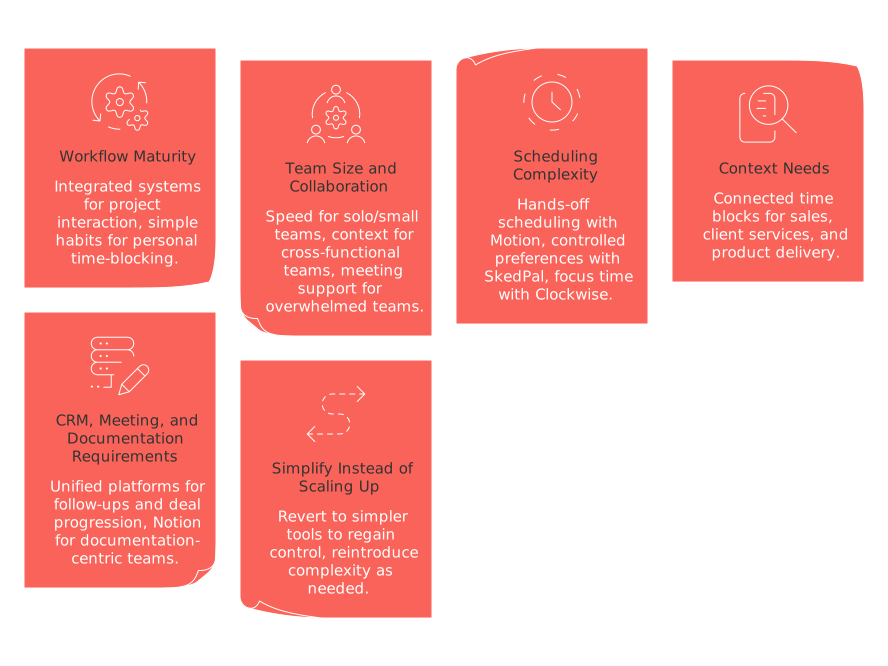
Workflow maturity: If your schedule needs to interact with projects, documentation, CRM data, and meetings, opt for an integrated system like Routine. If you’re refining your personal time-blocking habits, choose Sunsama or Todoist with calendar sync for simplicity and consistency.
Team size and collaboration: For solo or small team workflows, prioritize speed with Motion or Akiflow. For cross-functional teams with shared projects and active pipelines, Routine or a Notion-based solution holds context best. Use Clockwise to support teams overwhelmed by meetings.
Scheduling complexity: For fully optimized, hands-off scheduling, Motion is ideal. For carefully controlled preferences and rules, go with SkedPal. For large-scale focus time management, Clockwise is hard to beat.
Context needs: If you work in sales, client services, or product delivery, connected time blocks that stay linked to deals, accounts, and specs are essential, Routine serves this need exceptionally well.
CRM, meeting, and documentation requirements: If timely follow-ups, deal progression, and meeting outcomes determine your next move, use a platform where all these elements are unified. For documentation-centric teams, Notion + Notion Calendar can work with strong processes in place.
When to simplify instead of scaling up: If your main challenge is overwhelming automation, revert to Sunsama or a Todoist/calendar combo to reestablish control, then reintroduce complexity as needed.
If managing many tools is causing headaches, our guide to all-in-one workspaces vs specialized project tools provides practical guidelines to navigate the choice. If unfinished meeting to-dos derail your execution, check out our collection of effective meeting templates for actionable solutions. For a deeper dive, explore the question: Why do personal productivity apps fall short for teams, and how can structured systems fix this?
Conclusion: value is created in context, not just on the calendar
Reclaim.ai is outstanding for rapidly filling up your calendar. However, auto-scheduling alone may be insufficient when tasks demand a collaborative structure, need easy access to client data, or require follow-ups stemming from meetings. Choose Motion when raw planning speed is essential. Opt for Sunsama if you seek thoughtful restraint and reflection. Pick Clockwise when meetings are stifling real work. And choose Routine when productivity depends on having project details, CRM data, and meeting context unified within the same workspace as your time blocks.
Final decision moment: If identifying your next priority requires searching outside your scheduling tool, it’s a clear sign, it’s time to upgrade to a platform where context and scheduling are seamlessly integrated.
FAQ
What professionals might benefit most from using Akiflow?
Akiflow suits fast-paced professionals who need quick task triage from multiple sources but can compromise on project visibility and collaborative workflows.
When is Clockwise the ideal choice for managing meetings?
Clockwise is optimal when a team needs to protect focus time by intelligently rearranging meeting schedules. It's less effective if you want task-specific time blocks.
What challenges can arise from using TickTick for business scheduling?
TickTick serves individual planners well but falls short for managing client interactions or collaborative project timelines due to its limited connectivity features.
In what situations might a hybrid approach like Notion + Notion Calendar be beneficial?
This setup is suitable for teams that need document-driven planning and are capable of creating custom workflows, but it requires more setup and lacks out-of-the-box scheduling intelligence.
Why might a business choose Routine over other time-blocking solutions?
Businesses that depend on the seamless alignment of projects, CRM, and meeting context should consider Routine. It centralizes operations, enhancing strategic time management.

Julien Quintard
Founder & CEO at Routine04/24/2026
