Quit Notion for Daily Planning: The Two-Bucket Method That Stays Out of Your Way
Why big workspaces slow daily planning
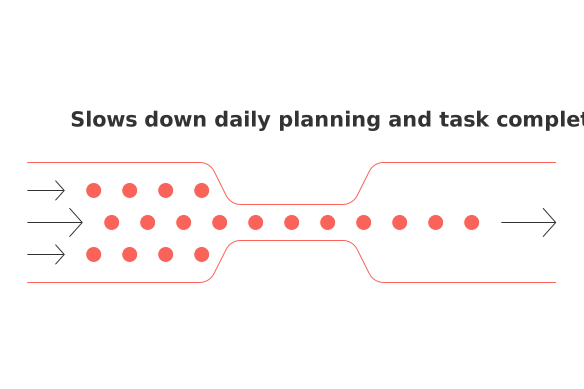
Your day needs momentum, not architecture. Docs‑first workspaces invite tinkering, you pile on databases, properties, and views while real tasks stall.
Daily planning works best when it stays small. Keep decisions simple. Keep movement obvious.
You format a page before defining the next action.
Important tasks hide behind nested folders or filters.
Context switching steals minutes every hour.
I shipped more when my system stopped asking for setup.
Rethink the tool, then the method. If you’re weighing a wiki against a task app, read this comparison of all‑in‑one workspaces vs. dedicated project tools. It lays out the trade‑offs without jargon.
The two-bucket method for daily planning, explained in one minute
The method has only two lists: Now and Later. Nothing else.
Now: Tasks you will attempt today. Each has a visible first step.
Later: Everything not for today. It waits without noise.
That’s it. Remove status fields, tags, and nested projects during the day. Do the work, not the system.
Set up the two buckets with clear entry rules you can follow
Create two plain lists named Now and Later in your tool of choice.
Write three rules for Now:It matters if finished today.
It fits in one focused session, about 25–50 minutes.
It has a first verb: email, outline, draft, ship, call.
Everything else lands in Later. Sort only by urgency or owner if needed.
Ensure task names are concise. Use a clear verb and object, and add context when helpful. For example: Have a team meeting about Q2 sales; Draft landing copy for pricing page.
Capture ideas fast and triage them without building a complex wiki
Capture in the quickest spot your tool offers. Type a line. Move on.
Dump ideas into Inbox or directly into Later.
Twice a day, triage for two minutes. Add a verb, then choose Now or Later.
Delete vague items. If you cannot write a verb, it’s not a task.
Skip labels during triage. Labels creep back into planning debt. You can add a project tag after shipping.
Direct your day: strategies for working from your Now bucket
Start with the smallest ugly task. Momentum beats priority debates.
Limit work in progress to one or two tasks.
When blocked, park the task in Later and write the next step.
Batch similar tasks in one window: calls, drafts, or edits.
End the day by clearing Now. Anything unstarted moves to Later with one next step written.
Review later: a weekly sweep that keeps the list fresh
Hold one quick sweep before the week starts. Ten minutes is plenty.
Delete what no longer matters. Be strict.
Rewrite fuzzy titles with clear verbs.
Pick tomorrow’s top three for Now. Stop there.
Short horizons help this method. If long annual goals stall you, consider why 12‑week horizons often beat annual goals for solo operators. It pairs well with two buckets.
Use the two-bucket method in real roles: freelancers, parents, and executives
Freelancers and creators
Turn briefs into shippable tasks. Split by deliverable, not by a client’s page structure.
Now: Send proposal draft to Maya.
Later: Outline YouTube script on onboarding mistakes.
Busy parents and students
Keep life tasks visible without a maze.
Now: Order supplies for science fair kit.
Later: Research summer activities list and costs.
CXOs and sales managers
Treat follow‑ups as tasks, not fields in a CRM view.
Now: Call Dana about renewal terms.
Later: Prepare three expansion questions for QBRs.
Choose tools that respect daily flow, not heavy documentation
You need fast capture, clear lists, and light linking. Many tools fit.
Routine ties tasks to projects and contacts in one place.
Todoist keeps lists simple with strong quick‑add.
ClickUp suits teams that need tasks and projects together.
Whatever you pick, check two features: instant add from anywhere and effortless movement between Now and Later. If you also manage larger roadmaps, pair this method with a simple tracker. You can explore light options in a guide on visualization tools and trackers when your work grows beyond a list.
Common pitfalls when leaving Notion for daily planning
Over‑tagging. Tags feel tidy but slow choices.
Project sprawl. You create pages before steps.
Endless backlog. You keep “maybe” tasks forever.
Vague wording. No verb means no action.
Mixing tasks with reference content. Tasks disappear under documents.
Fix each by asking one question: What is the next visible step I can start today?
Two-bucket checklist you can use every day
Capture fast without formatting.
Triage twice: add a verb, choose Now or Later.
Work one task at a time from Now.
Move blocked items to Later and note the next step.
Sweep weekly. Delete, rewrite, and pre‑pick three.
Keep the method boring. Let your work supply the drama, not the system.
FAQ
Why does having a large workspace slow daily planning?
Large workspaces often invite unnecessary complexity with databases and nested folders, which distract from actual tasks. The momentum needed for productive work is lost in constant setup and format tinkering.
What are the main advantages of the two-bucket method?
The two-bucket method simplifies planning by forcing clear action-focused decisions, minimizing context switching and planning debt. It demands priority clarity, pushing you to focus only on tasks that matter today.
How does the two-bucket method improve task visibility?
By limiting tasks to Now and Later the method promotes immediate focus and eliminates hidden tasks buried in nested project structures. It ensures critical tasks remain clearly visible and actionable.
Why should vague tasks be avoided in daily planning?
Vague tasks lack actionable clarity and often end up ignored, leading to planning clutter and inefficiency. A clear verb and object ensure tasks remain achievable and prioritized.
What are common pitfalls when abandoning Notion for daily planning?
Users often struggle with over-tagging, project sprawl, and endless backlogs when transitioning from Notion. These habits slow decision-making and obscure task priorities, emphasizing the need for simplicity in systems like Routine.
How can you integrate the two-bucket method with existing tools?
Choose tools that offer quick task capture and seamless movement between tasks. Routine and similar apps simplify this process, allowing immediate task prioritization without the burden of extensive documentation.
What are the ideal task attributes for the Now bucket?
The Now tasks should be essential for the day, manageable within 25–50 minutes, and include a clear initiating verb. This structure prioritizes tasks that drive immediate progress, dodging unnecessary complexity.

Julien Quintard
Founder & CEO at Routine06/30/2026
