Too Much Notion? A Lightweight Workflow for Tasks, Notes, and Calendar
Why oversized workspaces slow down simple daily work (and when to consider an alternative to Notion)
Large, flexible digital workspaces can feel reassuring, but they often introduce friction for daily, repeatable tasks. Having to load a complex page just to tick off one item can drain your focus. If your current setup is Notion-centric, that friction may be a signal to try an alternative to Notion.
Simple task lists evolve into unwieldy databases.
Every change prompts the question: Which property do I need to complete?
Information gets buried behind multiple layers and toggles.
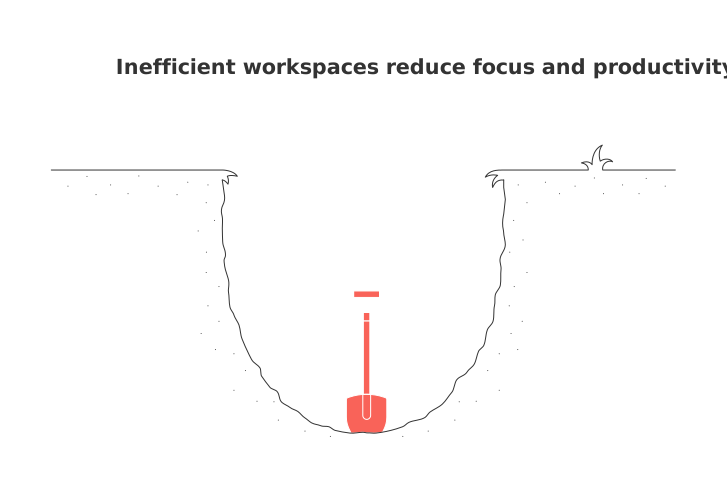
I just need a list and a time slot, not a full database.
When maintaining momentum is important, unnecessary overhead slows you down. A streamlined workflow makes sure actions remain easily accessible. It also offers an alternative to Notion when speed matters.
A lightweight workflow for tasks, knowledge capture, and scheduling you can start today , an alternative to Notion
Organize your workflow with three core containers: a single inbox, a straightforward task list, and a simple time plan. Keep each element clear and minimal. It’s deliberately minimal, serving as an alternative to Notion.
Four weekly actions to drive progress
Capture: Accumulate ideas and to-dos within a single inbox, using various methods such as audio recordings, sending an email, or using a quick-add button for instant entries.
Triage: Spend just ten minutes categorizing each item as do, delegate, schedule, or discard.
Plan: Select up to ten key tasks and allocate rough time windows, avoid rigid scheduling. This keeps your planning simple as an alternative to Notion.
Execute: Treat each scheduled window as you would an important meeting with yourself.
Tip: Stop as soon as the page interface becomes a distraction instead of assisting you. Return to your list and refocus.
How to tag tasks and notes so they stay findable without overbuilding
You don’t need numerous fields, three tags serve most purposes and keep your lists quick to navigate. This lean approach is an alternative to Notion when you want speed over structure.
Context: @laptop, @phone, @errand.
Effort: 5m, 15m, 60m. Make a modest or conservative time estimate for each task.
Status: Next, Waiting, Done. Avoid unnecessary stage distinctions.
These tagging strategies are portable across digital tools and teams, and they work just as well on paper. They also serve as an alternative to Notion when you prefer paper or simple tools.
Bridging solo work with team projects and pipelines without heavy setup
Your personal list should reference team work rather than duplicate it. Link your individual tasks directly to shared issues, tickets, or deals so updates are reflected for everyone without double entry. For many, this lightweight linking model is an alternative to Notion.
Apps such as Routine (an alternative to Notion) or Asana facilitate this seamlessly: you stay focused with a private task list, while teammates gain visibility into status via the shared board.
For more on the team perspective, read about why personal productivity apps often fail teams and how structured data helps. It’s a useful read if you’re considering an alternative to Notion.
When to choose an all-in-one workspace vs a dedicated tool stack for your workflow (and when an alternative to Notion makes sense)
Let the nature of your work, not prevailing trends, drive your choice. If you crave speed and clarity, a dedicated tool stack can be an alternative to Notion.
Roles involving heavy amounts of documentation: Using a single workspace could help keep information readily accessible alongside your tasks.
Execution-focused roles: Purpose-built tools provide fast, visible access to actionable items. For many, this is an alternative to Notion.
Hybrid roles: Maintain an efficient personal list and link it to your broader team system.
If you’re still uncertain, consult this side-by-side comparison of all-in-one workspaces and dedicated project tools for clarity. This can help you decide whether you need an alternative to Notion.
Make projects visible with simple views rather than complex dashboards , an alternative to Notion dashboards
Most projects can be managed effectively with just three views. Consider adding more if your current setup isn’t providing the necessary visibility or clarity. This setup is an alternative to Notion when complex dashboards get in the way.
Simple views that pull their weight
List for capturing information and making rapid edits.
Board for tracking progress and handoffs at a glance.
Timeline for highlighting key milestones; avoid mapping every subtask. This is an alternative to Notion for timeline planning.
Eliminate vanity metrics. If a chart doesn’t influence decision-making, it’s better left out. Minimal metrics offer an alternative to Notion.
Sample weekly flow for individuals and small teams that prefer lightweight tools
Monday: Review your inbox. Identify three priority goals for the week and assign them time slots , an alternative to Notion for weekly planning.
Tuesday–Thursday: Schedule two focused work sessions of about 90 minutes each day. Tackle minor tasks during the breaks , an alternative to Notion when you want fewer clicks.
Friday: Archive completed items. Make note of any blockers. Summarize your future plan for next week in five lines or fewer , an alternative to Notion while preserving context.
Common pitfalls when leaving an all-in-one knowledge base and how to avoid them
Constant re-tagging: Finalize your tag set for at least 60 days before making changes.
Switching tools frequently: Stick to one personal list for an entire quarter before reevaluating.
Duplicating pages to share: Always link directly to the relevant team task instead of copying content.
Overscheduling: Keep at least two lighter days each week free from excessive planning.
Feature FOMO: Document any functional gaps. Only add new features if pain points persist repeatedly. Remember, the goal is a stable system that works as an alternative to Notion.
Use cases that benefit most from a lightweight workflow across tasks, knowledge, and time , especially if you need an alternative to Notion
Freelancers: Track leads, deliverables, and invoices without the overhead of building a full wiki , an alternative to Notion.
Students: Keep assignments on a single list and assign effort tags for easy planning , an alternative to Notion.
Executives: Manage key decisions and follow-ups in one place, linking to responsible parties as needed , an alternative to Notion.
Customer-facing teams: Maintain private prep lists and connect these items directly to CRM records when necessary , an alternative to Notion.
Signs you should stick with your current Notion setup
If your pages load quickly, your team is productive, and your data fields enable clear reporting, you’re likely in a good spot. Also, if everything you need can be located within ten seconds, your system is working.
If these factors aren’t true, consider trying a lighter workflow for one month as an alternative to Notion.
Next step: pick one list, one tag set, and one time plan
Migrate only your active work. Archive the rest for reference. Check in with your lists weekly. After four weeks, you’ll know whether a lighter approach suits your needs. If the lighter setup does not work for you, feel free to revert to your original setup with no harm done. Meanwhile, you’ll have tested an alternative to Notion with minimal risk.
FAQ
How do oversized workspaces hinder productivity?
Oversized workspaces can introduce unnecessary complexity, slowing down basic tasks and causing frustration. You waste time navigating layers of information instead of focusing on execution.
What is the benefit of maintaining a lightweight workflow?
A lightweight workflow enhances efficiency by decluttering your task management system. By minimizing complexity, you maintain better focus and can adapt more easily to changes in priorities.
Why is tagging important for task and note management?
Tagging tasks and notes with concise labels like context, effort, and status keeps them searchable and prevents your system from becoming an unwieldy mess. It streamlines your workflow and accelerates information retrieval.
When should you opt for a dedicated tool stack over an all-in-one workspace?
Choose a dedicated tool stack when your role requires speed and visibility in actionable tasks. All-in-one workspaces, while tempting, often sacrifice performance for broad functionality, which might not align with your needs.
How can individuals and teams effectively balance solo work and collaborative tasks?
Link individual tasks to shared team projects instead of duplicating them, ensuring updates are reflected across the board without redundant entries. Apps like Routine enable this seamless integration, maintaining individual focus while boosting team transparency.
What are the common pitfalls of leaving an all-in-one knowledge base?
Constantly re-tagging items and frequently switching tools can lead to chaos, not clarity. Stick with your chosen system long enough to assess its effectiveness before opting for changes.
Which professions benefit the most from a lightweight task management system?
Professions with dynamic and varied workloads, like freelancers, students, and executives, can benefit greatly from streamlined tools that eliminate overhead and increase task visibility, fostering better productivity.
Why should one consider revisiting their Notion setup if it's already functional?
If your existing system results in slow pages and obscured data, it’s worth testing a leaner setup. Evaluate if streamlined processes could enhance your team’s productivity and response times.

Julien Quintard
Founder & CEO at Routine04/18/2026
