Inbox Zero in 30 Minutes: An AI Triage System for Prioritizing, Summarizing, and Drafting Replies
Inbox zero in 30 minutes: An AI triage system for prioritizing, summarizing, and drafting replies
Your overflowing inbox isn’t just due to high volume; hidden priorities make it difficult to act quickly. The fastest path to Inbox Zero leverages an AI triage method that, in minutes, highlights essential messages, clarifies conversations you don’t have time to read, and provides draft replies ready for your final review and send.
The method below is tailored for business teams. It helps you process a demanding inbox efficiently while automatically routing decisions and outcomes to project management, knowledge, or CRM systems, allowing managers and executives to focus on exceptions instead of routine email tasks.
Prioritization quality: Use rules and AI signals to bring customer, deal, and incident emails to the forefront over routine noise.
Summarization clarity: Condense extended threads into a clear status, highlighted risks, and actionable next steps.
Drafting accuracy: Generate concise, on-brand, legally sound replies based on the context you provide.
Handoff: Seamlessly transfer action items into projects, knowledge bases, or CRM systems without manual intervention.
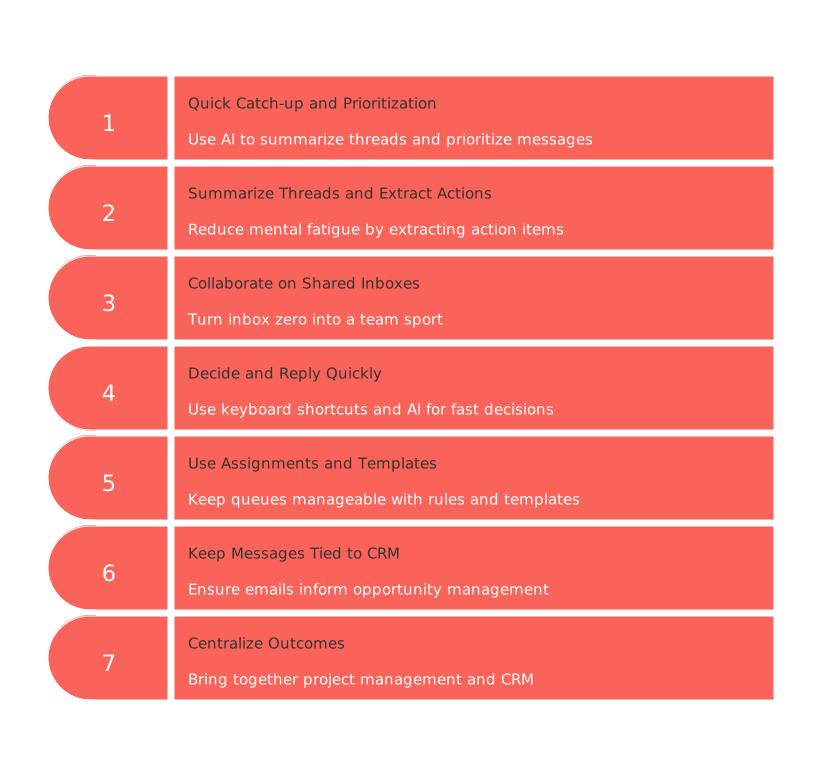
Step 1: Quick catch-up and prioritization in the inbox you already use
Begin where your work lives: your existing email client. Use built-in or add-on AI to work natively with your messages, files, and directory so summaries and drafts reflect the documents and colleagues you collaborate with every day.
Run catch-up summaries of lengthy threads, highlighting decisions, blockers, and outstanding requests.
Use “Draft with AI” to create replies that reference recently shared files or links for instant context.
Turn on priority indicators so customer and executive messages rise to the top with minimal manual sorting.
Work within your organization’s governance and audit controls to meet security and compliance needs.
Example: A 20-message vendor negotiation thread is distilled into a two-sentence status with proposed next steps and a suggested counteroffer citing the latest redlined document. After a quick tone edit from you, it’s ready to send.
Why this step matters: It minimizes context switching and keeps data access and security intact while you triage.
Step 2: Summarize threads and extract clear actions
Reduce mental fatigue by leaning on summarization and guided drafting. This is especially effective for teams managing shared labels and relying on rapid, standardized replies.
Use inline “summarize” on entire threads to extract action items, owners, and deadlines.
Generate “Help me write” drafts adjustable by tone and length for sales, legal, and support scenarios.
Set smart labels and filters to separate incoming customer, vendor, internal, and automated emails automatically.
Use integrations to convert decisions into tickets, projects, or CRM records with minimal effort.
Example: A customer escalation is automatically labeled, summarized, and converted into a support ticket along with a templated apology and next-step reply, all without leaving your inbox.
Why this step matters: Summaries shrink cognitive load and standardize responses so busy teams move faster.
Step 3: Collaborate on shared inboxes and assign clear owners
Turn “inbox zero” into a team sport. Route messages from shared addresses like support@ and sales@, summarize conversations, and suggest on-brand responses using your organization’s knowledge and CRM data.
Assign each conversation to one owner with collision detection so threads keep moving.
Use AI-generated summaries that capture sentiment and risk to enable smooth handoffs between roles.
Pull from saved replies and knowledge content so drafts stay consistent in tone and policy.
Rely on two-way CRM integrations to display opportunity stages and account histories inline.
Example: A prospect responds to a pricing inquiry sent to sales@. The thread is assigned to an AE, summarized, shows the current deal stage, and includes a suggested reply referencing a relevant case study.
If your shared inbox also manages chat and product-related messages you’ll need to connect with email data, this guide on merging customer data from chat, shared inboxes, and email without code can help your ops team build a seamless data pipeline.
Why this step matters: Shared accountability with SLAs sustains inbox zero across teams, not just for individuals.
Step 4: Decide and reply quickly with focused, keyboard-first flow
For leaders and ICs who handle demanding inboxes, pair powerful keyboard shortcuts with AI assistance. Prioritize immediate decisions over heavy workflow customization.
Use split or priority views to isolate key messages from customers, executives, and collaborators.
Condense long conversations into actionable statuses with “Summarize.”
Lean on instant reply suggestions that mirror your style, then finalize and send.
Set follow-up nudges or snooze timers so critical threads never slip.
Example: A CEO reviews a condensed summary of a vendor dispute, accepts a suggested two-paragraph reply with minor edits, and archives the conversation in under a minute.
Why this step matters: A keyboard-first loop reduces friction, enabling fast, high-quality decisions.
Step 5: Use assignments, rules, and templates to keep queues under control
Combine shared inbox workflows with lightweight team chat and customizable rules. AI helps ensure responses are consistent, while assignments and rule-based management keep queues manageable during peak volume.
Establish clear assignees, internal comments, and escalation paths for every thread.
Apply rule-driven triage by domain, keyword, language, or customer tier.
Adopt AI-powered templates for on-brand replies across sales, finance, and customer success.
Integrate outcomes into your CRM or project boards—skip manual copy-paste.
Example: When finance@ receives a billing dispute, the “Invoice” rule assigns it to AR, drafts a courteous clarification request, and logs the case ID in your system.
Why this step matters: Rules and templates impose order without the overhead of a full ticketing system.
Step 6: Keep revenue-critical messages tied to your CRM
When emails affect pipeline and renewals, keep triage connected directly to opportunities, cases, and contacts so updates and reporting stay accurate.
Generate personalized replies referencing CRM fields while upholding compliance standards.
Prioritize by opportunity stage, account value, or contract status for swift routing.
Auto-log emails and summaries to the right records to reduce admin work.
Use suggested next actions (schedule follow-ups, request documents, escalate) tied to proven playbooks.
Example: An email indicating renewal risk is flagged by stage and ARR, summarized for the account owner, logged to the correct account, and paired with a suggested save-plan reply.
For repeatable follow-up workflows, complement this approach with process designs shared in this guide on essential automations for B2B sales teams, helping reps advance deals instead of retyping routine responses.
Why this step matters: Keeping the inbox close to the CRM ensures every email directly informs opportunity management and forecasting.
Step 7: Centralize triaged outcomes into projects, knowledge, and CRM without context switching
Create a trusted workspace that brings together project management, knowledge, CRM, and meetings in a unified environment, intelligently connecting information across these domains. While emails are managed in clients like Outlook or Gmail, the results of triage—tasks, decisions, and customer updates—need a central home for the whole business.
Convert important emails into project tasks, CRM activities, or knowledge base entries, maintaining a direct link to the original message.
Use smart relationships to connect tasks with customer records, projects, and knowledge articles so every teammate has full context.
Bridge your email client and workspace with automations and integrations to cut copy-paste and missed follow-ups.
Coexist with standalone tools when needed; choose a unified system when you want projects, knowledge, and CRM tightly integrated.
Example: A summarized customer feature request becomes a task tied to the “Q2 Platform” project and the customer’s CRM profile, with a linked knowledge entry explaining rationale and expected impact.
Why this step matters: Inbox Zero is most valuable when decisions and actions remain visible and actionable beyond the inbox, especially in knowledge management and CRM systems.
If you’re weighing the move, see the broader analysis in “All-in-One Workspaces vs Dedicated Project Tools: Which Serves Your Business Best?” to determine where your email-driven work should best reside for the long term.
Conclusion: A repeatable 30-minute pattern for teams
The most efficient route to Inbox Zero is consistency, not heroics: let AI elevate what’s urgent, read only the key summaries, make light edits to AI-created drafts, and ensure decisions and actions are captured in your projects, knowledge, and CRM. A simple cadence works: minutes 0–5 set your priority view and silence non-urgent senders; 5–10 summarize long threads; 10–20 send quick, high-impact replies using AI drafts; 20–25 convert decisions into tasks, tickets, or CRM updates; 25–30 schedule follow-ups and archive aggressively.
Start with features already embedded in your team’s workflow, introduce clear rules and templates, and reassess after two weeks to remove sticking points. Keep Inbox Zero by reserving two short triage blocks per day, using a “Waiting On” label for delegated items, filtering or unsubscribing low-value mail, batching newsletters outside triage hours, setting SLAs for shared inboxes, and protecting deep-reading time away from the inbox. With these habits, Inbox Zero shifts from a quarterly clean-up to an everyday practice.
FAQ
What are the potential pitfalls of using AI for email drafting?
AI can significantly speed up email drafting, but it may introduce errors if not adequately supervised. Organizations must maintain a balance between automation and human oversight.
What should be considered when choosing an email triage tool?
Consider how well the tool integrates with existing systems while evaluating its ability to reduce clutter and increase productivity. Blindly choosing based on popularity may overlook subtle integration challenges.
How can AI help achieve Inbox Zero?
AI tools streamline inbox management by prioritizing essential emails, summarizing threads, and suggesting draft replies. However, relying solely on AI can lead to oversight if human review is neglected, especially in complex scenarios.
What are the security considerations when using AI email triage systems?
While AI can automate processes, data security and compliance should remain top priorities. Ensure your chosen AI system aligns with organizational compliance standards to avoid breaches and maintain data integrity.
What distinguishes Routine from other AI-powered email tools?
Routine integrates email outcomes into project management and CRM systems, ensuring continuity beyond the inbox. Be cautious, as relying on disconnected tools can lead to fragmented information, hindering organizational cohesion.
Are AI-generated email replies reliable for legal and sensitive subjects?
AI-generated drafts can accelerate response times but aren't foolproof in legal contexts. Human oversight is crucial, as AI might not fully grasp nuances that could lead to unintended consequences.
How do shared inbox tools like Front differ from individual-focused tools?
Shared inbox tools like Front facilitate team collaboration, essential for environments with cross-functional goals. Individual tools may neglect team dynamics, risking inefficiencies in shared tasks.
Why should emails be linked to project and CRM systems?
Linking emails to projects and CRM systems ensures that decisions and insights inform business operations. Without this integration, valuable information may remain siloed, impairing strategic decision-making.
Can email triage systems lead to over-reliance on automation?
Yes, relying too heavily on automation may breed complacency, as AI cannot replace critical human judgment. Always balance AI-driven efficiency with nuanced human intervention.

Julien Quintard
Founder & CEO at Routine02/06/2026
