How to Design a Home Office Setup That Signals 'Do Not Disturb'
Why a ‘do not disturb’ signal matters in a shared home
Your brain hates surprise interruptions. Even a short knock can derail deep work. Clear signals reduce friction and protect focus. They also set fair rules for partners, kids, and roommates, and remove guesswork about when to talk.
Think of the signal as a contract. You promise availability later. Others promise quiet now. Everyone wins when the rule feels visible, simple, and consistent.
Define your work zone so the boundary feels real
You need a visible edge. A doorway works best, but any threshold helps. Make the boundary obvious and repeatable.
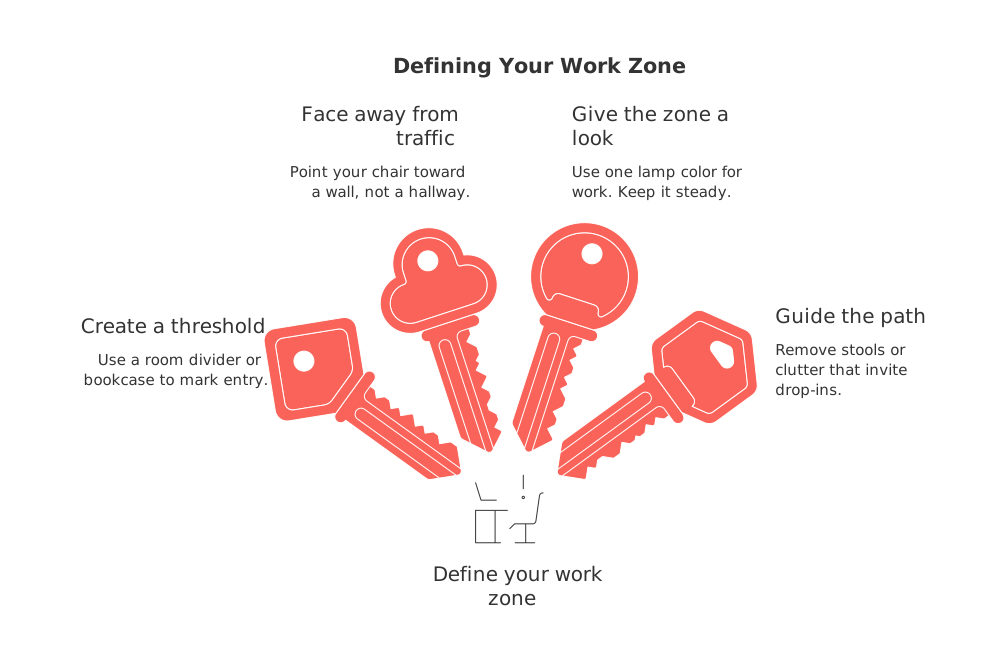
Create a threshold: Use a room divider or bookcase to mark entry.
Face away from traffic: Point your chair toward a wall, not a hallway.
Give the zone a look: Use one lamp color for work. Keep it steady.
Guide the path: Remove stools or clutter that invite drop‑ins.
Use visible signals people notice at a glance
Simple physical cues
Low-tech works fast. Place clear cues where eyes land first.
Door hanger: A red side means busy. A green side means free.
Desk flag: A small red card near your monitor does wonders.
Standing sign: A countertop sign at the doorway stops casual chats.
Smart visual cues
LED indicators are small lights that connect to your computer (via USB, Bluetooth, or your network) and integrate with tools like video apps, calendars, or timers. They turn on automatically during calls or focused work blocks, providing a hands‑off, highly visible “busy” signal that household members can recognize from across the room or hallway. Because the light triggers reliably, without you remembering to flip a sign, it keeps your boundary credible.
Consider devices like Luxafor Flag busy lights that flip red during calls and Kuando BusyLight doorway indicators that sync with your apps. After you pick an LED tool, choose one bright signal color (e.g., red for do not disturb) and use it everywhere, on the light, on your door sign, and in your app statuses, so the message is unmistakable.
Create sound cues that say “not now”
Silence helps, but sound rules help more. Use audio to affirm the boundary and prevent “just one quick question” moments.
White noise: A small machine masks hallway chatter and subtly signals “occupied.”
Door softeners: Add felt pads to reduce slam drama and call‑interrupting spikes.
Headphones: Over‑ear models add a clear visual barrier and block distractions.
Set digital status that syncs with your environment
Your status should match your door sign. Keep one language across tools. Red means busy everywhere.
Connect your status light to your video app so it switches on when a call starts, and set a routine so it auto‑resets when the session ends. Align your calendar blocks with the same color and label to avoid mixed messages.
If you manage clients, consider aligning your CRM (client relationship management) system’s availability with your home signal. If you’re in do not disturb at home, reflect the same status in your CRM by marking office hours, auto‑replying with response times, or pausing instant notifications. Freelancers can set clear response windows in email signatures, chat statuses, or booking tools so clients know exactly when replies or quick calls are welcome, and when they’re not.
Script your household agreement in one page
Clarity beats lectures. Write a short script and read it together. Keep it friendly and firm.
When the red sign shows, I’m in focused work or on a call. Please wait unless it’s urgent. If it can’t wait, send a short text that says “urgent.” I’ll pause as soon as I can. When the green side shows, I’m open for quick chats.
Post the script near the door. Add examples of what counts as urgent. Update the list as life changes.
Train visitors and delivery folks without conflict
Most interruptions come from kindness or habit. Shape those moments before they reach your desk.
Front‑door cue: A small yard sign or door sticker explains your window for pickups.
Doorbell tone: Pick a softer chime to avoid startles during calls.
Package rule: A box label that reads “Please leave at step” prevents knock‑and‑wait delays.
Design for quick context switches without losing flow
Use one system for tasks, files, and contacts so you’re not bouncing between apps, and accidentally inviting interruptions from each one. Fewer tools mean fewer notifications, fewer checks, and fewer chances to break your do not disturb state. If you’re weighing options, read why one workspace reduces context switching and interruption risk. Pick a single home base and keep it stable.
Examples: three room layouts that broadcast “busy”
Studio zone: Place a folding divider two feet behind your chair. Hang a red card at shoulder height. Add a floor lamp set to warm white.
Bedroom corner: Face the desk toward a solid wall. Use a standing sign by the foot of the bed. Keep a small white‑noise unit under the desk.
Dedicated room: Mount an LED busy light outside the door. Add soft rugs to dampen steps. Keep the door sign aligned with your digital status.
Maintenance checklist you can follow weekly
Wipe the door sign so text stays crisp.
Charge the busy light or replace batteries.
Check cable paths to prevent trip‑ins.
Confirm the status light still syncs with calls.
Review the urgent list with your household.
When to relax the rule without breaking trust
While you’re protecting focus, it’s crucial to plan for exceptions. Define what counts as an emergency in advance (health, safety, time‑critical calls). Share a simple interruption code, like “text 911,” so serious issues reach you immediately without confusion. When the code arrives, pause, triage, and, afterward, reset the sign so the rule stays credible.
Set two daily open windows for quick chats. Everyone learns when the green sign appears. Trust grows when the rule holds steady.
Plan focus cycles so your signals stay credible
Short, intense cycles keep the red sign meaningful. Avoid leaving it on all day; people stop believing it.
Try 12‑week sprints with clear weekly targets. This rhythm pairs well with home signals. See how 12‑week planning helps solo operators keep steady momentum.
Quick start: your two-signal kit for this week
Pick one visual cue and one audio cue today. Put them in the same place, every time.
Red/green door hanger, plus over‑ear headphones.
LED busy light, plus white noise at low volume.
Set expectations tonight. Tomorrow, turn the signal on for your first deep session. Keep it simple. Keep it consistent.
FAQ
Why is it important to have a 'do not disturb' signal in a shared home?
A clear 'do not disturb' signal eliminates guesswork and prevents disruptions, preserving mental focus and productivity. Without it, your concentration gets derailed by well-intentioned interruptions, inevitably impacting the quality and efficiency of your work.
What are the most effective ways to mark a work zone?
Effective work zones are visibly defined, reducing the chance of accidental intrusions. Use physical barriers like room dividers, face your desk away from traffic, and ensure your work area has a consistent visual theme that underscores its purpose.
How can digital tools complement physical signals?
Integrating digital tools like status lights with your apps ensures you don't forget to signal your unavailability. These tools update automatically, making your boundaries dependable and reducing the cognitive load of manual changes.
What role do sound cues play in maintaining focus?
Sound cues, such as white noise or noise-canceling headphones, efficiently block ambient disturbances. Without them, even subtle background noise can interrupt thought processes, leading to decreased productivity.
How should I handle exceptions to the 'do not disturb' rule?
Establish criteria for emergencies that justify breaking the rule, and communicate them clearly to household members. Failing to prepare for exceptions can erode the credibility of your boundaries over time.
How can I train visitors and delivery personnel to respect my work-focused environment?
Use visible signs and clear instructions at entry points to manage interaction expectations. Without communication, well-meaning visitors might unknowingly disrupt your workflow.
What is the impact of poorly managed work signals on productivity?
Poorly managed signals lead to frequent interruptions, breaking focus and increasing task-switching costs. Consistent signals, on the other hand, help maintain block time for deep work, ensuring more consistent output.

Julien Quintard
Founder & CEO at Routine07/27/2026
