How to Build a Personal CRM to Keep Up With Friends and Contacts
Why a personal CRM matters for real relationships
Your memory skips small details; relationships live on them. A personal CRM keeps context within reach so you can follow through, thank people, and show care.
Think human, not hype. You are not scoring leads. You are tracking moments that matter: first coffee, shared hobbies, a helpful intro.
Relationships thrive on attention, not intention.
Decide what “keeping up” means for your life
Clarity beats volume. Pick two goals and ignore the rest for now.
Stay close to ten important friends.
Remember personal details that show care.
Create gentle rhythms for check-ins.
Track introductions you promise to make.
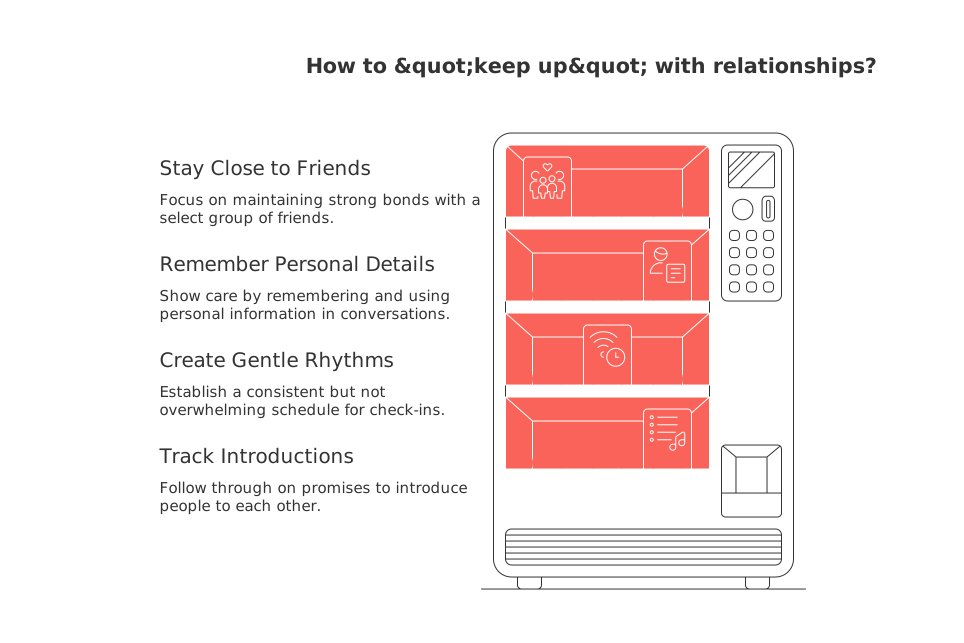
Write your goals where you will see them. Let every field and workflow serve those goals.
Choose a home for your personal CRM without overbuilding
Two paths exist: specialized apps or flexible workspaces. Simple spreadsheets still work for many people.
Specialized personal CRM apps
Tools like Clay for relationship tracking or the open‑source Monica personal CRM offer ready fields and social context.
All‑in‑one workspaces
Workspaces such as Routine or Notion consolidate projects, knowledge, and contacts in one place. Compare trade‑offs between breadth and focus: all‑in‑one workspaces offer wider feature sets but less specialization, while dedicated tools go deeper on a narrower set of tasks. For more nuance, see this comparison of all‑in‑one workspaces versus dedicated project tools.
Pick the option you can maintain weekly. Fancy features mean little if you stop using them.
Design a simple contact schema you will actually use
Start lean. Add fields only when they solve real problems.
Core identity: name, preferred name, pronouns, company, role.
Context: how you met, who introduced you, city, time zone.
Interests: topics they enjoy discussing, favorite teams, causes.
Relationship stage: new, reconnecting, steady, dormant.
Communication: preferred channel and response style.
Follow‑up: next check‑in window and last interaction date.
Commitments: promised intros or resources to send.
Keep descriptions short. Aim for one line per field. Brevity invites consistency.
Consolidate contacts from phone, email, and social safely
Gather once, then clean. Duplicates kill trust in your system.
Export contacts from your phone and email in CSV (Comma‑Separated Values, a simple spreadsheet‑like file format) files.
Pull key connections from LinkedIn or X with care.
Normalize names and companies. Fix casing. Remove emojis.
Merge duplicates using email and phone as anchors.
Delete stale entries you will never contact again.
Consolidate all your contact data in one place. If you also manage client data, consider using a tool to merge information from email and shared inboxes as well.
Tag and segment people so you always know who to reach
Tags turn a messy list into clear groups. Create tags that mirror your real life.
Origin: college, former coworker, neighbor, conferences.
Affinity: hiking, jazz, climate, early‑stage startups.
Role: mentor, collaborator, client, investor, journalist.
Warmth: very close, close, friendly, acquaintance.
Use no more than 20 tags total. Over‑tagging adds friction and confusion.
Define gentle follow‑up intervals that respect people’s time
Choose windows, not rigid dates. Life shifts; windows flex.
Very close: touch base every 2–4 weeks.
Close friends: every 1–2 months.
Friendly contacts: every quarter.
Acquaintances: twice a year.
Skip a window if someone is swamped. Care beats cadence.
Capture interactions fast with tiny workflows
After each chat, record a one‑line recap and a next step. Keep it crisp.
Recap: one sentence on what mattered.
Next step: one verb and a date range.
Gratitude: send a short thank‑you within 24 hours.
Templates help. Example: “Shared book recs; send article on urban gardens; check in next month.”
Light automations that keep your personal CRM moving
Automate only what removes drudgery.
Archive bounced emails automatically.
Create tasks when you promise an introduction.
Tag contacts when they reply to a certain phrase.
Roll up weekly lists of people due for a check‑in.
You can automate helpful tasks like email follow‑ups, activity reminders, and data sync across tools. Borrow proven ideas from B2B sales, such as auto‑scheduling calls or triggering follow‑ups based on contact status, and adapt them with care. For more examples, see these automation ideas you can tailor to personal relationship tracking.
Relationship rituals that make your system stick
Rituals keep momentum. They also feel good.
Weekly: review five contacts due for a hello.
Monthly: host a small coffee with two introductions.
Quarterly: prune tags and archive dormant entries.
End each session with one message sent. Action cements habit.
Metrics that matter for a personal CRM without being creepy
Track signals of care, not vanity counts.
Reconnections made this month.
Thank‑you messages sent.
Introductions delivered and outcomes.
People you helped with a resource.
Review patterns. If you chase metrics, you miss people. Stay human.
Privacy, consent, and ethical tracking in a personal CRM
Store only what you would feel fine showing the person. Avoid sensitive data. Do not track anything medical or financial without clear consent.
If someone asks you to delete their info, do it. Back up responsibly. Use device security, and avoid sharing raw spreadsheets.
When a personal CRM should evolve into a business CRM
If you start handling deals, teams, or pipelines, consider business tools. Options include Routine, HubSpot, or Pipedrive. Pick what fits your process and budget.
Solo operators who want breadth can explore this comparison of all‑in‑one workspaces and dedicated tools for business workflows. Teams may still prefer a focused CRM with permissions and reporting.
Quick start checklist for your personal CRM
Write two relationship goals.
Choose one tool you can maintain.
Create the seven core fields above.
Import contacts and deduplicate.
Tag ten people you care about most.
Set gentle follow‑up windows.
Send one thoughtful message today.
You now have a living system. Keep it light. Keep it kind.
FAQ
How can a personal CRM improve my relationships?
A personal CRM offers a structured approach to maintain key details, ensuring your connections aren't just numbers, but meaningful interactions. It's not about industrializing empathy but about ensuring you remember the things that make connections authentic. Routine can be a helpful tool to implement this system effectively.
What's the risk of choosing the wrong CRM tool?
Selecting an overly complex or under-utilized CRM tool can lead you to abandon it quickly, losing both time and motivation. Routine balances simplicity with functionality, keeping your database effective without the hassle of unwanted features.
What are the consequences of not maintaining a clean contact list?
A messy contact list undermines trust in your CRM system, risking duplicate interactions and wasted effort. By using tools like Routine to streamline and organize your contacts, you can avoid these pitfalls and maintain a robust network.
How often should I update my personal CRM?
The frequency of updates should be dictated by your relationship cycles and personal goals, not rigid schedules. Routine advises flexibility: realign your database at a pace that maintains relevance without overwhelming you.
Why is tagging important in a personal CRM?
Tags transform your contact list into actionable groups, helping you prioritize and personalize interactions. Over-reliance on tags can muddy your strategy, so focus on creating meaningful segments with Routine's customizable options.
What is the role of automation in a personal CRM?
Automation should streamline repetitive tasks, letting you focus on building connections instead of losing time on administrative work. Routine promotes automations that truly alleviate the manual burden rather than complicate your system.
Is privacy a concern with personal CRMs?
Absolutely, storing sensitive data without consent can breach trust and integrity. Routine emphasizes ethical data management practices, which respect your contacts' privacy and follow sound security measures.
When should a personal CRM transition to a business CRM?
Transition when the complexity of deals and team dynamics surpass the capacity of your personal system. Routine and similar tools can expand to business CRMs, offering advanced reporting and team collaboration features when needed.
Can a simple spreadsheet suffice as a personal CRM?
For some, spreadsheets can manage basic needs but can quickly become cumbersome. Routine offers the flexibility to scale with your connections without the complications that spreadsheets often bring.

Julien Quintard
Founder & CEO at Routine09/14/2026
