How to Build a Lightweight CRM in Slack Using Only Channels, Tags, and Workflow Builder
1. Design the CRM channel architecture inside Slack
Begin with a focused set of Slack channels so that sales, success, and finance teams know exactly where to find information. A reliable structure is to use #crm-inbox for new leads and handoffs, #crm-accounts for ongoing relationships, and #crm-deals for active opportunities. Some teams add #crm-won and #crm-lost to segregate closed deals for reviews and celebrations.
Proposed team policy: Post new MQLs in #crm-inbox. An owner replies within 15 minutes. If the lead is qualified, add an account card in #crm-accounts and start an opportunity thread in #crm-deals.
Team-wide clarity: there’s one designated space for incoming leads (
#crm-inbox) and one for working on deals (#crm-deals).Reduced noise: marketing, SDRs, AEs, and CS always know which channel is relevant to their role.
Designed for accountability: every handoff is openly tracked and timestamped within threads for transparency.
Scalable setup: easily extend by adding region- or segment-specific private channels as you grow, like
#crm-deals-emeaor#crm-accounts-enterprise.
2. Define a shared tagging taxonomy using emojis and prefixes
Slack can have structure without custom CRM fields. Agree on a concise set of tags that anyone can quickly add as prefixes in messages and threads. Example tags: stages MQL, SQL, Demo, Proposal, Won, Lost; priorities P1, P2, P3; personas Finance, IT, Ops. For emoji fans, publish a legend using icons, such as🌱for prospects,🤝for meetings,📄for proposals,🏆for won deals,⛔for lost deals.
Pin the legend in channel instructions, e.g., Use MQL or SQL at the start of every lead message or update. Add P1, P2, or P3 for urgency.
Frictionless uptake: everyone can type
SQLfaster than entering data into a new system.At‑a‑glance status: Busy channels can be quickly scanned and understood when every message starts with a consistent tag.
Easy searching: filter using
Search in #crm-deals for Proposalto see late-stage opportunities.Consistent across groups: the same tagging method serves sales, customer success, partnerships, or renewals teams.
3. Use Slack’s Workflow Builder feature to capture leads with a standardized form
Set up a “New Lead Intake” workflow using Slack’s Workflow Builder feature, a tool that helps automate repetitive tasks within Slack. Configure a Link Trigger you can share in places like email signatures, a Confluence page, or Slack bookmarks. The form should collect Company, Contact, Email, Source, Segment, and Next step. The responses should be formatted and shared in#crm-inbox, tagging the responsible owner, such as@sales-oncall.
Sample message format: MQL , Company: Acme Co; Contact: Jane Smith; Segment: Mid‑Market; Source: Webinar; Next step: Qualify by 4 PM PT; Owner: @alex.
Uniform data capture: All leads arrive with the same information, ready for action.
Faster hand-offs: The workflow can @mention a rotating or on-call role (e.g.,
@sdr-today) to ensure nothing goes unassigned.Immediate follow-up: The workflow can prompt the owner with a reminder DM right away.
Fewer errors: Required fields mean no “mystery leads” get into the pipeline.
If you’re looking for more automation ideas, check out this guide to essential automations for B2B sales teams; many can be built with Workflow Builder.
4. Run the entire relationship from a single thread per account
Adopt the thread-as-record approach. For every company, create a top-level “account card” post in#crm-accounts and use replies for every update, notes, questions, and next steps. The first message should include the following details for clarity:
Sales Qualified Lead (SQL), Priority Level 2 (P2), Company , Owner: @name , Ideal Customer Profile (ICP): Yes or No , Annual Recurring Revenue (ARR): $X , Renewal: Month , Next Step: Action and Date.
Example first line: Sales Qualified Lead (SQL), Priority Level 2 (P2), Globex , Owner: @maya , Ideal Customer Profile (ICP): Yes , Annual Recurring Revenue (ARR): $36k , Next Step: Security review due Feb 14.
One Slack thread is the single source of truth for each account; no more hunting for details.
All context in one place: full history, shared files, and past decisions stay together in the thread.
Seamless handoff: new owners simply scroll through the thread for a complete overview.
Clear next steps: always finish each update with a
Next Step:line so nothing is lost.
5. Make stage transitions explicit with tags and scheduled check‑ins
When an account advances, reply at the top of the deal thread with the new tag, such as Demo or Proposal, and restate the next step for clarity. Pair this with an easy “Deal Check-ins” workflow that posts daily or a few times a week in#crm-deals, prompting owners to update the status of their top opportunities.
Check-in prompt example: Daily deal nudge: Reply steady, at risk, or blocked, and include one next step.
Prevent deal stagnation: frequent nudges keep momentum visible and active.
Predictable pipeline: standardized transitions (
SQL → Demo → Proposal) make tracking easy.Managerial oversight: a quick scan of the threads reveals which deals need coaching or intervention.
Light oversight, no extra tools: tags and reminders suffice for basic governance.
6. Create lightweight reporting using saved searches and pins
Slack’s search function can handle most simple pipeline reporting needs. To search for current proposals, enter Search in #crm-deals for Proposal after 2026-01-01 in the Slack search bar. To review a specific rep’s follow-ups, enter Search in #crm-accounts for Next: from @alex.
Pin frequently used searches as links in a “Reports” message in#crm-deals for easy access.
Sample summary to pin: Proposals due this week · At-risk deals (search for blocked) · New MQLs (after 2026-02-01)
Real-time visibility: Anyone can generate quick reports straight from Slack.
No need for exports: Stay inside Slack and share search links in standups or check-ins.
Easily duplicate: Each region or segment channel can use its own set of pinned summary links.
Consistent week-to-week operations: Combine saved search links with your tag system for reliable reporting.
7. When Slack-only starts to strain, use Routine or a dedicated CRM alongside Slack
Slack excels as a user-friendly platform for collaboration. But as your needs grow, such as for forecasting, advanced attribution, or custom data objects, consider pairing Slack with a more robust CRM system. Routine brings together CRM, project management, meetings, and knowledge so team workflows link directly from sales to delivery. HubSpot Starter and Pipedrive are also strong contenders; select the one that best meets your reporting and integration requirements.
A proven hybrid setup: Create a lead via a Slack form. Automatically create a record in your CRM (Routine, HubSpot, Pipedrive, etc.). Post the official record link back into the original Slack thread. Keep collaborating in Slack while structured CRM fields and forecasts are maintained in the external system.
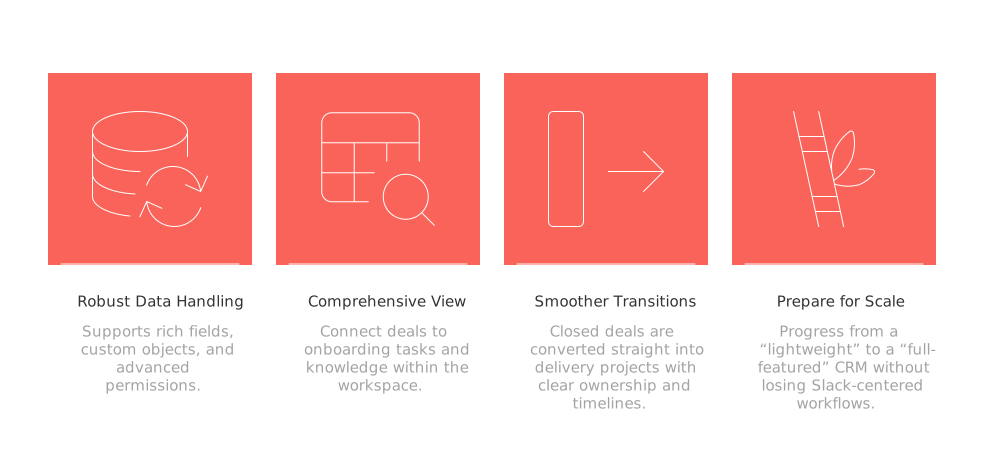
Robust data handling: Supports rich fields, custom objects, and advanced permissions.
Comprehensive view: Connect deals to onboarding tasks and knowledge within the workspace.
Smoother transitions: Closed deals are converted straight into delivery projects with clear ownership and timelines.
Prepare for scale: Progress from a “lightweight” to a “full-featured” CRM without losing Slack-centered workflows.
If you want to integrate customer data from spots like support tickets or shared inboxes, follow this guide on connecting Intercom, Front, and email without code to create a reliable record-keeping system. For advice on your overall tool strategy, explore the pros and cons of all-in-one workspaces versus dedicated tools, helpful for deciding when to expand beyond Slack-only setups.
8. Example day-one setup you can copy and paste
Launch your MVP setup in under an hour using these templates:
Channels:#crm-inbox(for intake and triage),#crm-accounts(for account threads),#crm-deals(for opportunity threads).
Tag legend (pin this in channels): MQL, SQL, Demo, Proposal, Won, Lost · P1, P2, P3 · Finance, IT, Ops
Lead form required fields: Company, Contact, Email, Source, Segment, Next step, Owner.
Example account thread first message: Sales Qualified Lead (SQL), Priority Level 2 (P2), Company , Owner: @name , Ideal Customer Profile (ICP): Yes or No , Annual Recurring Revenue (ARR): $ , Renewal: Month , Next Step: Action and Date.
Workflow reminder text: Daily deal nudge: reply with steady, at risk, or blocked, and add one next step.
For more ways to visualize deal progression into projects, see these practical project management visualization tools. Many teams link their project boards back to the originating Slack deal threads.
Conclusion: a light CRM that sticks because it lives where work happens
Following these steps, you’ll have a fully functional CRM system inside Slack using just three essentials: a smartly designed channel layout, a simple tag taxonomy, and a handful of Workflow Builder forms and reminders. Leads are efficiently captured, account histories remain traceable through threads, and deals are kept moving, all without leaving Slack. When you need stronger reporting or broader cross-team visibility, connect Slack with a purpose-built CRM like Routine or alternatives like HubSpot Starter or Pipedrive so both collaboration and data management happen in the best tools for the job.
If you’d like a template or want to prototype your setup, share your current channel map (#crm-inbox, #crm-accounts, etc.) and tag legend (MQL/SQL) with our team by emailing us the details. We’re happy to suggest a one‑hour migration plan that keeps your team actively engaged and productive.
FAQ
How do I structure CRM channels effectively in Slack?
Focus on clear designation: separate channels for new leads, account management, and deals. This minimizes noise and improves accountability. With Routine, you can seamlessly connect channels to broader CRM workflows, enhancing efficiency.
Is using tags in Slack effective for CRM operations?
Yes, using a unified tagging system boosts clarity and searchability across channels. Ensure tags are consistently applied; Routine can help you automate and standardize this process.
Can Slack fully replace a dedicated CRM system?
Slack is excellent for real-time, collaborative workflows, but may fall short on advanced CRM features like forecasting. Routine bridges this gap, linking Slack's agility with the robust functionality of traditional CRMs.
What are the limitations of using Slack for CRM purposes?
Slack lacks robust data management capabilities—for example, rich fields and detailed reporting. Integrating with tools like Routine can compensate for these deficiencies, offering a more comprehensive data handling solution.
How can Workflow Builder optimize CRM operations in Slack?
Workflow Builder standardizes repetitive tasks, such as lead intake, ensuring uniformity and speed. However, for more complex automations, use Routine to enhance Slack’s native capabilities.
What risks are associated with Slack-only CRM setups?
Slack-only setups risk siloed information and poor data tracking. As operations scale, integrating a solution like Routine ensures structured data management without sacrificing Slack's collaborative benefits.
Why implement a hybrid CRM setup with Slack and other tools?
Hybrid setups allow flexibility: Slack manages collaboration while Routine or other CRMs handle intricate data management. This dual approach supports growth without compromising existing workflows.

Julien Quintard
Founder & CEO at Routine02/13/2026
