Best Habit Tracking Apps for Building Long-Term Consistency
Why habit tracking apps help consistency more than willpower alone
Willpower swings. Systems stay. Habit apps turn intentions into tiny, repeatable actions you can log quickly. They offer cues, immediate feedback, and streaks that feel rewarding. This cycle incentivizes continued action, even during periods of diminished motivation.
Consistency beats intensity. Small wins, recorded daily, compound into real change.
What to look for in a habit tracking app for long-term consistency
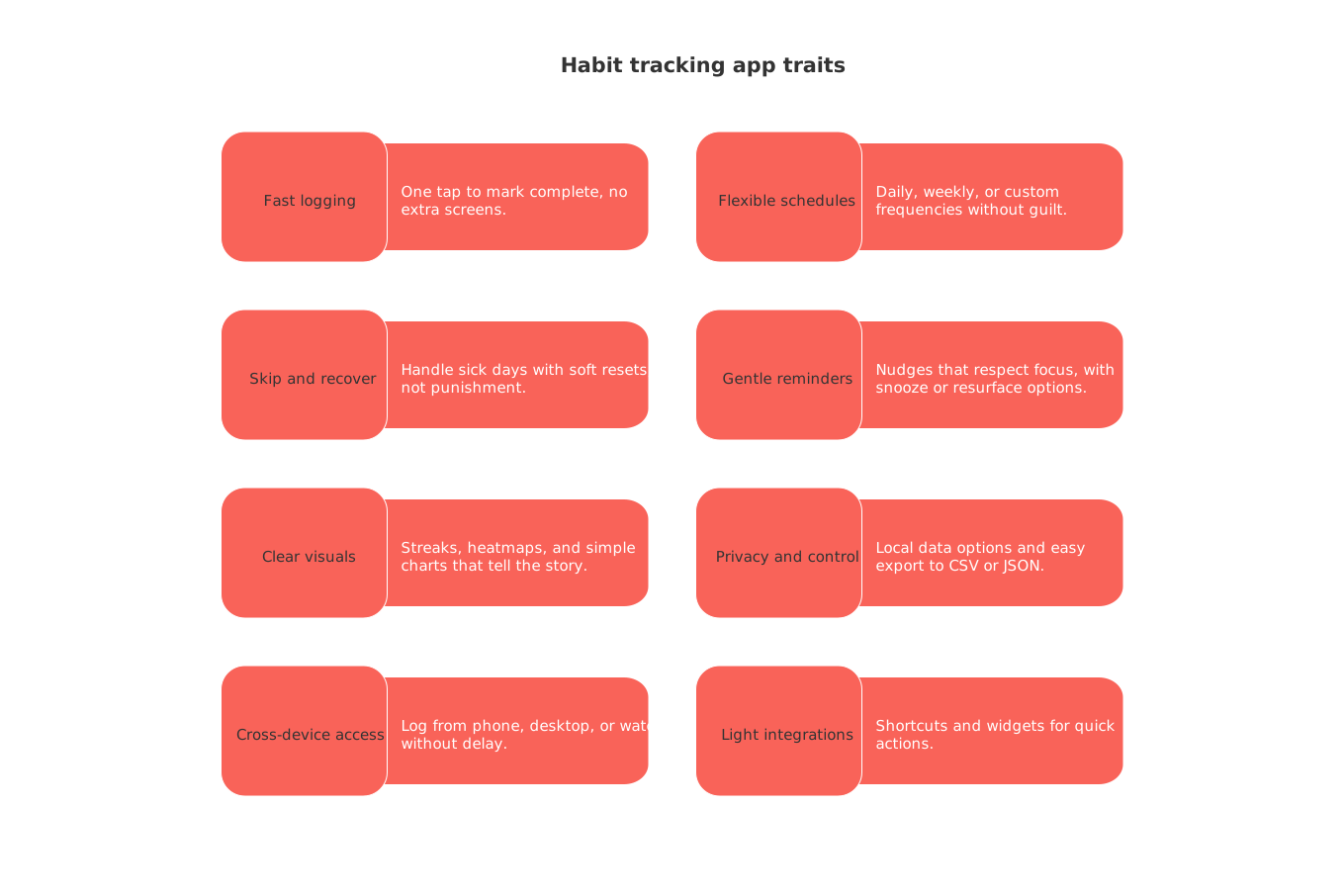
Choose features that reduce friction and make it easy to recover after misses. Prioritize these traits.
Fast logging: One tap to mark complete, no extra screens.
Flexible schedules: Daily, weekly, or custom frequencies without guilt.
Skip and recover: Handle sick days with soft resets, not punishment.
Gentle reminders: Nudges that respect focus, with snooze or resurface options.
Clear visuals: Streaks, heatmaps, and simple charts that tell the story.
Privacy and control: Local data options and easy export to CSV or JSON.
Cross-device access: Log from phone, desktop, or watch without delay.
Light integrations: Shortcuts and widgets for quick actions.
Best simple habit tracking apps for quick daily check-ins
These apps keep logging effortless and minimize cognitive load.
Streaks(Apple devices): Clean design and very fast check-ins. Excellent widgets and watch support.
Loop Habit Tracker(Android): Reliable streak chains and flexible schedules. Strong offline use and backups.
Productive(iOS and Android): Timed reminders and a tidy history view. Useful for morning and evening routines.
Done(iOS): Track counts like “water: 6 glasses.” See weekly totals at a glance.
Best gamified habit tracking apps for people who like quests
Game mechanics can keep you engaged when goals feel distant.
Habitica: Turn habits into an RPG. Join parties, earn gear, and tackle quests together.
Do It Now(Android): Level up real-life skills. Gain attributes for completed habits and tasks.
Tip: Gamification works best for 1–3 keystone habits. Avoid turning your day into an endless grind.
Best coaching-style habit apps when you want guidance
Prefer a friendly nudge and structure? These apps add science-informed sequences and optional accountability.
Fabulous: Guided journeys with step-by-step routines. Helpful for sleep, movement, and energy.
Coach.me: Simple habit tracking with community support. Hire a coach if you want deeper accountability.
Start with one habit. Add another only after seven solid days.
Best habit trackers for data lovers and health metrics
If charts motivate you, pick tools that visualize trends and averages.
Strides(iOS): Goals, targets, and averages in one view. Helpful for weekly or monthly aims.
Habitify(iOS, Android, Web): A timeline view and clear stats. Works well across devices.
Way of Life(iOS): Simple yes/no tracking with powerful charts. Great for elimination habits.
Daylio(iOS and Android): Correlate mood with habits. Spot patterns that matter.
Habit tracking apps for accountability with friends or teams
Some habits stick when someone expects your update.
HabitShare: Share progress with trusted friends. Private by default and simple to use.
TickTick: A comprehensive task management app that incorporates features for building habits. Share lists and run light check-ins together.
Agree on a weekly summary. Keep feedback supportive and specific.
How to switch habit tracking apps without losing momentum
Pause new habits for one week. Protect your core three.
Export or screenshot your history. Keep it simple and dated.
Rebuild only keystone habits first. Ignore the rest for now.
Backfill the last two weeks if allowed. Maintain continuity.
Mirror reminder times. Keep cues identical for ten days.
Run both apps for five days. Log the new app first.
Archive the old app. Celebrate the clean slate.
A 14-day test plan to pick your habit tracking app
This short trial reveals whether an app fits your life.
Days 1–3: Track one habit. Log at the same time daily.
Days 4–7: Add a second habit. Compare logging speed and reminders.
Days 8–10: Add a stretch habit for weekends. Test flexibility and skips.
Days 11–14: Review streaks and charts. Decide with data, not vibes.
Prefer cycles over vague yearly goals? Consider using the 12‑week year approach for short, focused habit sprints. It pairs well with simple trackers.
When an all-in-one workspace for habits makes sense
If your habits connect to projects and clients, one hub can help. You might want habits near tasks, docs, and CRM pipelines. That reduces context switching and keeps outcomes visible.
Before merging, decide your threshold. If you manage sales outreach, content, and follow-ups, centralization can win. If you only track water and steps, a small app stays better.
Unsure which route fits your work? Learn how to choose between an all‑in‑one workspace and dedicated project tools. Visual progress also matters; project trackers and simple visuals can reinforce habits across weeks.
Quick picks by persona: students, freelancers, parents, and executives
Students: Habitify for clean daily check-ins. Add Daylio if mood patterns affect study energy.
Freelancers: Strides for revenue and outreach targets. Use HabitShare for weekly peer reviews.
Parents: Productive for family routines. Share one HabitShare circle for gentle accountability.
Executives: Streaks for must-do health habits. Add Coach.me if a coach keeps you honest.
Frequently asked questions about habit tracking apps in 2026
How many habits should I track at first?
Start with one. Add a second after seven straight days. Add a third after two weeks.
What if I miss a day and break my streak?
Expect misses. Focus on return speed. Use apps that allow soft resets or skip days.
Do I need reminders?
Yes, at first. Tie them to existing cues like meals or commute times. Reduce later.
How do I avoid notification fatigue?
Batch reminders into windows. Use one daily summary. Silence non-critical pings.
Can I track outcomes, not just actions?
Use apps with counters and targets. Strides and Way of Life handle this well.
Is my data private?
Check the policy and export options. Prefer apps with local storage and easy backups.
FAQ
What features make a habit tracking app effective for long‑term use?
Effective habit tracking apps streamline processes, reducing friction with quick logging and intuitive design. Apps like Routine ensure you see tangible progress, empowering users to maintain habits without feeling encumbered by tech complexities.
Can skipping habits during trips or illness hinder long-term progress?
Not necessarily. Tools offering flexible streaks or pause features, like some options mentioned in Routine, accommodate life's unpredictability and help maintain momentum without penalty.
Are dedicated habit apps better than all‑in‑one workspace solutions?
Dedicated apps prioritize habit formation with focused features, while all-in-one workspaces connect habits to projects and workflows, potentially complicating setup. Weighing the trade-offs, as Routine suggests, helps determine the best fit for your productivity style.
Is gamification an effective strategy for habit formation?
Gamification works well for a few keystone habits but can distract when applied broadly. Use it to boost engagement but don't let it turn your tasks into endless grind quests.
How do I recover after missing a day in my habit app?
Aim for quick recovery rather than punishing yourself for a slip. Select apps that offer soft resets or skip day features to maintain momentum without guilt.
Should I use a dedicated habit app or an all-in-one workspace?
If your habits are closely tied to your projects, consider an all-in-one workspace to reduce context switching. For simpler tracking like hydration or walking, dedicated apps remain efficient and less cluttered.
How can I ensure my data stays private in habit tracking apps?
Choose apps with robust privacy options, including local data storage and easy export capabilities. Always review the app’s privacy policy to understand how your data is handled and retained.
Is it necessary to use reminders in habit tracking apps?
Initially, reminders help establish the habit by tying actions to existing routines. As habits solidify, reduce reminders to avoid notification fatigue while maintaining necessary focus.

Julien Quintard
Founder & CEO at Routine10/01/2026
