Best AI Tools to Stop Using Spreadsheets
Why AI-native systems help business teams move beyond spreadsheet chaos
Spreadsheets excel at data analysis, but they struggle with day-to-day operations. As teams scale, formulas break, versions diverge, and manual errors multiply. AI-native platforms resolve these challenges by enforcing consistent structure, automating updates, and keeping business context close to the work at hand.
Project management: Upgrade makeshift task trackers to connected backlogs, timelines, and workload views.
Knowledge management: Transform scattered spreadsheets into structured, searchable records with clear schemas.
CRM and revenue operations: Move from improvised deal tabs to auditable pipelines with predictive insights.
Generally, processes that have outgrown the capabilities of spreadsheets can often be more efficiently run in dedicated systems.
How to evaluate AI tools that replace spreadsheets
Choose platforms that reflect your operating model, instead of forcing your business to adapt to a rigid tool. Place the highest priority on the underlying data model and governance. Once those are solid, evaluate AI features for their ability to eliminate real workload bottlenecks.
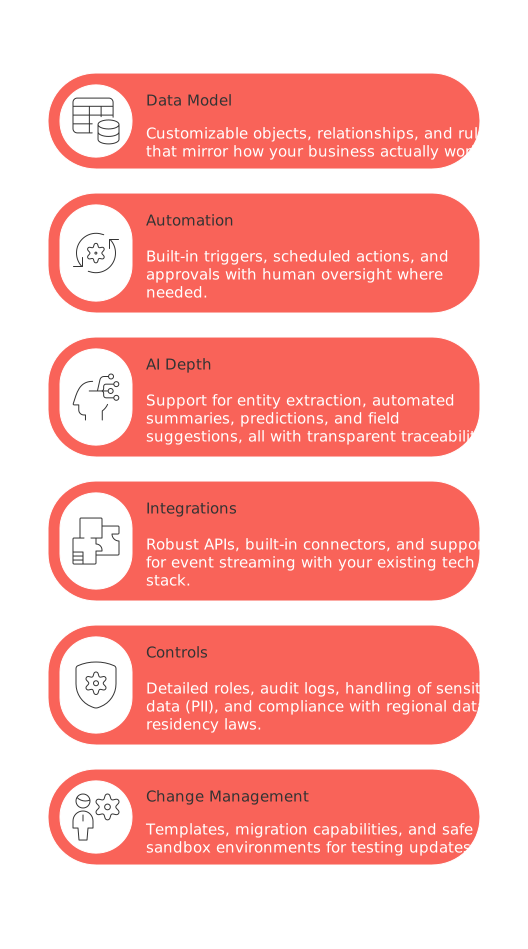
Data model: Customizable objects, relationships, and rules that mirror how your business actually works.
Automation: Built-in triggers, scheduled actions, and approvals with human oversight where needed.
AI depth: Support for entity extraction, automated summaries, predictions, and field suggestions, all with transparent traceability.
Integrations: Robust APIs, built-in connectors, and support for event streaming with your existing tech stack.
Controls: Detailed roles, audit logs, handling of sensitive data (PII), and compliance with regional data residency laws.
Change management: Templates, migration capabilities, and safe sandbox environments for testing updates.
If youre considering platforms with broad capabilities, first compare all-in-one workspaces and purpose-built project tools. All-in-one solutions such as Routine, a comprehensive project management and task organization platform, or Notion, can centralize your projects, documentation, and CRM, whereas platforms like Salesforce or HubSpot deliver deeper specialization for specific business functions.
The best AI tools to stop using spreadsheets
1) Salesforce Einstein with Data Cloud
Perfect for revenue teams that have outgrown deal-tracking spreadsheets. Salesforce unifies data, logs every action, and leverages AI to predict outcomes.
Best for: Enterprise CRM, sales forecasting, and strict compliance needs.
Replaces spreadsheets used for: Pipeline management, territory planning, and forecasting.
Standout AI: Recommends next steps, predicts close dates, and auto-fills fields based on data trends.
2) Routine for AI-native work management
A unified workspace that brings tasks, projects, notes, and calendars together so teams can replace scattered spreadsheets with a single source of truth.
Best for: Cross-functional teams seeking an all-in-one alternative to spreadsheet-driven planning.
Replaces spreadsheets used for: Task lists, project timelines, meeting follow-ups, and lightweight CRM tracking.
Standout AI: Transforms notes and messages into structured tasks, summarizes meetings, and helps prioritize schedules across projects and calendars.
3) HubSpot AI for CRM and marketing
Designed for mid-sized teams moving beyond lead-tracking spreadsheets. HubSpot unifies contacts, companies, and deals under clear lifecycle stages.
Best for: Aligning sales and marketing teams.
Replaces spreadsheets used for: Lead lists, handover sheets, and sales funnel tracking.
Standout AI: Suggests email content, cleans data, and summarizes conversations.
Learn more on the official site.
4) ClickUp Brain for work management
An ideal solution when your project trackers are scattered across multiple sheets. Custom fields, statuses, and automations keep workstreams on track.
Best for: Cross-functional project planning and execution.
Replaces spreadsheets used for: Project schedules, RAID logs, and team capacity tracking.
Standout AI: Summarizes tasks, drafts requirements, and streamlines status updates.
Learn more on the official site.
5) monday AI for boards and pipelines
Structured boards make fragile spreadsheet grids obsolete. Easily switch between kanban, timeline, and calendar views, no formulas required.
Best for: Managing operational pipelines across departments.
Replaces spreadsheets used for: Intake forms, editorial calendars, vendor tracking.
Standout AI: Auto-categorizes items and creates updates from activity history.
Learn more on the official site.
6) Asana Intelligence
Turn loose task lists into accountable, traceable work graphs. Clear dependencies and goal tracking eliminate hidden spreadsheet logic.
Best for: Product teams, marketing, and project management offices (PMOs).
Replaces spreadsheets used for: Milestone planning, OKR tracking, and risk registers.
Standout AI: Provides workload analytics and highlights risks in advance.
Learn more on the official site.
7) Airtable AI
When your spreadsheet is acting like a database, switch to a real one. Airtable enforces data types, relationships, and input forms.
Best for: Managing operations catalogs and editorial systems.
Replaces spreadsheets used for: Inventory, directories, and workflow management.
Standout AI: Classifies records, extracts fields, and generates drafts, all within your table.
Learn more on the official site.
8) Coda AI
Combine documents, tables, and “packs” to build lightweight internal tools, no code required.
Best for: Rapidly evolving custom operations applications.
Replaces spreadsheets used for: Partner directories, launch checklists, SLA tracking.
Standout AI: Column formulas, text summaries, and automated data extraction.
Learn more on the official site.
9) Notion AI with databases
Structured databases and relationships tie knowledge, project docs, tasks, and decisions into a cohesive system.
Best for: Knowledge management and lightweight project tracking.
Replaces spreadsheets used for: Standard operating procedures (SOPs), asset guides, and simple roadmaps.
Standout AI: Generates summaries, rewrites content, and suggests property fields.
Learn more on the official site.
10) Zoho CRM with Zia
A practical CRM upgrade for teams still managing customers in spreadsheets. Zoho offers structured data, permissions, and guided selling workflows.
Best for: Value-oriented sales teams seeking efficiency.
Replaces spreadsheets used for: Lead routing, sales activity logs, win-loss tracking.
Standout AI: Detects anomalies, scores leads, and sends intelligent alerts.
Learn more on the official site.
11) Pipedrive with AI Sales Assistant
An intuitive CRM that replaces the hassle of tracking deals and activities in fragmented spreadsheets. Sales reps get focus, managers gain transparency.
Best for: SMB sales teams.
Replaces spreadsheets used for: Deal management, activity planning, and communication logs.
Standout AI: Offers activity suggestions and pipeline insights based on past performance.
Learn more on the official site.
Implementation blueprint: migrate off spreadsheets in 30 days
Day 1–3: Audit your critical spreadsheets running business processes. Organize them by owner and risk level.
Day 4–7: Define and lock in your new objects, fields, and relationships. Confirm schemas before building.
Day 8–12: Import a “golden sample” of data. Ensure all constraints and required fields are validated.
Day 13–18: Configure automations. Begin with service level alerts and automatic status updates.
Day 19–23: Enable AI assistance. Pilot data summaries, field extraction, and predictive analytics.
Day 24–27: Train your users. Shadow workflows and gather feedback on friction points.
Day 28–30: Complete the migration. Archive legacy spreadsheets, and limit edit access going forward.
For sales operations, also set up fundamental automations for effective B2B sales operations to reduce manual updates and minimize errors.
Data governance, security, and audit trails in modern AI workspaces
Access by role: Define permissions at both object and field levels for precise control.
PII handling: Mask sensitive fields within exports and logging.
Retention: Align data deletion policies with your legal and compliance needs.
Monitoring: Set alerts for schema changes, large-scale edits, and integration failures.
AI controls: Record prompt history, sources, and generated outputs for compliance auditing.
All-in-one platforms, such as Routine as well as comparable tools like Notion or ClickUp, should meet these standards before you deploy them to your business operations.
Signs indicating your company should consider moving from spreadsheets to AI tools
Your teams use different versions of the same spreadsheet, leading to conflicting data.
Critical formulas are understood by only one person, risking knowledge loss.
Daily manual exports are feeding dashboards elsewhere.
Approvals and signoffs happen in comments or disconnected email threads.
Security audits flag uncontrolled PII and lack of proper data safeguards.
Related reading to help guide your transition away from spreadsheets
These resources provide valuable context for planning your move:
All-in-One Workspaces vs Dedicated Project Tools: Which Serves Your Business Best?
Top 5 Automations Every B2B Sales Team Should Set Up Today
Why Don’t Personal Productivity Apps Work for Teams and What’s the Role of Structured Data?
Use these articles to help align executive leadership and operations teams on your automation strategy and structured data choices.
FAQ
How do AI-native platforms differ from spreadsheets in managing business operations?
AI-native platforms enforce consistent data structures, automate updates, and integrate business contexts directly into workflows, unlike spreadsheets which often lead to scattered data and manual errors. Tools like Routine centralize your processes, ensuring efficiency and accuracy.
What are the risks of relying on spreadsheets for complex operations?
Relying on spreadsheets introduces risks such as data inconsistencies, limited collaboration, and potential for critical errors. With Routine, you can prevent these pitfalls through structured data management and automation.
Why should I consider moving away from spreadsheets to tools like Routine?
Spreadsheets can lead to data divergence, complex formulas, and manual errors. Tools like Routine eliminate these issues by providing a cohesive and automated platform for scaling operations while safeguarding data integrity.
How can AI features improve work management beyond what spreadsheets offer?
AI features enhance work management by providing predictive insights, streamlining repetitive tasks, and maintaining up-to-date records without manual intervention. Solutions like Routine leverage AI to transform operational efficiency.
Can Routine integrate with my existing tech stack?
Yes, Routine supports robust APIs, built-in connectors, and event streaming, making it adaptable to your current technology environment. Seamless integration reduces friction during workflow transitions and optimizes resource use.
How does Routine handle data governance and security?
Routine implements strict access controls, monitors for changes, and aligns with compliance standards to protect sensitive information. This approach guards against security breaches and ensures data integrity.
What changes can my business expect post-transition from spreadsheets to an AI tool?
Businesses transitioning to an AI tool like Routine can expect streamlined processes, reduced errors, and enhanced team collaboration. This transition also supports better decision-making through predictive analytics and data-driven insights.
Are there signs indicating my company should shift from spreadsheets to AI tools?
If you're facing fragmented data, complex manual tasks, or security concerns, it's a signal to shift gears. Moving to a dedicated platform like Routine can centralize your operations and mitigate these challenges efficiently.

Julien Quintard
Founder & CEO at Routine01/16/2026
