5 Alternatives to Sunsama for Daily Planning
Quick comparison of 5 Sunsama alternatives for daily planning
Tool | Best for | Planning style | Scheduling intelligence | Context depth | Biggest trade‑off |
|---|---|---|---|---|---|
Routine | Daily planning with projects, docs, and CRM in one place | Context‑rich day view tied to projects, contacts, and meetings | Guided time‑blocking with connected objects | High (projects, knowledge base, lightweight CRM, meetings) | More system than a basic to‑do list |
Motion | Constantly changing schedules | Calendar‑first with automatic reshuffling | Strong auto‑scheduling across hours and days | Low–medium (works best as a scheduling engine) | Automation can feel rigid or opaque |
Akiflow | Tasks streaming in from many apps | Inbox triage + quick time‑blocking | Fast slotting; manual prioritization | Medium (aggregates well, light project structure) | Limited depth for team projects |
Todoist | Individuals who want clarity without complexity | List + labels/filters; optional boards | Minimal (manual scheduling) | Low (documents and CRM sit elsewhere) | No native auto‑scheduling or deep context |
Notion | Doc‑heavy work that needs a custom system | Database‑driven planning inside a workspace | Manual or template‑based time‑blocking | High for docs/wiki; moderate for tasks | Requires building and ongoing maintenance |
Routine: daily planning when tasks depend on project, docs, and CRM context
Most people switch when they realize their “today” depends on more than just a neatly blocked calendar. Client follow-ups, meeting outcomes, and project briefs all influence what truly matters. Routine brings projects, a knowledge base, lightweight CRM, and meetings together in one unified workspace, so your daily plan can leverage the same source of truth you use to manage your work.
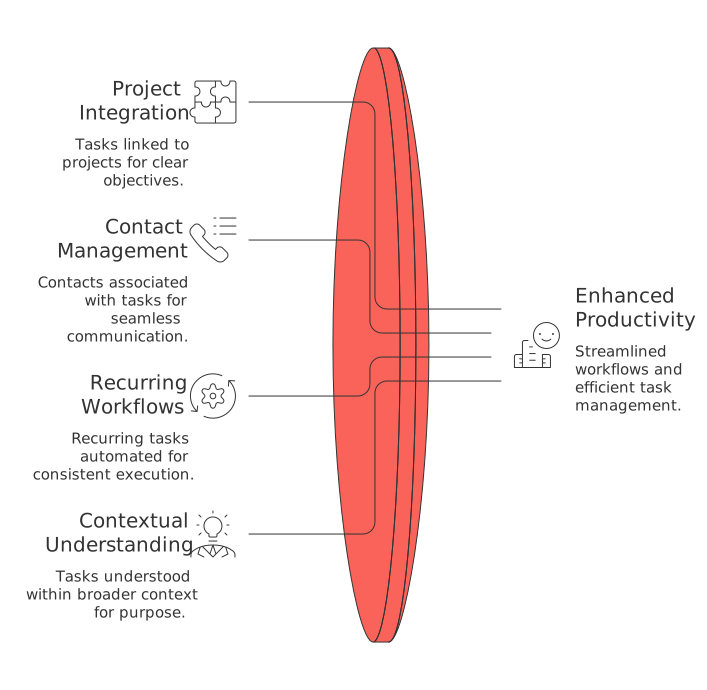
Where it stands out: Tasks become more than mere checkboxes, they’re directly connected to projects, contacts, and recurring workflows, carrying the underlying purpose behind each action. This rich context helps eliminate the repetitive “open five tabs to remember what this task is” cycle that can slow down Sunsama users as their responsibilities expand beyond a simple list.
Trade-offs: If all you’re after is a minimal to-do app, Routine might offer more structure than you need. However, for consultants, founders, and teams that prioritize fewer tools and greater visibility, Routine’s consolidation quickly becomes worthwhile.
Decision moment: Routine makes sense once your tasks depend less on individual reminders and more on meeting context, project information, and client follow-ups.
Not sure if you prefer a single connected workspace or a stack of specialized tools? This in-depth comparison of all-in-one workspaces versus dedicated project tools can help you clarify your needs and direction.
Motion: daily planning for schedules that change every hour
If your day requires frequent adjustments after every meeting or stand-up, manual time-blocking can quickly become untenable. Motion automatically schedules your tasks around meetings and shifting constraints, dynamically reorganizing priorities and time blocks as changes arise. It's designed for those who see the calendar as their central planning tool.
Where it stands out: Motion’s intelligent scheduling engine takes care of slotting, re-prioritizing, and protecting your focus periods, sparing you from time-consuming manual calendar management.
Trade-offs: The automated approach can sometimes feel inflexible, and if you require richer context, such as documents, client data, or decision histories, you’ll still need to juggle additional tools. Motion is best for those who value fast, automated scheduling over deep contextual information.
Decision moment: Consider Motion if planning your day becomes more effortful than actually completing your work. If, over time, you find yourself needing more context, a platform like Routine or Notion will feel more comfortable.
Akiflow: daily planning that unifies tasks from everywhere
For those overwhelmed by scattered inputs, emails, chat notifications, tickets, Akiflow serves as a central triage system. Everything funnels into a single inbox, from which you can quickly time-block only what’s essential.
Where it stands out: Akiflow’s speed is a major advantage. Its command bar and keyboard-friendly setup turn task triage into a consistent and swift process. If Sunsama feels thorough but slow, Akiflow offers a streamlined alternative.
Trade-offs: Akiflow excels at aggregation but does not fully replace project management systems or a CRM. As your team or needs grow, you might outgrow its capabilities or find you need to supplement it with other tools.
Good fit: Individuals or small teams who want to ensure nothing slips through the cracks, yet don’t require a full-featured workspace. If your scheduling becomes increasingly unpredictable, Motion may become a better choice; for more contextual knowledge, Routine becomes a more robust solution.
Todoist: daily planning for individuals who want clarity without complexity
If planning overwhelm comes from excessive features and complex views, simplicity is key. Todoist provides a clean, capture-first task manager with just enough labels, filters, and sections to keep you organized, without overcomplicating matters.
Where it stands out: Its presence across platforms, fast task capture, and easy list sharing make it ideal for those who have bounced off more ritual-heavy tools. Todoist offers a straightforward, calming experience.
Trade-offs: You’ll need to gather context from other apps as scheduling is primarily manual. It pairs well with a calendar for manual time-blocking. However, if manually coordinating between the two becomes too time-consuming, consider Motion as a better option. If you need project knowledge and client context, Routine or Notion would be more suitable.
Who should choose it: Students, independent creatives, families, and any teams operating on simple checklists rather than complex dependencies.
Notion: daily planning inside a flexible workspace (if you like building systems)
Some people want their daily planning to emerge organically from a living workspace, one that brings together docs, decisions, and databases. Notion makes this possible, especially if you value designing custom templates and organizational systems.
Where it stands out: The ability to intertwine documentation, structured databases, and tasks within the same space is Notion’s key strength. When your planning questions start with “What’s the latest spec, note, or decision?” Notion puts the answers at your fingertips.
Trade-offs: Notion requires time and effort to build and maintain your ideal setup, and doesn’t offer native automatic time-blocking. For those who want a ready-made connected workspace, Routine is a more opinionated option. Meanwhile, if calendar automation is your priority over in-depth knowledge, Motion is the simpler fit.
Who should choose it: Knowledge-driven teams and those who like designing their own workflows, provided they don’t mind the ongoing maintenance.
Final decision framework: choose your Sunsama alternative by workflow reality
Workflow maturity: If you are in the early stages or using personal workflow, consider Todoist.
If you’re dealing with multiple inputs but have lightweight projects, Akiflow might be your best option.
If you manage structured, process-rich work (client interactions, documentation), Routine is a strong fit.
If your calendar changes frequently and dominates your workflow, Motion is the best match.
If your planning is built around documentation and custom structures, Notion is ideal.
If you’re transitioning from a personal planner to a team system and are facing difficulties, consider reading this article on why personal productivity apps often fail in teams and how structured data can provide a solution.
Conclusion: pick the tool that fixes the main bottleneck in your day
Switch tools for a valid reason: identify the primary issue that’s hindering your current workflow. If your day falters because context is scattered, Routine’s connected workspace is the practical solution. If the complexity lies in your calendar, Motion takes over the busy rescheduling work. If chaotic inputs are the problem, Akiflow restores order. For those seeking peaceful simplicity, Todoist is sufficient. And if you need your daily plan embedded in a flexible knowledge hub, Notion is the ideal canvas.
Start with the most obvious pain point, keep your setup as simple as practical, and only add complexity once you see a tangible payoff, fewer open tabs, fewer repetitive decisions, and more peace of mind.
FAQ
What makes Routine different from other planning tools?
Routine integrates projects, documents, CRM, and meetings into one cohesive platform. This approach eliminates the need for multiple tabs and disconnected apps, streamlining workflow and consolidating context.
Is Motion's auto-scheduling too rigid?
While Motion's automated scheduling is efficient, it can feel inflexible if you need to consider additional context like docs or client data. Users valuing deep context might prefer the structure offered by Routine or the customization of Notion.
Can Akiflow handle team-based projects effectively?
Akiflow excels in task aggregation but lacks depth in team project management. As needs grow, users might require more robust tools like Routine for a comprehensive approach to project and client management.
Why might Todoist not be enough for some professionals?
Todoist offers simplicity, which is appealing, but it lacks native auto-scheduling and deep context management. For professionals needing project ties and client follow-ups, platforms like Routine would be more effective.
What are the drawbacks of using Notion for daily planning?
Notion demands time and effort for initial setup and ongoing maintenance. If you require ready-to-use integration with projects and CRM, a structured system like Routine is more immediately practical.
Is Routine suitable for individual users?
For users simply seeking a basic to-do list, Routine may offer more than necessary. Its strength lies in offering a connected workspace where context is key, making it ideal for those with complex, context-driven tasks.

Julien Quintard
Founder & CEO at Routine04/22/2026
