AI Meeting Notes That Turn Action Items Into Scheduled Blocks Automatically
Why meeting action items should schedule themselves instead of waiting in task lists
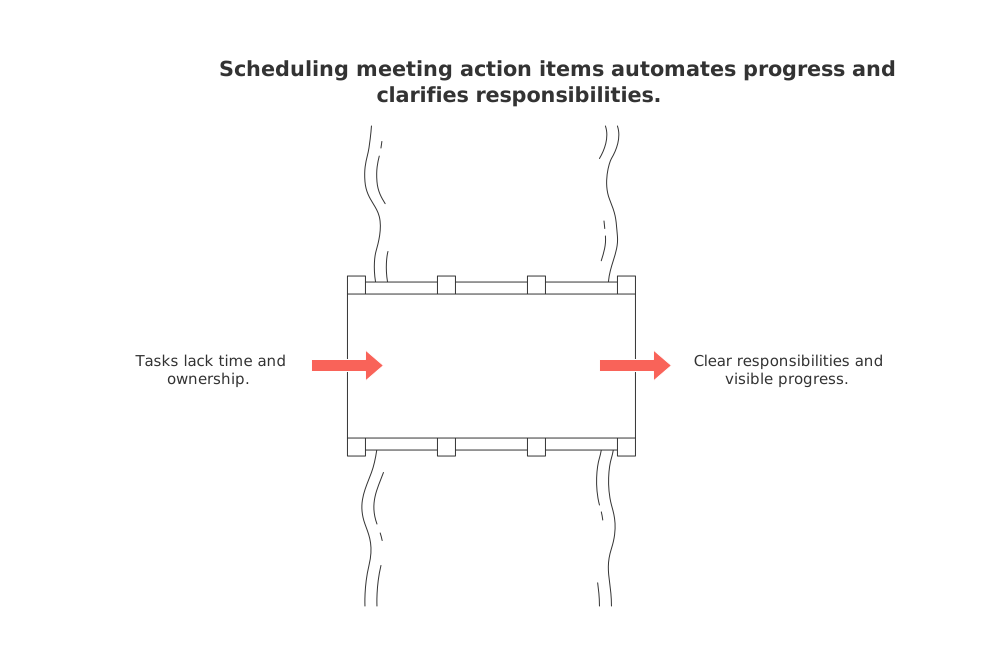
Tasks drift when they lack time and ownership. Lists collect intent. Schedules commit resources. When meeting outcomes reserve calendar time, the work advances. People know what to do next, and when to do it.
Fewer handoffs. Owners see committed blocks, not vague to‑dos.
Clear tradeoffs. Time boxing forces prioritization and reveals potential overload early.
Real capacity. Plans reflect hours, not wishes.
Less status theater. The schedule shows progress.
If it’s not on the schedule, it slips.
How AI turns spoken discussion into structured tasks with owners, context, and time windows
AI converts raw talk into structured data. It flags commitments, owners, and timing cues, then links tasks to docs and decisions for traceability.
Ingest the meeting recap or transcript.
Extract action verbs, nouns, and named people.
Assign ownership from mentions and roles.
Parse time hints like “by Friday” or “next sprint.”
Attach context: links, estimates, and dependencies.
Propose durations based on similar past work.
Offer a first schedule that respects work hours.
Example: “Sam to draft pricing page by Friday.” The system sets Sam as owner, tags “website,” proposes 90 minutes, and books a morning block before Friday. It links the design doc for a fast start.
From task to time block: scheduling rules that keep work realistic
Automation needs guardrails. Good rules protect focus and personal limits. Great rules also absorb change without chaos.
Respect work hours and time off; avoid overbooking without consent.
Batch similar tasks to cut context switching.
Keep deep‑work blocks long enough to matter.
Protect breathing room before major deadlines.
Use soft due windows, not hard cliffs, when possible.
Defer low‑value tasks when conflicts appear.
Honor personal constraints, like school pickup or therapy.
Suggested default rules you can start with
Cap blocks at 120 minutes. Split longer work.
Hold one daily focus block before noon.
Leave 10 minutes between blocks for resets.
Avoid the first hour on Monday for planning.
A simple workflow to review, approve, and schedule AI suggestions
In this automated system, human intervention is still necessary to confirm the proposed schedules.
Daily triage. Review yesterday’s captures and edits.
Approve owners, durations, and deadlines.
Accept or tweak the proposed blocks.
Publish the schedule and notify owners.
Auto‑reschedule on conflicts using your rules.
Two minutes of review beats two hours of chaos.
Guidance for individuals
Give the AI a few rules and it will learn your energy curve. Mornings for strategy. Afternoons for outreach. Evenings stay free unless you opt in.
Guidance for teams
Set shared quiet hours. Agree on service‑level targets. Decide who approves cross‑team work. Keep the standards simple and visible.
CRM follow‑ups become scheduled outreach blocks automatically
Sales calls often result in new tasks, such as “I’ll send pricing” or “Let’s book a demo.” AI should turn each of these into a scheduled block in the responsible person’s workweek. It also logs the task in the CRM with context.
Link each block to the right account or deal.
Include the email draft or deck inside the task.
Set reminder nudges before the due window.
If you run revenue teams, you’ll like the practical ideas in top automations every B2B sales team should set up today. Pair those automations with scheduling, and follow‑ups stop falling through.
Project and knowledge workflows improve when tasks become scheduled blocks
Time‑boxed work clarifies the stage of each deliverable. You see progress, bottlenecks, and debt. Knowledge stays attached to the task, not lost in chat.
Project managers can forecast finish dates from capacity, not hope.
Researchers can return to context with one link.
Executives can spot risks by watching schedule churn.
Meetings also get sharper when your recap is structured. If you need formats, see these effective meeting templates for formats, minutes, and recaps. Clear inputs lead to cleaner automation.
Examples that show automatic scheduling in real life
Freelance designer: A client call yields “revise hero section” and “ship invoice.” AI books a 60‑minute morning design block and a 15‑minute invoice block after lunch.
Product trio: A weekly sync creates “validate onboarding copy” and “prepare experiment.” The writer gets a 90‑minute focus block. The analyst gets two 45‑minute research windows.
Student group: A planning chat ends with “compile sources” and “record slides.” AI spreads work across evenings, with a shared rehearsal block on Thursday.
Operations lead: A supplier review triggers “update SOP” and “confirm shipment.” Blocks land before Friday’s standup with links to drafts.
Privacy, consent, and governance for AI meeting notes that schedule work
Automation must respect people. Start with consent and clear data rules.
Announce recording and note capture at the start.
Let participants exclude off‑record segments.
Store transcripts with retention windows.
Mask sensitive fields before analysis.
Audit who changed owners, dates, or scope.
Allow easy deletion on request.
Evaluating your options: all‑in‑one workspace or dedicated scheduler?
Some teams want a single workspace for tasks, docs, CRM, and meetings. Others prefer a focused scheduler that plugs into existing tools. Both paths work; your context decides.
All‑in‑one provides shared context and fewer integrations to babysit.
Dedicated schedulers may ship faster for time blocking.
Hybrid setups can start small, then centralize later.
Evaluate options like Routine, Motion, Reclaim.ai, Notion, and ClickUp. Test owner detection, conflict handling, and privacy controls. If you’re weighing platforms, our article “All‑in‑One Workspaces vs Dedicated Project Tools: Which Serves Your Business Best?” offers a helpful lens.
Tips for a smoother rollout and adoption across different roles
Start with one team and one meeting type. Aim for noticeable wins within two weeks. Expand once the rules feel right.
Pick a pilot meeting with clear outcomes.
Define three scheduling rules, not thirty.
Agree on who approves proposed blocks.
Share a short “how we schedule work” page.
Review metrics weekly: scheduled hours, slips, and carryover.
What success looks like when automation handles the follow‑through
Work feels calmer. Owners know the next block. Fewer tasks age out. Projects surface risk sooner. Customers get faster responses. Your week matches your priorities, not your inbox.
FAQ
How does AI automate task scheduling from meetings?
AI extracts actionable items from discussions, identifies task owners, and suggests schedules based on historical data, ensuring structured follow-through. This automation minimizes human error and ensures consistency, but requires oversight for accuracy.
What challenges can arise from automated scheduling?
While automation enhances efficiency, it risks over-scheduling or misaligning tasks without proper human oversight. Mismanaged automation can lead to burnout or neglected priorities, demanding a balance between automated ease and manual judgment.
How can individuals tailor AI scheduling to their work patterns?
By setting personal rules, individuals can condition AI to align with their productivity peaks and downtime. Routine can aid in enhancing personal workflow, but misalignment can lead to increased stress rather than relief.
How does Routine address privacy concerns with AI scheduling?
Routine ensures user consent and transparency by allowing control over data usage and providing options to mask or delete sensitive information. However, the effectiveness of privacy features hinges on vigilant policy enforcement and user awareness.
Are all-in-one workspaces or dedicated schedulers better for task management?
All-in-one workspaces offer integrated context with fewer integration issues, while dedicated schedulers provide focused functionality. The choice depends on specific team needs and existing workflows; neither is inherently superior without context.

Julien Quintard
Founder & CEO at Routine06/10/2026
