9 Affordable AI Productivity Tools For Freelancers 2026
Why affordable AI productivity tools matter for freelance businesses in 2026
Clients demand speed and transparency, while margins often remain tight. Today, smart software empowers freelancers and solo business owners to compete at the highest level without huge overhead.
AI tools streamline everything from proposal drafting and deal tracking to project delivery, so you can operate efficiently without extra hires. The most effective solutions now blend project management, knowledge bases, and CRM into one cohesive experience.
Remember, the pricing of productivity tools such as Routine, ClickUp, and others referenced in this article may change frequently. Always check the latest plans and features before making a commitment.
1) Routine: All‑in‑one AI work hub for PM, CRM, and knowledge
Why it ranks first: Routine stands out by integrating projects, CRM, and knowledge management, all enhanced with powerful AI. It’s purpose-built to relieve the tool overload common for solo agencies.
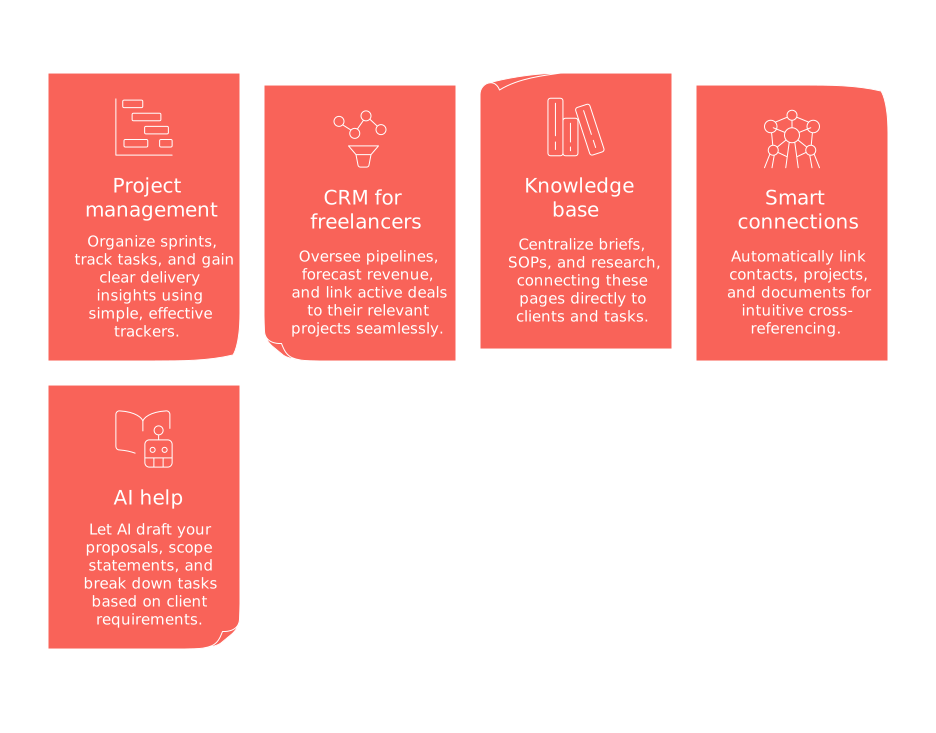
Project management: Organize sprints, track tasks, and gain clear delivery insights using simple, effective trackers.
CRM for freelancers: Oversee pipelines, forecast revenue, and link active deals to their relevant projects seamlessly.
Knowledge base: Centralize briefs, SOPs, and research, connecting these pages directly to clients and tasks.
Smart connections: Automatically link contacts, projects, and documents for intuitive cross-referencing.
AI help: Let AI draft your proposals, scope statements, and break down tasks based on client requirements.
Best for: Solo consultants seeking a single unified hub instead of integrating multiple apps.
For those who prefer heavier customization, consider exploring other productivity solutions like Notion or ClickUp. Keep in mind, however, these alternatives may not provide the same seamless, unified experience as Routine.
2) ClickUp: Work management with built‑in AI and deep automations
ClickUp is ideal for freelancers handling multiple client projects with a strong focus on delivery workflows.
Design task templates tailored to your recurring client packages.
Automate status changes and ownership assignments to keep tasks flowing effortlessly.
Utilize integrated AI to rewrite briefs and generate timeline summaries.
When using ClickUp, it’s helpful to efficiently manage your workload. Regularly archiving closed work and keeping your lists clean will maintain optimal performance and speed.
3) Notion: Database workspace and knowledge base with AI writing
Notion enables you to structure and link knowledge directly to your client delivery process.
Create a comprehensive client database that connects deliverables and invoices.
Use embedded AI to draft outlines for reports and case studies.
Publish and share pages for client review and feedback.
Begin your setup with a single table for Clients, and connect all project and asset records to it for clarity and traceability.
4) HubSpot CRM: Client pipeline with AI email and deal insights
HubSpot CRM remains a trusted, low-barrier solution for freelancers prioritizing customer management.
Monitor sales stages all the way from first contact to signed Statement of Work (SOW).
Take advantage of AI-generated outreach templates to engage prospects efficiently.
Log emails and create follow-up tasks directly from each contact record.
Consider using HubSpot CRM when your primary need is a simple Customer Relationship Management system, and project management is a secondary consideration.
5) Trello: Visual Kanban with automation and AI add‑ons
Trello is perfect if you organize your work visually using boards and lanes.
Set up a lane for each phase: Briefing, Drafting, Review, Delivered.
Apply automations to manage checklists and move due dates with ease.
Integrate AI assistants to summarize lengthy card details automatically.
6) Airtable: Relational databases with interfaces and AI fields
Airtable gives freelancers the power to connect CRM, projects, and assets within a single, flexible schema.
Link records across Clients, Projects, and Deliverables for total visibility.
Create Client Interfaces for clean, interactive dashboards.
Deploy AI fields to smartly categorize briefs, estimate scope, or compose status updates.
7) Zoho CRM + Zoho Projects: Structured CRM and project delivery with Zia AI
Zoho provides an appealing cost-effective suite for budget-conscious solopreneurs.
Manage leads, deals, and products systematically in Zoho CRM.
Automatically transfer won deals to Zoho Projects with ready-to-use templates.
Use Zia AI for instant data cleanup and prompt summary generation.
8) Make or Zapier: No‑code automation that connects your AI stack
Simplify your workflow by automating data handoffs between CRM, project tools, and your document storage.
Trigger new deals from form submissions, then automatically create corresponding project folders.
Auto-tag key assets with AI and attach them to specific deliverables.
Send instant client updates whenever tasks reach the Review or Delivered stage.
For those new to automation, it’s advisable to start out with just two or three workflows and master their management before expanding further into your routine.
9) PandaDoc: Proposals, SOWs, and contracts with AI drafting
PandaDoc streamlines the creation and management of essential sales documents for freelancers.
Develop reusable proposal and SOW templates.
Leverage AI features to customize content for different industries and unique project scopes.
Route contracts for e-signature and automatically connect signed copies back to CRM deal records.
Points to consider when choosing an affordable AI tool stack for a solo agency in 2026
Here are some points to guide your choice of affordable AI tools in 2026:
Make consolidation a conscious choice
Decide whether an all-in-one workspace outperforms an array of focused tools. Learn more about these trade-offs in this comparison of unified workspaces versus dedicated project tools.
Score tools on three axes
Project delivery: Assess the presence of templates, task dependencies, and clarity of status at-a-glance.
CRM strength: Evaluate pipeline handling, email tracking, and reporting capabilities.
Knowledge: Look for reusable assets tied directly to client work for easy reference.
Finally, focus on AI features that truly speed up workflows by minimizing manual steps, not just adding more options.
Starter playbook: Five automations you can set up today
Lead → Deal → Project: Automatically generate a project whenever a deal is marked as “Won.”
Proposal timers: Get notified if a proposal remains unopened for 48 hours to prompt follow-up.
Status digests: Automate weekly client updates, summarizing changes in task progress.
Scope control: Set alerts for tasks that exceed estimated effort or budget by 20%.
Asset tagging: Automatically categorize uploads and link them to their corresponding deliverables.
Need quick inspiration? Borrow practical ideas from these AI hacks proven to save you an hour a day.
FAQ
How essential are AI productivity tools for freelancers in 2026?
AI productivity tools aren't just a luxury; they're a competitive necessity. If you're not leveraging AI, you're likely falling behind in efficiency and client satisfaction, potentially missing out on business growth opportunities.
Should I invest in a singular platform or multiple specialized tools?
While a singular platform promises streamlined operations, don't overlook the risk of over-reliance. Diversifying with specialized tools can fill niche gaps, but be prepared for integration headaches and potential data silos.
Can free versions of productivity tools meet all my business needs?
Free versions often cover the basics, but the lack of advanced features could stunt your growth. As your projects scale, the trade-offs in limited functionality and data caps may outweigh initial cost savings.
How do I ensure smooth data migration if I switch tools?
Data migration is riddled with pitfalls. Always maintain monthly CSV backups and test small batches during any transition to prevent irreversible data loss or corruption.
What should I prioritize when evaluating AI tool quality?
Don't be swayed by flashy interfaces; scrutinize the AI's effectiveness in reducing manual work. Focus on its contextual understanding and adaptability across real-world scenarios rather than mere text generation metrics.
Are AI-generated client proposals reliable?
AI can expedite drafting, but over-reliance risks overlooking nuances and personalization. Always review outputs for appropriateness and ensure alignment with client-specific needs to avoid potential reputational damage.
How can I prevent tool lock-in?
Tool lock-in can stifle innovation and adaptability. Regularly audit and export your data, ensuring you're not overly committed to any provider in case better options arise or pivots are necessary.
Is the promise of automation worth the initial time investment?
Automation promises efficiency but requires upfront labor to configure and fine-tune. Rushed or improper setup can lead to more time wasted on troubleshooting than saved, so proceed with careful planning and iteration.

Julien Quintard
Founder & CEO at Routine12/09/2025
