Todoist pricing: features & limits. Is it worth in 2026?
Todoist pricing in 2026: plans and current prices
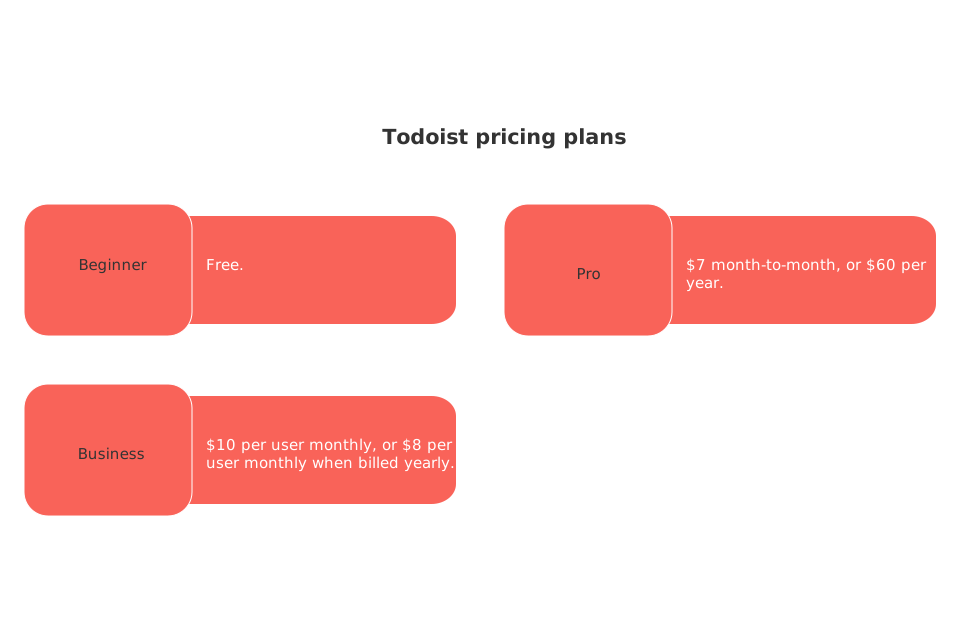
Todoist offers three tiers in US dollars:
Beginner: Free.
Pro: $7 month‑to‑month, or $60 per year.
Business: $10 per user monthly, or $8 per user monthly when billed yearly.
These prices are accurate at the time of writing, always confirm details in Todoist’s pricing for the most up‑to‑date information.
Todoist features that matter for individuals and freelancers on each plan
All plans cover the basics: task lists, sections, sub‑tasks, priorities, and sharing. Pro adds tools heavy users notice day to day.
What Pro adds for personal use
Custom reminders for dates, locations, and repeats.
Unlimited activity history for audit and recovery.
Daily automatic backups for safety.
Larger file uploads inside comments.
AI features such as Todoist Assist, Email Assist, and unlimited Ramble sessions. Learn more in the FAQ.
If you manage many small projects, travel often, or handle clients, Pro’s reminders, backups, and AI can save meaningful time. Families and students often find the Beginner plan adequate until they require more advanced reminder options.
Todoist limits that affect value across free, Pro, and Business
Feature ceilings drive most upgrades. Here are the caps people notice first:
Beginner plan: up to 5 active personal projects, 3 custom filter views, 7‑day activity history, and 5 MB file uploads. See plan limits.
General platform caps(apply to all plans): 300 active tasks per project and 500 active projects total per account. See usage limits.
Teams: up to 500 team projects on Business, and up to 1,000 members per team workspace; 100 MB file uploads in team comments. Details here.
If you downgrade, projects above your new limit become view‑only until you clean up or upgrade again. That detail surprises many users. Source: Billing FAQ.
Is Todoist Business worth it for teams in 2026?
Business costs $8 per user monthly when billed yearly. It adds a shared team workspace, roles and permissions, team filters, and centralized billing. That suits agencies, boutiques, and departments seeking lightweight coordination without heavy process overhead. See Business features.
Before paying for seats, check whether your team needs richer progress visuals or formal timelines. If yes, review our guide to choosing visual project tools for simple project managementthat go beyond basic boards. For structure and knowledge under one roof, compare approaches in our analysis of all‑in‑one workspaces versus dedicated project tools.
If you depend on formal charters or roadmaps, consider whether a template‑driven system fits better than a task list alone.
Who should pay for Pro, and who can stay free
Stay on Beginner if this sounds like you
You juggle fewer than five personal projects at once.
You rarely need custom reminders.
You don’t review history beyond a week.
Choose Pro if this sounds like you
You run many parallel projects and want headroom up to 300 personal projects.
You rely on time‑based or location‑based reminders.
You want full history, backups, larger uploads, and AI helpers. Plan details.
Consider Business if this sounds like you
Your team needs a shared workspace and roles.
You expect hundreds of team projects and clear billing per team.
Executives ask for consistent access and permissions without extra admin work. Usage guidelines.
Costs, switching, and refunds: what to know before you buy
Yearly plans are refundable within 30 days, providing a risk‑free trial period. Monthly plans are not refundable. Refund policy.
If you cancel or downgrade, your data stays put. Anything above new limits turns read‑only until you archive or delete. Plan changes can also translate remaining time into account credit when moving between certain tiers. More on billing changes.
Verdict: is Todoist worth it in 2026?
For individuals who extensively use Todoist’s advanced features, Pro at $60 per year might offer good value. Reminders, backups, full history, and AI can make daily work smoother. Beginners who only manage a small number of projects may find that the free version sufficiently meets their needs. Teams get value from Business if they want a shared workspace and predictable controls, not heavyweight project machinery. Feature overview.
Check Todoist’s live pricing and feature comparison before you subscribe. Prices and limits can change.
FAQ
What is the main advantage of subscribing to Todoist Pro over using the free version?
Subscribing to Todoist Pro unlocks essential features for heavy users, including custom reminders, full activity history, and AI tools. These elements significantly enhance efficiency for users managing frequent or complex projects.
How does Todoist ensure data safety and recovery?
Todoist offers daily automatic backups in the Pro plan, ensuring your data is consistently protected and easily retrievable. This eliminates the risks associated with data loss from accidental deletions or system failures.
Is opting for the yearly subscription financially beneficial?
Yes, opting for a yearly subscription generally offers a lower rate per month compared to a monthly plan, particularly for the Pro plan. However, it's crucial to assess whether the upfront cost aligns with your usage needs, as monthly plans provide more flexibility.
Are there any restrictions when downgrading Todoist plans?
Upon downgrading, features exceeding the new plan’s limits become view-only, necessitating cleanup or an upgrade to regain full access. This often surprises users, so careful evaluation before changing plans is essential.
What considerations should teams make before choosing Todoist Business?
Teams must evaluate their need for a shared workspace and straightforward permissions against the backdrop of Todoist Business’s capabilities. If comprehensive progress tracking or advanced coordination tools are needed, other platforms might offer better solutions.
How do usage limits impact the working capabilities on Todoist?
Usage limits like the 300 active tasks per project cap can severely constrain high-volume users demanding substantial task management. Recognizing these limits before scaling your workload in Todoist can prevent unexpected workflow interruptions.
Is the refund policy for Todoist sufficient for testing its premium features?
The yearly plan’s 30-day refund policy allows for a risk-free trial of Todoist’s premium functionalities. However, monthly plans lack such flexibility, pushing users towards longer-term commitments for thorough evaluations.

Julien Quintard
Founder & CEO at Routine08/08/2026
