Time Blocking for Client-Heavy Schedules That Survive Interruptions
Client-heavy schedules need time blocks that bend, not break
Your phone lights up. A client escalates. Plans vanish. You still need to make progress with your tasks. Classic time blocking snaps under that pressure. What you need are blocks that flex, absorb hits, and keep momentum. The aim stays simple: protect essential work while serving clients fast.
Blocks should bend under stress, not shatter at the first call.
Why classic time blocking fails during client interruptions
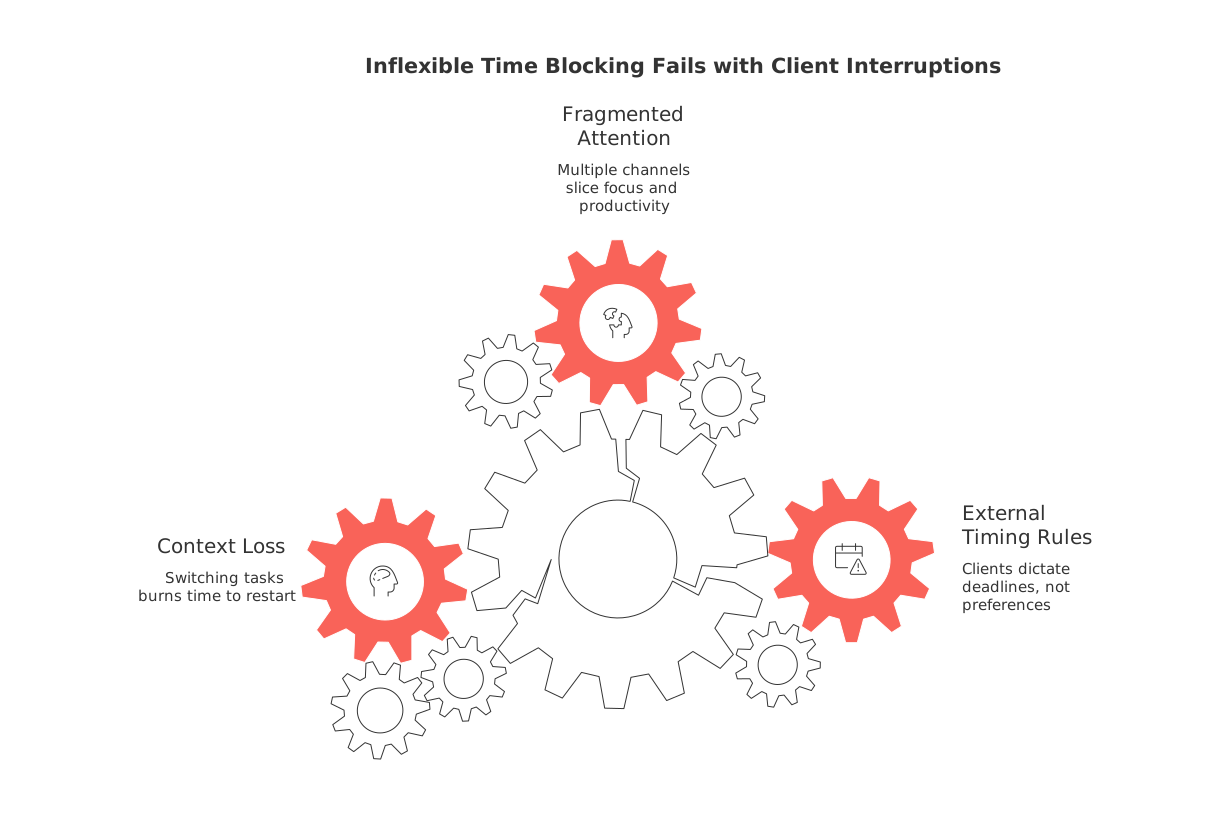
Rigid plans expect clean hours. Client work rarely offers that luxury. Urgent messages land without warning. A deal’s conditions change unexpectedly. A deliverable’s due date is rescheduled. The day fractures. When you are rigidly scheduled, a single unplanned request can disrupt the entire plan. The remedy isn’t tighter control, it’s a design that anticipates chaos.
External timing rules you. Clients bring deadlines, not preferences.
Multiple channels fragment attention. Calls, messages, and emails slice focus.
Context loss compounds. Each switch burns time to restart.
The three-layer block system for resilient client work
Structure your day with three types or categories of blocks. Each layer has a clear job and exit rule.
Layer 1: Hard commitments
These are fixed sessions with others. They move only for true emergencies. Gate them to defined windows so they cluster.
Layer 2: Flex blocks
These protect focused work yet allow a controlled pause. If an urgent request lands, you pause, handle it swiftly, then resume using a snap-back protocol.
Layer 3: Buffers
Short periods of rest or low-intensity work scheduled before and after Hard commitments. They absorb spillover, replies, and quick fixes. Buffers help Flex blocks survive the day intact.
Recommended duration: Hard commitments should ideally last 30–60 minutes, Flex blocks 60–120 minutes, and Buffers 10–20 minutes.
Sequence tip: Flex → Buffer → Hard → Buffer → Flex.
Set an interruption budget and service windows clients respect
Decide how many real-time interruptions you will accept per day, that’s your interruption budget. Publish two short service windows when you reply fast. Outside those windows, respond in batches. Clients get speed without chaos. You get control without hiding.
Two windows work well. Late morning and late afternoon suit most time zones.
Define response rules. Inside windows: under 15 minutes. Outside: same day.
Post exceptions. Explicit emergencies bypass rules.
A 60-second triage to route each new client request
When a request arrives, apply this quick triage method. Try to keep the process as efficient as possible.
Identify the type: Fire, Deadline, or Clarification.
Check impact: Revenue risk? Safety risk? Legal risk?
Choose path: Handle now (Fire), schedule in the next window (Deadline), queue for batch (Clarification).
Set a tiny next step: One action you can complete in 5 minutes or less.
This triage respects clients while guarding your plan. It also reduces decision fatigue at peak stress.
Snap-back protocols that help you resume within two minutes
After an interruption, people stall. A snap-back protocol shortens that stall. Use this three-step reset:
State your target for the task out loud at the start of your time block. Name the deliverable in one sentence.
Reopen the exact artifact you were using. Avoid browsing anything else.
Restart at the last visible checkpoint. Do not re-read everything.
Keep the restart friction tiny. The faster you resume, the less damage interruptions cause.
Simple metrics to size buffers for your real interruption rate
Guessing fails. Track two numbers for one week.
Hits per day: Count unplanned client requests that require action.
Average hit time: Measure the minutes each hit consumes, including restart time.
Multiply the two numbers, that is tomorrow’s buffer total. Place those minutes around Hard commitments. Review every Friday. If buffers overflow, expand them next week. If buffers sit idle, shrink them and add a Flex block.
Connect time blocks with CRM stages to protect pipeline work
Roles with a high volume of client interaction often involve significant follow-up tasks. Tie blocks to your pipeline stages. For example, create Flex blocks for Discovery, Proposal, and Renewal. Batch similar outreach in each block. Keep materials and context beside the task list, not scattered across apps.
Automations can route new leads to the right block and add due dates. See these automations that reduce manual client follow‑ups to cut busywork and steady your day.
Guard your meeting windows so time blocks survive the week
Meetings expand until they eat everything. Cap their windows. Use clear agendas, timeboxed segments, and crisp recaps. Shorter, sharper sessions protect Flex blocks and keep deliverables moving.
For practical formats and templates, this guide to effective meeting formats and recaps helps you run tighter sessions that respect your plan.
A sample client-heavy day that survives three interruptions
Imagine a freelance designer with active retainers. Here is a resilient flow.
08:30–10:00 Flex: Draft homepage revisions for Client A.
10:00–10:15 Buffer: Quick replies and prep.
10:15–11:15 Hard: Weekly sync with Client B.
11:15–11:30 Buffer: Summaries and next steps.
11:30–12:30 Flex: Proposal polish for Client C.
13:30–14:00 Service window: Fast responses.
14:00–15:30 Flex: Asset production for Client A.
15:30–15:45 Buffer: Invoices and scheduling.
Three interruptions hit:
10:40 Fire: Client B payment portal outage. Handle now in the Hard session.
12:10 Clarification: Font question from Client A. Batch for the service window.
14:50 Deadline: Press request due at 17:00. Split your Flex block: 20 minutes now, finish in the Buffer.
The plan holds. Buffers absorb spillover. Flex blocks resume with the snap-back protocol.
Pick tools that join projects, knowledge, and CRM without adding friction
Resilient blocks work best when projects, client records, and tasks live together. An all-in-one workspace reduces switching and keeps context near the work. Routine and ClickUp both combine tasks and lightweight CRM in one place. Choose what fits your team’s size and security needs. If you weigh consolidation against specialized apps, start with a short pilot. Validate that your Flex, Hard, and Buffer structure stays intact under real client load.
For a more comprehensive understanding, review how integrated systems (that provide multiple functions in one package) differ from standalone, specific-function tools (also known as point solutions) and what tradeoffs to expect. It will help you protect your time blocking approach as your stack evolves.
FAQ
Why does classic time blocking fail with client-heavy schedules?
Classic time blocking fails under client-heavy schedules because it relies on rigid structures that can't adapt to unpredictable client demands. When schedules are inflexible, a single unplanned change can derail your entire day. Effective time management demands flexibility and resilience, not rigidity.
How can I make time blocks flexible and resilient?
Create a three-layer block system: Hard commitments, Flex blocks, and Buffers. This structure allows you to adjust tasks based on priority and interruptions while maintaining focus and productivity. Flexibility in your scheduling approach is key to managing client-induced chaos.
What is an interruption budget, and how does it help?
An interruption budget limits the number of real-time disruptions you handle daily, creating more predictable blocks of focused work. Setting boundaries with clients through designated service windows ensures swift responses without overwhelming your day-to-day schedule.
How do I quickly get back to work after an interruption?
Implement snap-back protocols, a method to reduce re-entry friction by focusing on specific restart steps. Announce task targets, reopen work artifacts right where you left off, and pick up at the last visible checkpoint. This minimizes time wasted and maintains momentum.
What tools can optimize the integration of project management and CRM?
Use all-in-one platforms like Routine or ClickUp to consolidate tasks, client management, and communication. Choosing integrated systems over standalone apps can reduce context-switching and enhance productivity by keeping all essential information centralized and accessible.

Julien Quintard
Founder & CEO at Routine07/03/2026
