How to Set Up a Simple Sales Pipeline in a Spreadsheet Before You Need a CRM
Define clear pipeline stages in your spreadsheet
Start with five to seven stages. Keep names short and buyer‑focused. Examples:
New
Qualified
Demo / Meeting
Proposal sent
Negotiation
Won
Lost
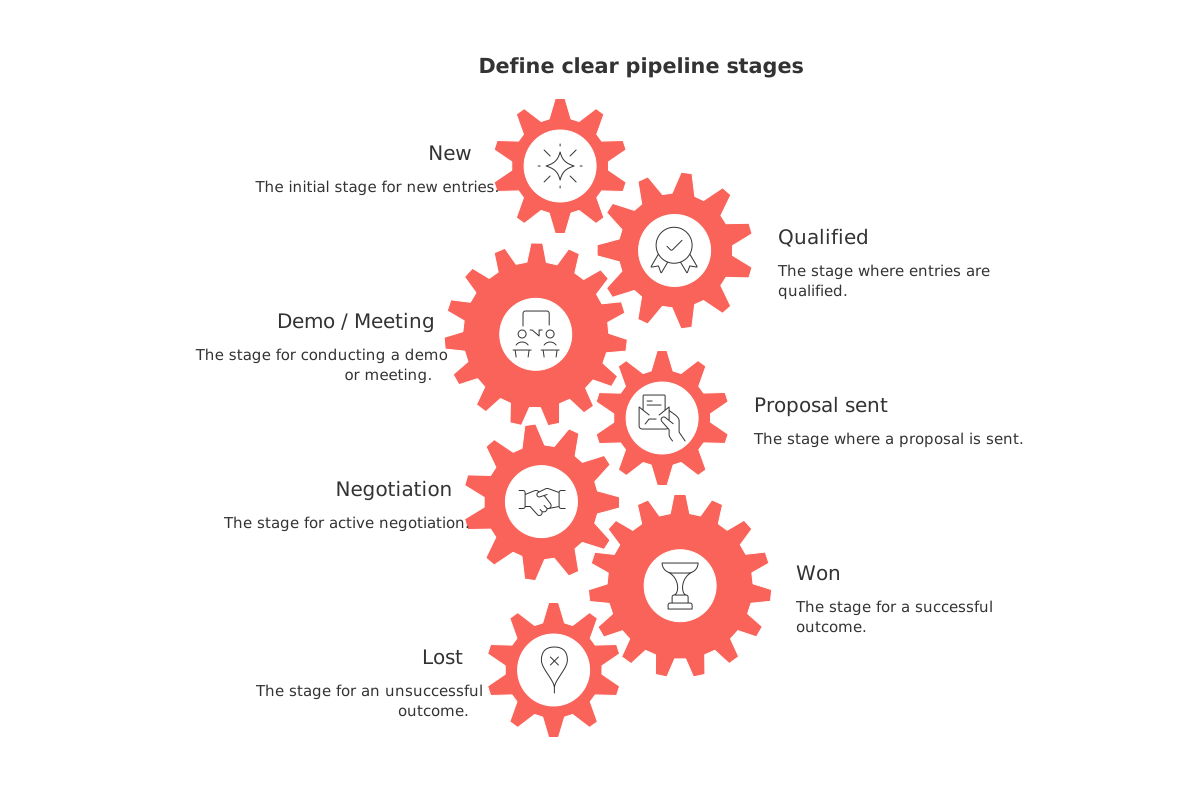
Freelancers can tailor this. A wedding photographer might use Inquiry, Call booked, Package selected, Deposit paid, Booked, Not moving forward.
Make stage names unambiguous
Write one‑line criteria for each stage (e.g., “Proposal sent = client received formal pricing by email”). Everyone should classify a deal the same way.
Create columns that answer real sales questions
Every column should help you act. Suggested fields:
Company / Customer
Primary contact
Deal name
Deal value (currency)
Stage
Confidence (%)
Target close date
Last activity date
Next step (one sentence)
Owner
Source (how they found you)
Reason lost (only for Lost)
Hide what you seldom use. Fewer fields reduce friction for you and any teammates.
Use filters and lightweight visuals to see the pipeline fast
Sort by stage, then by deal value. Filter for Next step is not empty. Add conditional formatting to flag stale deals after 14 days with no activity (e.g., highlight rows where TODAY() − Last activity date ≥ 14).
Borrow layout ideas from simple project visualization tools. Even in a spreadsheet, clear groupings and color cues improve focus.
Try a quick Kanban feel
Create separate sheets for each stage and apply filters so each sheet only shows its stage. After sorting the deals, add a summary row at the end of every sheet that displays the count and total value for that stage (e.g., use SUBTOTAL or COUNTIF/SUMIF). This makes it easy to review volumes and values at a glance.
Estimate outcomes with a basic confidence score
Use a 10–90 scale in steps of 10. Multiply value by confidence to get a rough weighted amount. Example: $2,000 at 60% gives $1,200 expected.
Keep it honest. Confidence reflects buyer behavior, not your hopes.
Keep follow-ups moving with a compact activity log
Use a single Last activity date and a brief Next step. Record actions like 2026-09-18: sent proposal. Then write the next action in one sentence.
If updating the sheet takes longer than selling, simplify your fields.
Prevent data chaos with simple rules everyone follows
One owner per deal.
One contact as primary, others listed in a separate column.
Stage must match the written criteria.
Update Last activity date after every touch.
Capture Reason lost the moment you mark it Lost.
These rules keep your sheet searchable and trustworthy.
Run weekly reviews to catch stalls before they cost you
Once a week, focus on three primary areas for issues in your sales pipeline:
Deals with no activity in 14+ days.
High‑value deals with confidence under 50%.
Deals past the target close date.
Decide one action per deal. Call, email, or schedule the next step. Keep it tight.
Add small automations without leaving the spreadsheet
Use built‑in reminders in your spreadsheet app or simple scripts you can create within the software to flag deals with no recent activity. Examples: set notification rules for changes, add conditional formats that turn rows red after 14 days of inactivity, or use lightweight scripts to email you a daily list of stale deals. When you outgrow this, explore practical workflows from automations every B2B sales team should set up. Many ideas work for solo sellers too.
Know the moment you actually need a CRM
You can stay in a spreadsheet for months. Move to a CRM when these show up:
Multiple people touch the same deals daily.
You need email sync and activity timelines.
Leads arrive from many sources you must track.
Follow‑ups slip because alerts and sequences are missing.
Reporting by product, region, or campaign matters now.
Compliance or handoffs require consistent records.
Individuals feel it too. If you forget callbacks or juggle more than 50 active deals, it’s time.
Migrate from spreadsheet to a CRM without rework
Review your data thoroughly for any errors or inaccuracies. This data‑cleaning step includes fixing incorrect deal owners, misclassified stages, and wrong values; removing duplicates; and standardizing date and currency formats.
Export one CSV per object: companies, contacts, deals.
Pick a pipeline template that matches your stages.
Map fields and import a small sample first.
Test searches, filters, and reports. Then import everything.
Archive the old sheet as read‑only reference.
Dedicated CRMs like Pipedrive, HubSpot CRM, or Zoho manage deeper sales workflows. All‑in‑one workspaces such as Routine or Notion centralize projects, knowledge, and light CRM in one place. If you’re unsure which route fits, compare all‑in‑one work hubs with single‑purpose tools before committing.
Examples: spreadsheet setups for common solo scenarios
Freelance designer handling inbound referrals
Stages: New, Qualified, Scope defined, Proposal sent, Won, Lost. Add fields for Service type and Start month. Review on Fridays. Call warm leads first.
Real estate agent nurturing buyers
Stages: New, Pre‑approved, Viewing scheduled, Offer made, Under contract, Won, Lost. Track Neighborhood, Budget, and Move‑in window. Prioritize clients with signed agreements.
Startup founder pre‑CRM
Stages: New, Discovery, Demo, Proposal, Legal, Won, Lost. Keep Champion, Procurement step, and Security reviewed. Meet weekly with the team to unblock deals.
What to refine next as volume grows
Standardize Reason lost values. Add a simple Product column. Create a dashboard sheet summing totals per stage and per source. If you start coordinating projects after you close, consider learning from project tracker visualization approaches to keep delivery visible once the sale lands.
Final takeaway: build what you’ll actually maintain
A well‑maintained spreadsheet can be more useful than a disorganized CRM. Keep fields lean, review weekly, and let real sales work shape the next improvement. When complexity arrives, shift to a CRM with organized data and a clear plan so you migrate with cleaner data and fewer regrets.
FAQ
How should I choose the stages for my sales pipeline?
Select stages that reflect your buyer's journey and are easy to classify. Use minimal and clear stages that align directly with buyer actions to avoid ambiguity and ensure team consistency.
Why are short and straightforward stage names important?
Short and straightforward names prevent misclassification and reduce training time. They ensure all team members interpret and manage the pipeline uniformly, minimizing errors and inefficiencies.
What type of columns should I include in my spreadsheet setup?
Include columns that provide actionable insights, like deal value, confidence score, and next steps. They streamline your tracking process and ensure focus remains on moving deals forward rather than redundant data collection.
How can I visually enhance my sales pipeline to track progress?
Employ filters and conditional formatting for quick insights into deal status and activity. This prevents deals from stalling unnoticed and allows for timely interventions based on real data rather than gut feelings.
When should I consider transitioning to a CRM?
Transition to a CRM when your current setup hinders collaboration, tracking, or compliance. If you're overwhelmed by tracking multiple deals or forgetting follow-ups, a CRM will offer the structured management you need.
What are the risks of sticking to a spreadsheet over moving to a CRM?
Spreadsheets can become chaotic, error-prone, and hard to audit as team size and deal volume grow. A CRM provides robust solutions for managing complex, dynamic, and collaborative sales processes effectively.
What automations can enhance a spreadsheet-based pipeline?
Leveraging simple scripts or built-in reminders can highlight stale deals and missed follow-ups. These automations act as a safety net, crucial in maintaining momentum and reducing human error and oversight.
How can consistency be maintained in manually managed pipeline data?
Implement straightforward rules like single ownership per deal and criteria-based stage classification. This predictability ensures all users manage data cohesively, preventing chaos and fostering a reliable system.

Julien Quintard
Founder & CEO at Routine09/24/2026
