Sales Capacity Planning in B2B SaaS Using AI-Driven Scenarios
Why sales capacity planning needs scenario thinking in B2B SaaS
While headcount may appear steady, a variety of factors, such as pipeline fluctuations, adjustments in ramp curves, and territory reallocations, can quickly change the scenario.
Scenario planning helps turn these volatile situations into organized strategies. It creates direct links between hiring plans, sales quotas, and budgets to expected sales outcomes.
Plan headcount for outcomes, not for hope. Model the future, then choose it.
Goal: Give executives a shared view of revenue paths, risks, and trade-offs.
Define the inputs for AI-driven sales capacity planning
List the variables your model will accept and refresh often. Keep assumptions explicit.
Pipeline volume by segment: new, expansion, and renewal streams.
Stage conversion rates: lead to SQL, SQL to opportunity, and to closed-won.
Average deal size and cycle: by product, segment, and region.
Quota and coverage: AE/SDR ratios, capacity per rep, and territory counts.
Ramp curves: month-by-month attainment for new hires.
Attrition and internal moves: planned exits and role changes.
Hiring lead time: req approval to start date, by market.
Enablement throughput: onboarding seats you can support each month.
Budget caps: OTE, enablement, and tooling limits.
Seasonality and market factors: holidays, fiscal shifts, and macro trends.
Tip: Source numbers from CRM, finance actuals, and HRIS to reduce manual edits.
Build base, upside, and downside scenarios for B2B SaaS sales capacity
Step-by-step scenario setup
Start with actuals: use data from the last four quarters as your baseline.
Draft a base case: current conversion, steady hiring, and known demand.
Add upside: stronger conversion, faster cycles, and earlier ramp.
Add downside: lower pipeline, slower cycles, and delayed hires.
Stress constraints: onboarding seats, manager spans, and territory capacity.
Quantify risk: attach probability to each path.
AI can generate varying scenarios for each input, and it is capable of identifying the areas where minor changes could have a significant impact on the outcomes.
Translate AI scenarios into headcount, coverage, and territories
Remember that executives base their funding decisions on personnel needs rather than abstract percentages. Therefore, translate your scenarios into tangible and detailed staffing plans.
Headcount plan: hires per month by AE, SDR, SE, and CSM roles.
Coverage model: accounts per AE, SDR to AE ratios, and manager spans.
Territory design: segment by firmographics and whitespace potential.
Ramp calendar: who reaches full quota and when.
Quota setting: align targets with modeled capacity, not last year’s wish.
Output: a headcount table that ties to revenue by month and region.
Use AI to detect constraints and recommend hiring sequences
Constraints decide timing. AI surfaces them and orders hires for the best impact.
Onboarding throughput: do not schedule more hires than enablement can train.
Manager capacity: keep spans within the agreed ceiling.
Budget pacing: meet quarterly OPEX limits while filling gaps.
Territory balance: adjust for account density and pipeline skew.
CSM coverage: protect expansion revenue with timely success hires.
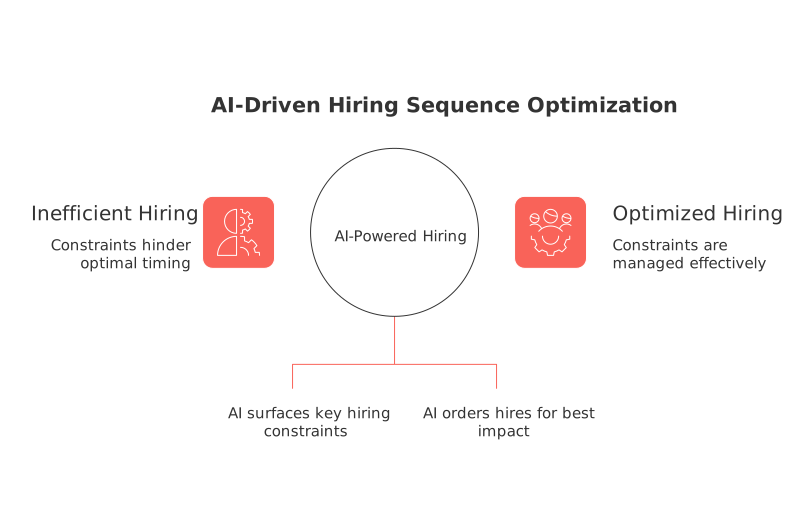
Produce a month-by-month hiring sequence with clear reasons and trade-offs.
Forecast revenue the simple way with probabilistic attainment
Complicated mathematical modeling isn’t necessary to add realism. You can instead use straightforward mathematical models like attainment distributions, which focus on the most likely or expected outcomes.
Group reps by tenure and segment.
Assign each group an attainment range, such as 70% to 110%.
Sample outcomes to create a revenue range by month.
Share p50, p70, and p90 results with finance.
Result: Leadership sees likely revenue and the spread around it.
Align RevOps, finance, and CXOs around one shared capacity model
Misalignment kills good plans. Maintain a single, unified version of the model accessible to every team.
Many organizations compare all-in-one workspaces against point tools. For guidance, see this comparison of all-in-one workspace platforms versus dedicated project tools to determine when consolidation supports robust planning.
Run the model in a shared system such as Routine, Notion, or Monday.com, pairing it with your CRM for robust source data.
Cadence: refresh assumptions weekly and lock the plan before board reviews.
Automate data refresh, hygiene, and alerts across your CRM stack
Automation keeps the model reliable. It helps reduce stale fields and late updates.
Nightly sync pipeline stages and amounts.
Auto-close aged opportunities past a threshold.
Notify owners when conversion rates slip below guardrails.
Recalculate ramp curves after each new hire cohort.
For practical tips, explore these sales automations that every B2B team should set up. Implement the relevant ones, then revisit quarterly.
Visualize scenarios so everyone understands the trade-offs
Leaders understand trade-offs much faster with visuals. Display capacity gaps and territory balance side by side.
Use simple trackers to compare headcount plans by scenario.
Chart quota coverage by region and month.
Present p50, p70, p90 revenue as a compact range.
Keep charts consistent across decks, documentation, and your CRM workspace.
Common pitfalls that derail SaaS sales capacity plans
Setting quotas without modeling territory potential.
Ignoring onboarding limits and manager spans.
Underestimating hiring lead times in key markets.
Using flat ramp curves for every role.
Skipping probability and presenting a single outcome.
Avoid these pitfalls, and your scenario model will remain credible throughout the year.
What to do next with your AI-driven capacity model
Lock your base case. Approve upside investments conditionally. Pre-write downside moves for quick action.
Train managers to understand the model and question its assumptions. Share p50, p70, and p90 projections with the leadership team each month.
Bottom line: Scenario thinking turns headcount planning into informed choices your board can trust.
FAQ
Why is scenario thinking essential for B2B SaaS sales capacity planning?
Scenario thinking allows companies to adapt quickly to changing conditions, offering a reliable method to align hiring strategies with expected sales outcomes. Without it, firms risk making decisions based on outdated or overly optimistic forecasts, jeopardizing performance and alignment.
How can AI improve sales capacity planning in a B2B context?
AI brings precision and efficiency to sales capacity planning by processing complex data inputs to model multiple scenarios quickly. Ignoring AI would mean relying on manual, error-prone processes that can't keep up with market velocity.
What are the critical data inputs for AI-driven sales capacity planning?
Key inputs include pipeline volume, conversion rates, attrition rates, hiring lead times, and budget constraints. Failing to periodically refresh these variables undermines AI's effectiveness, leading to poor decision-making.
What role does AI play in identifying hiring constraints?
AI can spot bottlenecks like onboarding throughput or manager capacity that traditional methods might overlook. Not addressing these can lead to inefficient resource allocation and missed revenue opportunities.
Why should sales quotas be aligned with modeled capacity rather than past targets?
Aligning sales quotas with modeled capacity ensures targets are realistic and achievable, avoiding the pitfalls of setting arbitrary expectations based on historical data. This misalignment can create unattainable goals and demotivate teams.
How often should assumptions in a capacity model be updated?
Assumptions should be updated weekly to maintain alignment with the market's shifting dynamics. Ignoring frequent updates can lead to stale models that misguide strategy.
What is the risk of not using probabilistic models for revenue forecasting?
Foregoing probabilistic models results in misleading forecasts that don't accommodate variability and uncertainty. This exposes organizations to the risk of unanticipated financial shortfalls.
How can visualization aid in the understanding of sales capacity scenarios?
Visualization clarifies complex data, facilitating quicker comprehension of trade-offs and capacity gaps. Failing to utilize visual tools leaves room for misinterpretation among stakeholders.
What common pitfalls should be avoided in B2B SaaS sales capacity planning?
Avoid mistakes like setting quotas without modeling potential, ignoring onboarding limits, and assuming flat ramp curves. Falling into these traps risks impairing operational efficiency and strategic accuracy.

Julien Quintard
Founder & CEO at Routine04/03/2026
