Routine vs Coda.io: Which Productivity Tool Wins in 2026?
What this comparison covers and how we evaluated
This guide reflects the market as of the current date. It focuses on everyday use, not edge cases.
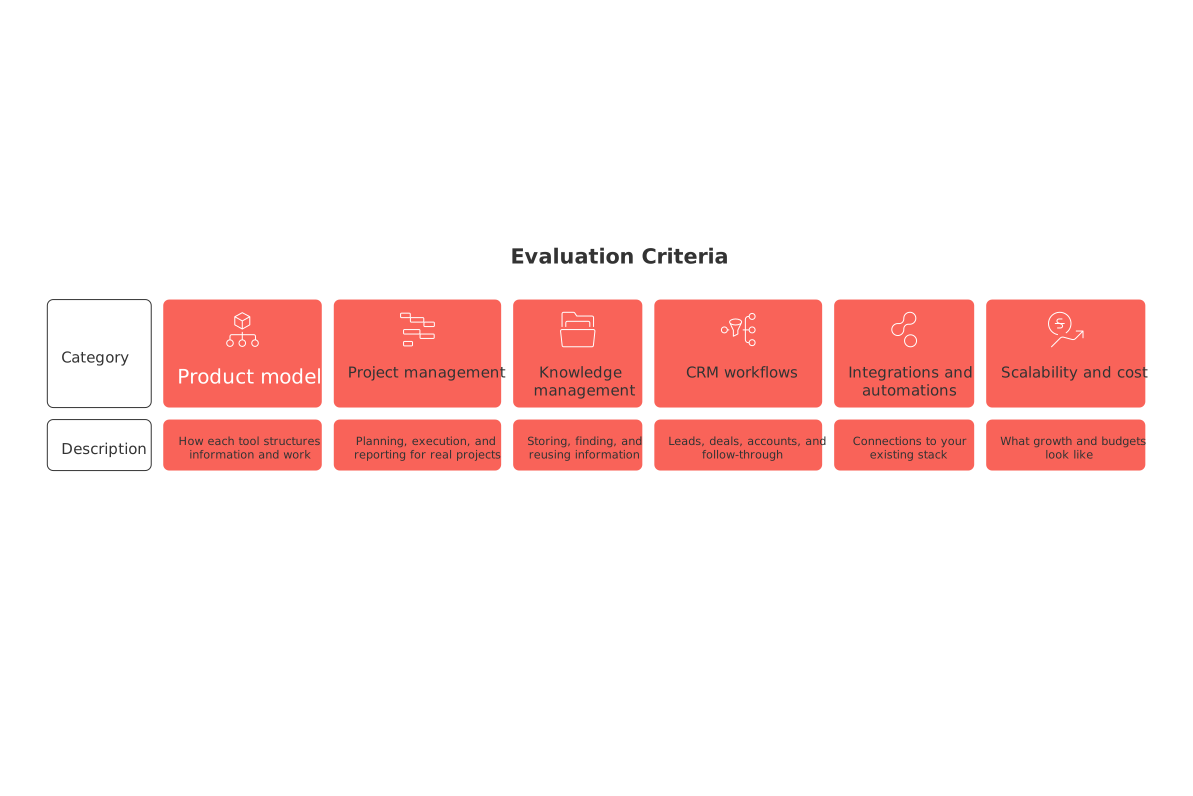
Product model: how each tool structures information and work.
Project management: planning, execution, and reporting for real projects.
Knowledge management: storing, finding, and reusing information.
CRM workflows: leads, deals, accounts, and follow‑through.
Integrations and automations: connections to your existing stack.
Scalability and cost: what growth and budgets look like.
Pick the model that matches your daily work, not the demo video.
Core product models: Routine’s connected workspace vs Coda.io’s document‑first canvas
Routine centralizes projects, a knowledge base, a simple CRM, and meetings in one place, facilitating efficient and context‑specific connections across these areas. Think operating system for work, not a single file.
Coda.io centers on documents that hold tables, pages, and Packs. You design a doc and wire logic inside it. Every doc can behave like a bespoke app. This suits tinkerers who enjoy building.
Both Routine and Coda.io compete with similar all‑in‑one workspace tools such as Notion, Airtable, and monday.com, vying for the same jobs: project management, knowledge base maintenance, and lightweight CRM handling.
Your choice hinges on whether you want a pre‑connected workspace or a flexible doc you assemble.
Project management capabilities compared for individuals and small teams
Planning and execution for solo creators
Routine provides out‑of‑the‑box projects with tasks, briefs, and built‑in relationships to knowledge and CRM. You spend less time modeling and more time shipping, ideal for side hustles, content calendars, or a home renovation plan.
Coda.io enables the creation of customized trackers, where users can design tabular databases, establish relations between different data points (for example, task owners, dependencies, and linked assets), and build custom views (such as kanban boards, calendars, timelines, and grouped tables) based on their data. It rewards careful builders who want tailored logic.
Team delivery and reporting
Views: Routine offers standard boards and lists that connect to related docs and contacts.
Customization: Coda.io supports formulas, buttons, and Packs inside the doc surface.
Governance: Routine leans on consistent patterns across projects. Coda.io relies on your doc conventions.
Need help choosing visuals for planning? See this guide on visualizing plans with Gantt charts and straightforward project trackers.
Knowledge management approach and database structure differences
Routine treats the knowledge base as a first‑class area. Project pages link back to concepts, playbooks, and assets. You get a predictable structure with less setup.
Coda.io provides a storage approach for knowledge base items by enabling the creation of documents that can encompass pages, tables, and cross‑referencing features between documents. You can create rich schemas, but you must design them. This suits teams with defined taxonomies and a builder mindset.
Individuals often prefer Routine’s ready structure. Analysts and operations teams may prefer Coda.io’s modeling freedom.
CRM and sales workflows without a traditional CRM
Both products handle basic CRM tasks such as tracking customer interactions, managing contacts, and supporting sales activities, often a good fit for founders, freelancers, and small teams.
Pipeline tracking: Routine offers connected deals tied to projects and docs. Coda.io lets you model stages in tables.
Activity history: Routine links work artifacts to contacts. Coda.io logs interactions you design.
Reporting: Routine provides standard overviews. Coda.io supports custom rollups if you build them.
Sales teams aiming for deeper automation may still compare with HubSpot or Pipedrive. For setup ideas, review our take on essential automations mentioned later.
Integrations, automations, and workflow glue
Routine emphasizes efficient and context‑specific connections within the workspace and practical integrations for daily work. You reduce context switching as projects, knowledge, and CRM reference each other.
Coda.io relies on Packs, buttons, and automations inside docs. Builders can trigger workflows, sync data, and create mini‑apps.
No‑code ops: Coda.io shines when you need doc‑level logic and UI controls.
Cross‑team clarity: Routine helps non‑builders use consistent patterns across projects.
Still deciding between one big workspace or several tools? Read this analysis on all‑in‑one workspaces versus dedicated project tools.
For sales playbooks, the article “Top 5 Automations Every B2B Sales Team Should Set Up Today” offers strong ideas, even if you stay light on tooling.
Pricing, scalability, and total cost for individuals and SMBs
Individual creators want momentum without maintenance. Routine reduces setup time with opinionated building blocks. Coda.io reduces vendor count when a few powerful docs can replace several apps.
SMBs should map time to value and time to maintain. Builders enjoy Coda.io’s flexibility but must budget ongoing design time. General teams get speed from Routine’s connected patterns and fewer custom choices.
Executives and CXOs should forecast long‑term ownership. Factor seats, training, governance, and the hidden cost of scattered models.
Which tool fits your day‑to‑day: clear scenarios
Choose Routine if you want projects, knowledge, CRM, and meetings in one connected place.
Choose Coda.io if you love building tailored docs with custom logic and Packs.
Consider Notion if you want a doc‑and‑database hybrid with a large template ecosystem.
Consider Airtable if your work is table‑heavy and needs strong data views.
For students, freelancers, and side‑project builders, Routine often feels faster on day one. For operations teams and analysts, Coda.io can model complex processes inside a single doc.
Migration paths and a simple 14‑day evaluation checklist
Days 1–3: model your core workflows
Create two live projects and one mini CRM pipeline in each tool.
Document one recurring process as a reusable template or doc.
Days 4–10: run real work
Ship one deliverable per tool and record the actual steps taken.
Invite one collaborator and test handoffs and permissions.
Integrate one external app that you use weekly.
Days 11–14: review and decide
Measure setup time, change friction, and missed handoffs.
Assess clarity for non‑builders and new collaborators.
Pick the tool that kept you moving with fewer surprises.
If you need deeper reporting or portfolio views, pair your choice with the insights from this practical rundown of project visualization options, then formalize your workspace structure.
FAQ
How do Routine and Coda.io differ in their approach to workspace management?
Routine integrates projects, knowledge, CRM, and meetings into a connected space, offering streamlined workflows. Coda.io emphasizes flexibility, allowing users to build custom documents functioning like apps, which suits those who prefer designing unique solutions.
Which tool is better for teams that need a standardized workflow?
Routine provides consistent project patterns and connected features, ideal for teams seeking standardization without extensive setup. Coda.io, on the other hand, demands active customization and may not offer the same predictability unless rigorously managed.
Is Coda.io suitable for users without a technical background?
No, Coda.io's strength lies in its flexible, build-your-own approach, which can be overwhelming for non-technical users. Such users might struggle with the setup, leaving their workflows more vulnerable to inconsistency and inefficiency.
What challenges might a business face with Coda.io's custom setups?
Custom setups in Coda.io can lead to hidden costs and inefficiencies, as continuous tweaking is necessary to maintain functionality. Businesses must invest significant time in design and governance, potentially distracting from core activities.
Can Routine handle complex CRM workflows effectively?
Routine is efficient for basic CRM tasks and integrates with projects and knowledge bases; however, its simplicity may not suit teams needing deep CRM customizations. For intricate CRM requirements, tools like HubSpot may offer better features.
What are the potential downsides of choosing an all-in-one workspace like Routine?
While Routine aids in reducing context switching and setup times, it may lack the granular control some businesses require. Its opinionated structure might restrict teams who need high levels of customization for unique processes.
Why should a small business consider using Routine?
Routine’s integrated setup allows small businesses to quickly establish efficient workflows with minimal configuration. It promises less time spent on tool management, allowing more focus on business activities, which is crucial for growth and agility.
Is Notion a viable alternative to Routine and Coda.io?
Notion offers a hybrid approach with documents and databases, appealing to users who value extensive templating options. However, it may lack the tight integration of Routine’s centralized approach or the customization freedom of Coda.io.
What is the main operational risk of using Routine in fast-paced environments?
While Routine's structure simplifies daily operations, its lack of adaptability to rapidly changing scenarios might pose a risk. In fast-paced environments, the need for flexible adjustments could challenge Routine’s fixed setup, limiting responsiveness.

Julien Quintard
Founder & CEO at Routine08/18/2026
