The Pomodoro Technique for Teams: Syncing Focus Sprints Together
The core: what a team Pomodoro sprint looks like
Pomodoro uses short, timed sprints. Everyone starts and stops together. That shared rhythm reduces friction and context switches.
Choose a clear, small goal for the next sprint.
Work for 25 minutes with zero interruptions.
Stop. Take a five‑minute break away from screens.
Repeat three or four times, then take a longer break.
We finish more and stress less when we pause before the mind begs for it.
Set shared rules for team focus sprints
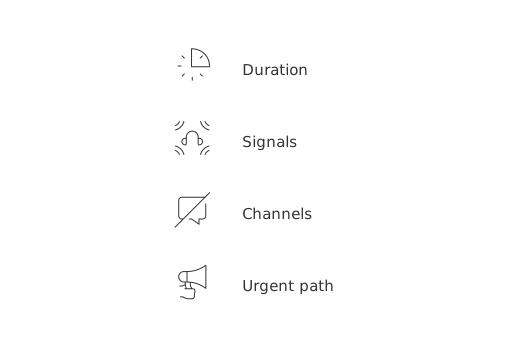
Agree on basics: duration, signals, channels, and what counts as urgent. Keep the rules visible and short.
Duration: 25 minutes work, five minutes rest. Adjust only after one week of use.
Signals: One sound to start. One sound to stop. Headphones mean “do not disturb.”
Channels: Mute chat during sprints. Post updates in breaks only.
Urgent path: One escalations channel. One owner per day.
Want a quick start? Draft a one‑page agreement and review it in ten minutes.
Draft a concise Team Pomodoro Agreement for a hybrid product team. Include: Sprint length, break rules, mute policy, interruption triage, urgent channel, daily owner, and end‑of‑day recap format. Keep it to 8 bullet points, plain language.
Why rules matter
Pomodoro works when everyone plays by the same rules. Clarity prevents slack pings and drive‑by requests mid‑sprint.
Translate sprints into project and CRM workflows
Break large work into sprint‑sized chunks. Tie each chunk to a visible outcome.
Engineering:“Write tests for module A” fits one sprint. “Ship feature” does not.
Design:“Sketch first three hero options” fits. “Redesign homepage” does not.
Sales:“Call five stale MQLs” fits. “Close deal” does not.
Support:“Clear ten tickets with the same tag” fits. “Reduce churn” does not.
Make progress visible. Consider visualizing team sprints on a lightweight project tracker so everyone sees flow across the day.
Sales teams or groups, often called sales pods, can link timers to CRM actions. Use triggers for auto‑tasks, reminders, or follow‑ups. See the playbook on automations every B2B sales team should set up to reduce manual legwork between sprints.
For instance, if you are a sales manager, you could map four focused sprints to advance a set of leads in one day. Here’s a practical prompt you can use:
Example: Map four 25‑minute sprints that move 20 leads from Prospected to Qualified in one day. Specify call batches, email templates, voicemail scripts, and CRM updates after each sprint. Return as a checklist.
Design quick rituals that connect people without breaking flow
Keep touchpoints brief and consistent.
Pre‑sprint huddle (2 minutes): Each person states one outcome.
Mid‑block pit stop (3 minutes): Surface blockers only.
Post‑block recap (5 minutes): Share outcomes and next step.
For formats that scale, explore guidance similar to Running Effective Meetings: Formats, Minutes, Notes, and Recaps with Ready Templates. Keep your own ritual tight and repeatable.
Handle interruptions with a simple triage playbook
Not all pings are equal. Route, defer, or act using one rule set.
Life or revenue at risk? Break the sprint. Log the reason.
High priority, not urgent? Park it for the next break.
Everything else: Queue it for the next planning slot.
Use canned replies to protect focus and set expectations.
Draft five friendly canned replies that defer non‑urgent requests until the next break. Include versions for clients, executives, peers, and vendors. Keep each under 25 words.
Remote or hybrid teams: make async Pomodoro work
Synchronized starts can be challenging across different time zones. Use windows, not exact minutes.
Pick two daily focus windows that overlap for most people.
Inside each window, run three to four sprints.
Post outcomes after each sprint in a single thread.
Log interruptions with brief notes, or capture visible ones with a short screen recording if needed.
Async posts keep everyone aligned without long calls.
Measure what matters: outcomes, not minutes
Time is a constraint, not the goal. Track results people care about.
Work moved: Task cards moved to the Done column, tickets resolved, leads advanced.
Quality: Fewer regressions, clearer deliverables, happier customers.
Flow: Interruptions per sprint and their causes.
Share a tiny scoreboard at day’s end. Celebrate the small wins.
Tools that help without becoming the work
Pick tools that connect tasks, docs, CRM, and meetings in one place. Apps like Routine, ClickUp, or Notion can tie tasks to outcomes and link them to customer records. Keep the tech simple and stable.
For timing, a basic web timer works fine. Try an online option like a minimal Pomodoro timer you can run in any browser.
Common pitfalls and how to fix them
Meetings collide with sprints: Group meetings outside focus windows.
Tasks are too big: Slice until one sprint yields a visible outcome.
Breaks vanish: Enforce them. Rest fuels the next sprint.
Chat creep: Post in breaks only. Use threads.
Monotony: Rotate task types across sprints when possible.
Examples across roles that you can copy tomorrow
Design team: Sprint 1 sketches three hero ideas. Sprint 2 builds one wireframe. Sprint 3 tests copy on two variants.
Sales pod: Sprint 1 calls five stale leads. Sprint 2 sends five custom videos. Sprint 3 logs outcomes and sets callbacks.
Support queue: Sprint 1 clears ten billing tickets. Sprint 2 writes one saved reply for a common issue. Sprint 3 closes five technical tickets.
Want to place these sprints on a simple visual? This guide on choosing the right project visualization for short cycles can help align timelines with focus blocks.
FAQ
What is a Pomodoro sprint?
A Pomodoro sprint is a focused work session that lasts 25 minutes, followed by a 5-minute break. This cycle helps reduce context switching and maintains high productivity levels.
How can I prevent interruptions during a Pomodoro sprint?
Set clear rules such as muting chat channels and using visible signals like headphones to designate focus time. Establish an urgent path with one dedicated person to handle escalations during sprints.
What should be included in a Team Pomodoro Agreement?
A Team Pomodoro Agreement should clearly outline sprint durations, break policies, mute rules, interruption triage processes, escalation channels, and a way to recap each day’s work.
How does Routine help with implementing Pomodoro technique in a team?
Routine integrates tasks, documentation, CRM, and meetings, making it easy to connect sprints with outcomes and streamline workflows. Using Routine mitigates multitasking, reducing manual legwork and distraction during focus sprints.
What is the risk of not adhering to set sprint rules?
Ignoring sprint rules can lead to distractions, interruptions, and decreased productivity. Consistent adherence ensures that the team remains aligned, and progress remains visible, preventing the chaos of unproductive multitasking.
How can remote teams effectively implement Pomodoro sprints?
Remote teams should use overlapping focus windows to synchronize starts as much as possible, and employ asynchronous updates to maintain team alignment. This approach mitigates time zone challenges while maintaining a collective effort.
What common pitfalls should teams avoid when adopting Pomodoro sprints?
Avoid scheduling meetings during focus windows, letting breaks disappear, and setting tasks that are too large for a single sprint. These missteps can erode the effectiveness of sprints and reduce overall productivity.
How do I measure success in Pomodoro sprints?
Focus on outcomes rather than time spent. Track completed tasks, resolved issues, and improved quality, as effectiveness is defined by progress and results, not just hours worked.

Julien Quintard
Founder & CEO at Routine08/05/2026
