Notion, Without the Bloat: A Trello-Style Board Non-PM Teams Can Actually Use
Non‑PM teams need a Trello‑style board that stays simple
Your marketer, recruiter, and account manager do not want a database. What they need is clear lanes, speedy drag‑and‑drop, and just a couple of fields that actually matter. If a tool requires setting up complex configurations before you can even get started, people default to chat and spreadsheets to keep work moving.
Give me columns I understand and a card I can update in seconds, said every busy teammate, ever.
A lightweight kanban board meets these needs perfectly. It surfaces work at a glance and keeps tasks flowing. There are no buried pages, no mountains of properties, just clear, actionable work, always visible.
What a Trello‑style board for everyday work should include
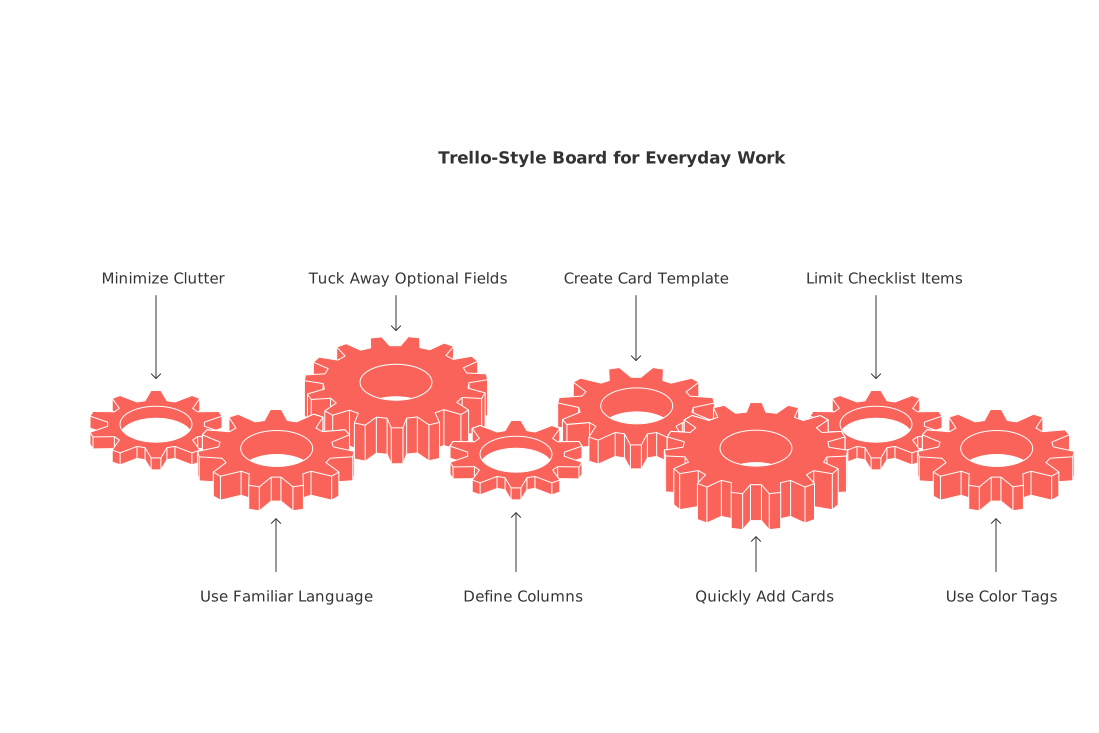
Minimize clutter. The right board for non‑PM teams prioritizes speed over heavy structure. It uses plain, familiar language and tucks away optional fields by default.
Columns that make sense: Intake, Doing, Blocked, Review, Done.
Card template includes: Title, Owner, Due date, and two custom fields depending on the team’s functional requirements.
Quickly add cards from anywhere, turning ideas into tasks in one step.
Limit each card to one checklist, with a maximum of seven items.
Use color tags to indicate different outcomes, such as green for completed tasks and red for delayed ones, instead of tagging by department.
Each additional field adds friction. Remove as much as possible, and then see what else you can trim.
Design a simple board that replaces scattered tools without a steep setup
Begin with five columns. Label them with terms your team already uses, if your team says “On hold,” use that instead of industry jargon like “Pending.”
Practical setup that works on day one
Assign each card a single owner. Others can contribute via comments.
Enable blockers. When a task stalls, toggle the “Blocked” state and briefly explain the reason.
Limit work in progress, cap “Doing” to five cards per person at any one time.
Create a unique card template for each key workflow, such as Sales lead, Asset request, or Bug report.
Review the board every week. Archive items that have been idle for 30 days. Maintain visibility of active tasks while reducing clutter.
CRM use case: Turn a kanban board into a clean sales pipeline
Small sales teams don’t need a heavyweight CRM to get started. A Trello-style board enhances clarity in tracking deals, as it visually represents each stage, from “New” to “Won,” making monitoring and updating straightforward. Only keep the fields that are actually relevant in your pipeline reviews.
Core tracking fields: Contact, Company, Stage, Amount, Close date, Priority.
The next step should be the first checklist item, update it after every call.
Automatically move cards to “Review” when the next step is completed.
Looking for lightweight automation ideas? Check out these automations every B2B sales team should set up today for easy wins that don’t require a major overhaul.
Knowledge management use case: Track SOPs, assets, and approvals on one board
Operations teams produce reliable results when standard operating procedures run through predictable steps. A board organized by Draft, In review, Approved, and Live clarifies status and keeps documentation audit-ready.
Make handoffs obvious
Include both Owner and Approver fields on every card.
Pin the definition of done as the first checklist item.
Always attach the final file or link, instead of duplicating versions.
Use comments to record key decisions and keep a history on the card.
All‑in‑one workspace vs dedicated tool when you only need a board
Some teams want a board plus CRM, docs, and meeting workflows all in one hub. Others just want a simple board, without extras. This choice greatly affects cost, training requirements, and overall workflow speed.
For an in-depth look at the pros and cons, see our guide comparing all-in-one workspaces with dedicated project tools. It’s useful if you’re weighing the benefits of a single hub versus a focused kanban solution.
Migration plan: Move from Notion databases or legacy boards in one afternoon
You can make the switch without disrupting ongoing work. Schedule a short migration window and follow these simple steps:
Export current tasks as CSV. Prior to this, ensure that the titles and assigned owners in your tasks are clear and accurate.
Define the new fields, mapping columns to Intake, Doing, Blocked, Review, and Done.
Import only active items, archive everything else for reference.
Recreate checklists and next steps for your top 20 cards.
Hold a 15-minute walkthrough. Move three cards all the way through the workflow.
Metrics that keep a simple board honest for non‑PM teams
Track only activity-driving metrics. If a metric doesn’t prompt real changes, don’t bother measuring it.
Cycle time: Average days from Intake to Done.
Throughput: Cards completed per week per person.
Blocker rate: Percentage of cards flagged as “Blocked.”
Carry‑over: Cards remaining in “Doing” at week’s end.
Review these in 10 minutes, then decide on just one change for the coming week.
When a Trello‑style board is not enough and what to add next
As your team’s workload grows, dependencies and deadlines start to matter more. That’s when features like timelines, resource allocation, and role-based approvals come into play. Add these views gradually and keep your board as the single source of truth.
For a detailed explanation of when and why teams transition away from personal productivity apps and the value of structured data, check out our article, “Why Personal Productivity Apps Don’t Work for Teams? And How Structured Data Solves the Problem.” It covers the real tipping points, without drowning you in process theory.
Tools worth trying for a board without bloat
You have a range of options. If you want an integrated workspace with CRM, internal knowledge, and meetings linked directly to cards, consider platforms such as Routine or ClickUp. If you need only a streamlined board, Trello offers speed with almost no setup required. Teams that have heavily integrated Notion into their workflows can still build a kanban view, just remember to keep properties minimal and avoid setting up complex relations. Executives should always pilot with a single workflow before rolling out to the entire team.
FAQ
What is the advantage of using a Trello-style board for non-PM teams?
A Trello-style board's simplicity allows non-PM teams to manage tasks without overly complex setups. It prioritizes visibility and speed, enabling teams to focus on actually doing the work rather than managing it.
How can teams ensure their kanban board remains effective over time?
Regularly review the board and archive stagnant tasks to maintain focus on active items. Limit work-in-progress to avoid overload, and adjust processes based on real-world performance rather than theoretical metrics.
Why might a team outgrow a simple kanban board, and what should they do next?
As complexity grows, simple boards fail to manage dependencies and deadlines effectively. Teams should gradually integrate advanced features like timelines and resource allocation to maintain efficiency.
Can a kanban board be used as a CRM tool for sales teams?
Yes, a kanban board can serve small sales teams by visualizing deal stages and streamlining updates. However, it’s crucial not to overload the board with irrelevant fields, focusing instead on critical pipeline metrics.
What is a potential pitfall of using an all-in-one workspace instead of a dedicated board?
All-in-one platforms might require costly learning curves and can introduce unnecessary complexity. Teams should weigh the benefit of integrated features against the need for a streamlined workflow focused on task completion.
How should teams transition from legacy systems or Notion databases to a simple kanban board?
Carefully plan the migration by exporting tasks, mapping fields to the new system, and re-establishing top-priority tasks. Conduct walkthroughs to ensure that team members seamlessly adapt to the new workflow.
What risks are associated with not reviewing kanban board metrics?
Ignoring metrics like cycle time or blocker rate can lead to stagnant processes and undetected inefficiencies. Regular reviews ensure the board reflects real-time progress and drives necessary process changes.

Julien Quintard
Founder & CEO at Routine06/02/2026
