Best Practices for Running a Hybrid Team Offsite
Set a sharp purpose for your hybrid team offsite
A memorable offsite isn’t about scenery. It’s about shared outcomes people can feel.
Define success in plain language before you book anything. Aim for two or three outcomes. Tie them to real work and customers. Examples:
Agree on three product bets for the next twelve weeks.
Prioritize the top five customer problems to solve next.
Draft a single decision log and an action list with owners.
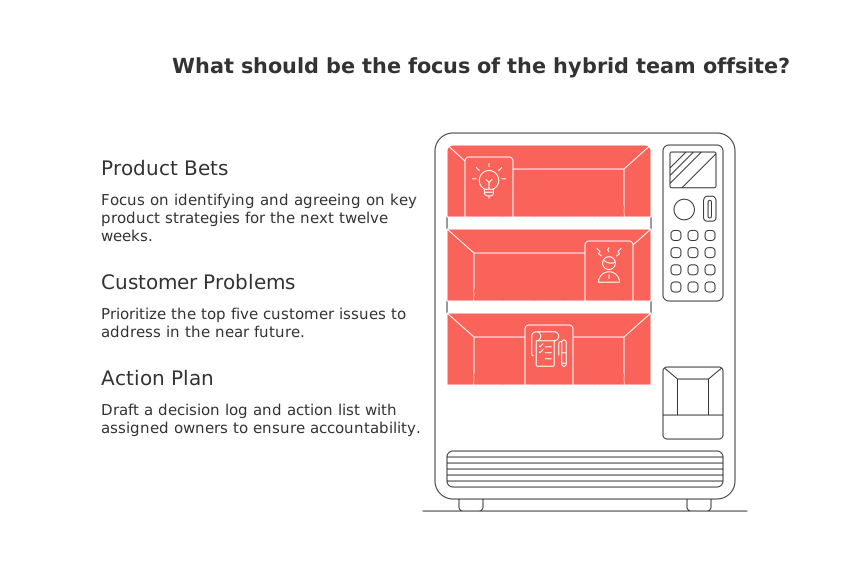
Share these outcomes early with both remote and in-room teammates. Revisit them at the end of each day to keep momentum.
Design the agenda for hybrid attention spans and time zones
Short, purposeful blocks keep energy high and remote fatigue low. Use 45–60 minute sessions, then break. Rotate time slots to respect global teammates.
Guidelines that prevent drift
Start with context: the outcome, the input, and the decider.
Cap discussions with a visible decision or a clear owner.
Plan to include at least one activity each day for deep thinking that does not require synchronous participation.
When you need a complete meeting structure, borrow proven templates. See these meeting formats and templates for effective meetings to define flows, roles, and recaps without overcomplicating things.
Try this planning prompt to save time:
Act as a hybrid offsite producer. Create a two-day schedule for 12 people across EST, CET, and IST. Include 6 working sessions, 2 decision checkpoints, 1 activity per day that doesn't require everyone to be online at the same time, and fair time-zone rotation. Output a table with session name, goal, input required, facilitator, and success measure.
Organize the hybrid team offsite as a simple project with clear ownership
Treat the offsite like any other project outcome. List tasks, dependencies, and owners. Keep it lean so people actually use it.
Define scope: outcomes, attendees, constraints, budget.
Outline milestones: invites, content prep, tech checks, follow-ups.
Map responsibilities: host, facilitator, timekeeper, A/V lead, scribe.
For visual planning, choose what your team understands at a glance. If you need a primer, this guide to practical visualization tools for simple project management explains when to use trackers, boards, and timelines without overwhelm.
Tip: Keep the plan in one shared workspace. Fewer links, fewer misses.
Facilitate hybrid sessions that drive decisions during the offsite
Every session needs four things: a goal, a decider, a timebox, and a way to capture the decision.
Run the room without leaving remote folks behind
Nominate a facilitator who watches both the room and the grid.
Ask in-room people to join the call from laptops with mics off.
Use digital tools that allow participants to raise their hand to speak or create a speaker queue to balance voices.
Summarize out loud before moving on. Confirm the owner and date.
Decisions beat discussions. If it’s not recorded and owned, it didn’t happen.
Prompt to craft a facilitation script:
You are a meeting facilitator. Build a 60-minute script for a hybrid product prioritization session. Include: opening context (2 minutes), decision criteria (5), dot-vote method (10), debate rounds (30), decision and owner (8), and risks review (5). Provide facilitator cues and sample phrases.
Make participation equitable for remote teammates throughout the hybrid offsite
Design for the person farthest from the room. Everyone benefits.
Default to digital-first collaboration surfaces that work on low bandwidth.
Pair each remote attendee with an in-room “ally” for side tasks.
Ban side conversations in the room; use the shared queue instead.
Assign a “remote advocate” who can pause the group if someone is blocked.
Before ending sessions or taking breaks, ask for feedback or additional comments from remote attendees first, then ask those in the room.
Balance team bonding and focused work during a hybrid team offsite
Schedule short, inclusive rituals. Keep them light and optional for introverts.
Kickoff story round: “The last customer insight that surprised me.”
Paired walks for in-room folks; concurrent virtual walks for remote peers.
Shared creative prompt with a three-minute limit and a single slide.
Apply the mentioned strategies even when managing hybrid teams in non-work contexts such as clubs or committees. Replace work-related talks with discussions about shared interests or hobbies.
Capture decisions, risks, and next steps after the hybrid team offsite
Close the loop the same day. Publish the decision log and action list in one place. Tag owners and due dates so follow-up is automatic.
List final decisions and the reason behind each one.
Document top risks, owners, and the first mitigation step.
Schedule two brief checkpoints within the next four weeks.
Prompt to turn outcomes into a crisp decision log:
Summarize these offsite outputs into a one-page decision log. For each item, include: decision statement, date, decider, rationale (one sentence), related risk, owner, first task, and review date. Output in a simple table.
Handle logistics and tech that make a hybrid team offsite stress free
Audio first. Video second. Slides last. People will forgive a dull slide. They won’t forgive echo.
Use one room microphone close to speakers; avoid laptop mic chaos.
Place the main screen at eye level for in-room folks.
Test the platform with remote attendees from real home setups.
Offer captions for clarity and accessibility.
Ship a small “remote kit” if needed: stand, light, headset.
Share accessibility needs in advance. Ask about dietary needs, mobility, and sensory preferences with care.
Choose tools that reduce tool sprawl when planning a hybrid team offsite
Pick one home base, then add only what you truly need. All-in-one workspaces can hold the plan, artifacts, and decisions. Dedicated tools can manage tasks or CRM context if your team prefers separation.
If you want one place for tasks, wiki, CRM touchpoints, and meetings, consider solutions like Routine or Notion. If you prefer dedicated tools, pair Trello or Asana with your existing CRM. For a deeper comparison mindset, see “All-in-One Workspaces vs Dedicated Project Tools: Which Serves Your Business Best?” in the Routine blog archives.
Plan a four-week runway that gets your hybrid team offsite ready
Week 1: Define the framework
Confirm outcomes, constraints, attendees, and budget.
Assign roles: host, facilitator, A/V lead, scribe.
Week 2: Prepare
Collect inputs from customers and recent experiments.
Draft session briefs with goals and decision criteria.
Week 3: Validate
Run tech checks with remote teammates.
Practice two key sessions from start to finish.
Week 4: Execute
Deliver, decide, and record owners in real time.
Publish the decision log and action list the same day.
Further reading that sharpens your hybrid team offsite practice
Strengthen your planning with targeted resources:
Use the right view for your plan with practical guidance on Gantt charts and lightweight trackers.
Level up facilitation with ready meeting formats and templates for decisions.
Explore trade-offs between a single workspace and many tools in “All-in-One Workspaces vs Dedicated Project Tools: Which Serves Your Business Best?”
One last prompt to wrap your offsite into a shareable brief:
Create a one-page offsite brief for a hybrid marketing team of 10. Include: purpose, success metrics, attendee roles, key sessions with goals, accessibility plan, tech checklist, and a post-offsite follow-up schedule. Keep it concise and scannable.
FAQ
How can I ensure my hybrid offsite is effective despite different time zones?
Design the schedule to respect sleep and commute patterns across time zones by planning sessions during overlapping windows of availability. Use tools like Routine to synchronize your team's workflow, reducing inefficiencies and boosting participation.
What is the key to achieving parity between remote and in-room participants?
Achieving parity requires designing the setup to include everyone equally, like utilizing a shared digital board and assigning a remote co-facilitator. This way, you cannot overlook remote input and engagement, ensuring all voices are equally heard.
What's the best way to ensure remote attendees have equitable participation?
Design for the most remote participant by using digital-first collaboration tools and pairing remote members with in-room allies. Avoid side conversations by using a shared communication queue to balance vocal participation.
What logistical aspects are crucial for a stress-free hybrid offsite?
Prioritize audio quality over everything else, as poor audio can alienate remote attendees. Use a single room microphone and test all tech setups in advance, considering accessibility and dietary preferences for all participants.
How can Routine or Notion be integrated into hybrid team offsite planning?
Routine or Notion can serve as a single home base for offsite planning, housing all relevant materials, plans, and discussions. Their all-in-one nature reduces tool sprawl and ensures everyone is on the same page.
What's the significance of capturing decisions, risks, and next steps promptly?
If decisions aren't recorded and owned immediately, they essentially didn't happen. Capture and publish decisions the same day to lock in accountability and drive effective follow-ups.
Why is it important to have a clear agenda and decision-making process?
A clear agenda with tight decision checkpoints prevents drift and indecision. Engage participants with context, decision criteria, and visible ownership to ensure meaningful outcomes, not just endless discussions.

Julien Quintard
Founder & CEO at Routine09/28/2026
