Top Google Tasks Alternatives in 2026
Routine: the all-in-one Google Tasks alternative for tasks within projects and client work
The main limitation of Google Tasks arises when tasks start to depend on project status, client history, or decisions recorded outside your checklist. Copy-pasting links quickly becomes cumbersome. Routine addresses this by integrating tasks with a lightweight project tracker, a knowledge base, and a simple CRM, all in one interconnected platform. This means you can move seamlessly from a task to the related brief, contract, or client timeline without jumping between tabs.
Why it made the list: Routine is designed for those who have outgrown basic checklists but don’t want the complexity of enterprise systems. It centralizes “who, what, why” in one platform, ensuring that follow-ups, project updates, and client commitments always remain connected.
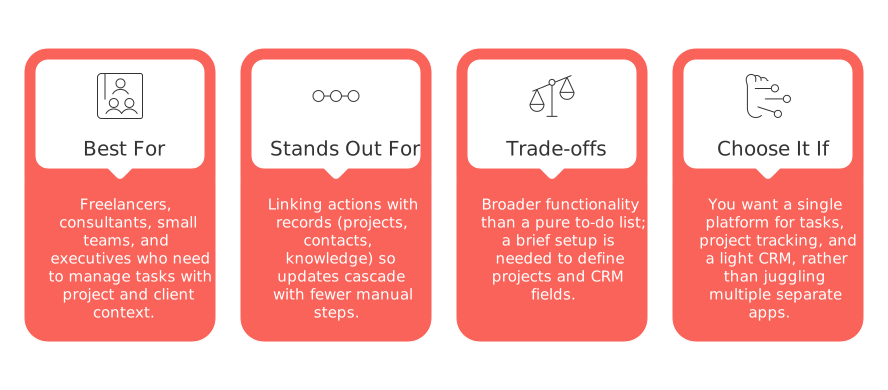
Best for: freelancers, consultants, small teams, and executives who need to manage tasks with project and client context.
Stands out for: linking actions with records (projects, contacts, knowledge) so updates cascade with fewer manual steps.
Trade-offs: broader functionality than a pure to-do list; a brief setup is needed to define projects and CRM fields.
Choose it if: you want a single platform for tasks, project tracking, and a light CRM, rather than juggling multiple separate apps.
Decision moment: Routine becomes essential when your tasks are no longer just personal reminders but depend on project context, client follow-ups, and past decisions.
Todoist: the classic personal productivity tool that scales as your lists grow
Todoist is a solid choice when you want speed and organization without the need to build an entire workspace. Its labels and filters equip power users with precise control while remaining user-friendly for occasional collaborators.
Best for: individuals and small groups looking for reliable organization and efficient task capture.
Where it wins: clear task hierarchy and powerful yet approachable filtering options.
Trade-offs: limited project analytics and less integration with client or broader knowledge databases.
Pick Todoist if: you want a clear-cut, personal task management system with basic team sharing capabilities.
Microsoft To Do: the straightforward pick for teams already using Microsoft 365
If your workplace relies on Microsoft accounts, introducing another platform just for task management can be unnecessary. Microsoft To Do keeps daily lists simple and familiar, providing minimal disruption for co-workers already within the Microsoft ecosystem.
Best for: teams standardizing on Microsoft and seeking clear, shared task lists.
Where it wins: seamless integration and minimal friction within a Microsoft environment.
Trade-offs: limited workflow customization and little cross-project visibility.
Choose it when: keeping everyone within the same ecosystem is more important than advanced features.
TickTick: a flexible personal system with just enough collaboration
TickTick appeals to users who want more control than a basic to-do list offers, but don’t need all the complexity of a full project management tool. It’s an excellent fit for solo operators who occasionally collaborate with a client or partner.
Best for: individuals seeking flexible organization with occasional sharing.
Where it wins: fast performance and practical feature depth for everyday task management.
Trade-offs: modest support for team workflows and reporting.
Try TickTick if: you mainly work alone, with infrequent collaboration needs.
Notion: build-your-own task manager with documentation at hand
For those wanting full control, Notion’s databases let you design task, project, and information structures exactly the way you prefer. That flexibility means you’ll need to define guidelines and maintain organization as needs evolve.
Best for: users who want custom schemas and integrated documentation.
Where it wins: customizable databases and cross-linked views designed for unique workflows.
Trade-offs: time investment in setup and governance; risk of expanding beyond control without clear ownership.
Choose Notion if: you’re comfortable creating and maintaining your own systems as your needs grow.
If you’re weighing the benefits of a unified workspace versus specialized tools, this comparison of all‑in‑one workspaces and dedicated project tools can help guide your decision.
Asana: project management structure for teams needing clear accountability
When simple lists evolve into projects with multiple phases, handoffs, and stakeholders, Asana’s structured approach clarifies responsibilities and timelines, providing a repeatable process for teams.
Best for: cross-functional teams valuing consistency and visibility across projects.
Where it wins: robust project scaffolding and alignment among stakeholders.
Trade-offs: increased administrative overhead and higher per-user costs compared to simple checklists.
Pick Asana if: you run regular projects that require standardized processes and execution.
ClickUp: all-in-one system for organizations ready for advanced setup
ClickUp is ideal for organizations seeking to bring together different workflows and detailed reporting in one place. It offers a lot of power, but requires a clear approach to managing information structure from the start.
Best for: organizations with multiple teams needing portfolio-level views and flexible workflows.
Where it wins: extensive configuration options and unified reporting.
Trade-offs: potential for complexity; over-customization can hinder adoption.
Go with ClickUp when: executive leadership requires a single source of truth, and you have someone to manage its setup and upkeep.
Decision moment: ClickUp becomes necessary when multiple departments need customized workflows but leadership still needs a consolidated overview of commitments.
Trello: visual pipelines for teams who think in cards and columns
For those who prefer visual organization, Trello remains the go-to tool for seeing work-in-progress at a glance. It’s perfect for simple pipelines, editorial calendars, hiring workflows, or straightforward project management, provided board guidelines are kept consistent.
Best for: visual thinkers and small teams who favor a Kanban-style setup.
Where it wins: instant clarity and quick setup for collaborative projects.
Trade-offs: limited support for complex hierarchies; multiple boards can lead to fragmented information.
Choose Trello if: you want an easy transition from lists to visual workflow management.
Any.do: simple task lists for households and side projects
Switching from Google Tasks isn’t always about professional work. Any.do shines when you need a straightforward, accessible way to share responsibilities with a partner, family, or a side project team.
Best for: consumers, families, and casual project groups.
Where it wins: simplicity that’s genuinely easy for everyone to use.
Trade-offs: minimal project management and reporting features.
Pick Any.do if: you prioritize ease of use for everyone over advanced, power-user features.
Apple Reminders: seamless experience for Apple-only users
If your life is managed entirely on Apple devices, and your collaborators are similarly aligned, Apple Reminders offers an intuitive, integrated option. Just be aware that as your project needs grow, you may find its structure limiting.
Best for: solo Apple users and households deeply invested in Apple’s ecosystem.
Where it wins: no learning curve and smooth, native experience.
Trade-offs: limited to Apple devices and basic team functionality.
Choose Apple Reminders if: you value its immediate availability more than extensive customization or reporting.
Final decision framework: how to select a Google Tasks alternative that fits your real needs
Workflow maturity:Emerging (mainly solo, ad-hoc): Todoist, TickTick, Any.do, Apple Reminders.
Transitional (working with clients, light projects, increasing context needs): Routine or Notion.
Mature (repeatable projects, multiple teams, robust reporting): Asana, ClickUp; Trello for a visual approach.
If you’re undecided about centralizing work on a single platform or using different tools for specific purposes, check out this practical guide to all-in-one platforms vs. dedicated tools to refine your strategy.
Conclusion: the best Google Tasks alternative comes down to your need for structure
Switching from Google Tasks is more than finding a new app, it's a choice about how much structure, context, and accountability you want in your workflow. If your work increasingly revolves around clients and projects, Routine provides a unified workspace that keeps tasks connected to their purpose. For fast, personal task management, Todoist or TickTick excel. And when your team needs standardized processes and broad visibility, Asana or ClickUp surpass any basic checklist.
Make the smallest switch that addresses your main issue, then reassess on a quarterly basis. Outgrowing your current task app is a sign of progress, not a shortcoming in your productivity habits.
FAQ
What makes Routine a better option than Google Tasks?
Routine integrates tasks with project tracking and CRM features, offering a seamless transition between task and context. Unlike Google Tasks, it prevents the tedious navigation across different platforms when managing projects or client follow-ups.
How does Routine compare to Todoist for professionals?
While Todoist is excellent for capturing tasks quickly, Routine offers depth by tying tasks to project status or client interactions. If you're dealing with complex projects, Routine's interconnected approach is a strategic advantage over Todoist's simplicity.
Is there a downside to using Routine over a system like ClickUp?
Routine is simpler and may not provide the comprehensive customization that ClickUp offers for large organizations. If you require intricate workflows and extensive reporting, ClickUp might be more suitable, but at the cost of potential complexity and user adaptation challenges.
Can Routine replace a dedicated project's CRM tool?
Routine offers light CRM features but lacks the depth and analytical power of dedicated CRM systems. If complex client relationship management is critical, relying solely on Routine might hinder your capabilities.
Why not just stick with Google Tasks if it's working fine?
If your tasks are evolving and require context, sticking with Google Tasks could lead to inefficiency and oversight. Routine helps avoid such pitfalls by uniting essential elements in one platform, which is crucial as task dependency grows.
Does switching to Routine involve a steep learning curve?
While Routine's setup requires some initial effort to define projects and CRM fields, its subsequent streamlined workflow offsets this investment. Consider it if you're ready to handle a unified system over juggling multiple fragmented apps.

Julien Quintard
Founder & CEO at Routine04/21/2026
