How to Design a Customer Journey Map Directly From Your CRM Data
The customer journey map you can actually maintain inside your CRM
Your CRM already outlines the customer journey through hidden fields, timestamps, and activity logs. By making this story visible, your teams can act faster and more strategically.
Why build your customer journey map inside the CRM?
It remains up to date because sales and customer success teams update it daily.
It serves as the single source of truth, aligning sales, marketing, and success teams.
It supports automation and reporting directly, no extra tools required.
If the journey is not in the CRM, it will not change behavior.
Translate CRM objects and fields into clear journey stages
Map your customer journey to the features and elements already existing in your CRM system (native CRM objects). For simplicity and manageability, aim to limit the journey to seven stages or fewer. This helps ensure the map remains actionable and easy to maintain.
Standardize the lifecycle across teams
Awareness: Anonymous website interaction or ad click, recorded as a lead source.
Engage: Lead captured and marketing evaluates the level of interest.
Evaluate: Sales qualification with buying committee identified.
Commit: Opportunity is active, scope defined, and budget confirmed.
Win/Loss: Outcome of the opportunity logged, with a reason code.
Onboard: Implementation meets defined milestones.
Adopt/Expand: Product usage and expansion opportunities continuously monitored.
Set shared definitions executives will back
Pick a single lifecycle field as canonical, avoid duplicate or redundant fields.
Clearly define how a record should enter and exit each stage.
Assign each stage to one accountable team or owner.
Document real-world examples and exceptions in your internal knowledge base for reference.
Capture the minimum viable dataset for journey analysis in your CRM
Only collect data that is actually useful for your teams. Remove any fields that are not regularly reviewed or updated.
Acquisition: First and last touch, campaign names, UTM parameters, original source.
Qualification: Ideal Customer Profile (ICP) fit score, use case, intent signals, necessary integrations.
Buying committee: Role, influence level, economic buyer, and champion flag.
Sales progress: Stage, forecast category, expected close date, deal value, next action date.
Timing: Date of stage entry, time spent in stage, response SLA status.
Outcome context: Win or loss reason, main competitor, category of objection.
Post‑sale: Onboarding phase, product usage indicator, health score, customer renewal date.
Create a journey map view with CRM dashboards and reports
Showcase the customer journey through live dashboard views. Tailor these views to deliver the essential information each team needs to make decisions.
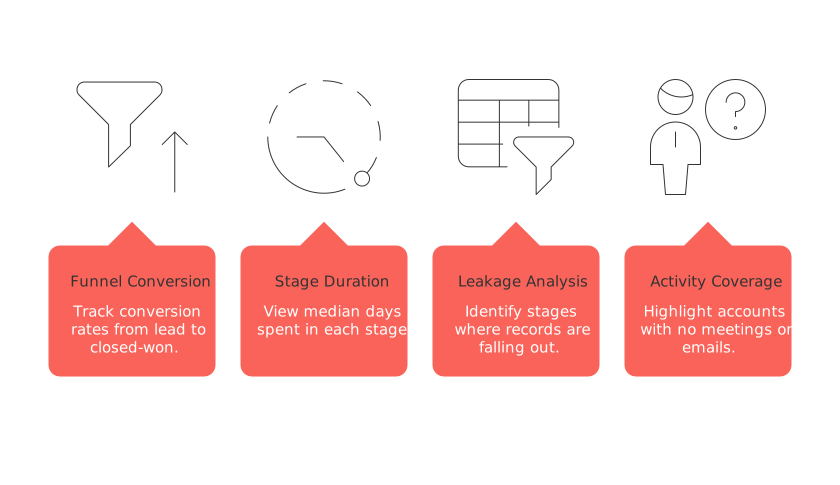
Start with four practical views
Funnel conversion: Track conversion rates from lead to marketing-qualified lead (MQL), then to sales-qualified lead (SQL), opportunity, and closed-won.
Stage duration: View median days spent in each stage, segmented for deeper analysis.
Leakage analysis: Identify at what stages records are falling out of the funnel, and why.
Activity coverage: Highlight accounts with no meetings or emails for the past 14 days.
Apply conditional formatting, flagging red when time spent in a stage exceeds your specified SLA. Ensure color use is consistent across all dashboards for easier interpretation.
Unify product, support, and marketing data into the CRM without code
Journey gaps often occur when vital data lives outside your CRM. Bring these essential events into your CRM and connect them to the relevant journey stages.
See how you can merge customer data from Intercom, Front, and email without writing code. Apply similar logic to synchronize product usage and support information. Keep imported data concise and meaningful.
Send notifications for key product events such as achieving the first milestone (first value achieved), reaching weekly user engagement goals (weekly active threshold), or when the product is qualified for an upgrade (upgrade trigger).
Include support context by syncing ticket counts, severity, and last response time.
Standardize names and user IDs before syncing different systems.
Update account records daily and trigger real-time updates for opportunities whenever possible.
If you prefer an all-in-one workspace centered around your CRM, consider tools like Routine or Notion to house briefs, playbooks, and dashboards. Maintain structured data (quantifiable, easily searchable information) within your CRM, while narratives (story-style information) and decisions (conclusions reached after discussions) should be kept in your collaboration workspace, such as a project management tool or internal forum.
Segment the journey by account tier, industry, and persona
A one-size-fits-all journey rarely reflects the reality for every customer. Create filtered versions of your journey map that mirror how deals move in your unique business context.
Set SLAs by account tier, such as enterprise, mid-market, or SMB.
Define journey flows by industry, distinguishing regulated from non-regulated customer paths.
Identify key touchpoints for persona-specific needs, such as executive sponsors versus technical evaluators.
Highlight leading indicators tailored to each segment: for SMB, speed is critical; for enterprise, stakeholder alignment is paramount.
Automate journey transitions and alerts directly in the CRM
Eliminate manual movement between stages by creating automation rules. Set up alerts that trigger when signals of risk or momentum shifts occur.
Automatically progress to Evaluate when a meeting is booked and the budget field is populated.
Create a task if the time spent in a particular stage exceeds the predetermined threshold.
Escalate alerts when a champion goes inactive for more than 14 days.
Notify customer success teams if product usage drops below the established health minimum.
For ready-to-use workflows, review these B2B sales automation recipes and adapt them to your CRM’s workflow builder.
Validate the journey map with qualitative CRM fields and outcome tags
Data tells you where things happen; reasons reveal why. Capture both within your CRM, and you’ll accelerate learning and improvements.
Track win and loss reasons using a concise picklist with the option for free-form text addenda.
Flag competitors and “status-quo” decisions that stall deals.
Tag objections and connect them to gaps in your content or sales enablement.
Record risk reasons for potential churn or downgrade to improve retention.
Review patterns on a monthly basis. Feed recurring objections into your content strategy and sales training plans.
Govern the journey map with cross-functional ownership and regular cadence
Assign each stage an owner, a performance metric, and a regular review routine. Hold a monthly journey council with representatives from marketing, sales, success, and product teams.
Decide on changes to stage criteria following clearly defined approval processes.
Eliminate unused fields and update the CRM quarterly.
Publish a one-page guide for your customer journey map and revise it with every significant change or product release.
If your team is debating between adopting an all-in-one workspace or utilizing dedicated point tools, make sure that decision aligns with your company's governance policies and practices. For additional insights, see All-in-One Workspaces vs. Dedicated Project Tools: Which Serves Your Business Best?
Metrics that prove your CRM journey map is working
Focus on tracking a concise set of metrics, segmented by account and persona where possible.
Lead-to-opportunity conversion rate by source.
Median time spent in each stage and overall cycle time.
Pipeline coverage versus target, segmented accordingly.
Win rate by competitor and types of objections encountered.
Onboarding duration until the first key milestone is reached.
Gross and net revenue retention rates.
Keep your journey map lean, your CRM data clean, and let your CRM power your workflow and insights.
FAQ
Why is maintaining a customer journey map inside a CRM advantageous?
Building a customer journey map within your CRM ensures real-time updates and strategic alignment across teams due to its seamless integration with existing data. Ignoring this can lead to fragmented insights and misaligned strategies, wasting time and resources.
How can CRM automation enhance the customer journey process?
CRM automation streamlines transitions between stages and flags areas requiring attention, freeing your team from manual tasks and reducing human errors. Neglecting automation can result in missed opportunities and stalled deals.
What risks exist if key data is not unified within your CRM?
If essential data resides outside your CRM, it creates blind spots in your customer interactions and decision-making. This disconnection can lead to inefficient processes and missed growth opportunities. Products like Routine can help keep all data integrated.
How does segmenting the customer journey map improve outcomes?
Creating tailored journey maps for different customer segments uncovers unique needs and behaviors, allowing for more precise interventions. Failing to segment equates to generic approaches that overlook specific drivers and pain points.
What are the consequences of not setting standardized lifecycle definitions in your CRM?
Lack of standardized lifecycle definitions leads to inconsistent data interpretation and confusion across teams. It undermines accountability and alignment, making it harder to diagnose performance issues or streamline the sales process.
Why is capturing qualitative data important in a CRM journey map?
Quantitative data tells you what happens; qualitative reveals the why. Without capturing qualitative insights, you miss the underlying factors of success or failure, stalling your ability to refine strategies effectively.
What role does Routine play in managing CRM-based customer journeys?
Routine serves as an integrative platform, helping unify tasks, playbooks, and dashboards that support CRM-based customer journey maps. Without leveraging such tools, you risk maintaining siloed and incomplete customer views.

Julien Quintard
Founder & CEO at Routine03/12/2026
