How to Choose Your First Task Management App as a Freelancer
Why choosing your first task manager as a freelancer matters more than features
You sell outcomes, not hours. Your app must help you finish paid work faster and with less stress.
Forget long feature lists. Pick a tool that matches your client flow, supports solo focus, and scales gently.
If a tool doesn’t shorten my path to “paid,” I skip it.
What your first task manager must do for freelance work
Core needs stay simple. You manage requests, drafts, revisions, and deliveries. Choose features that serve this path.
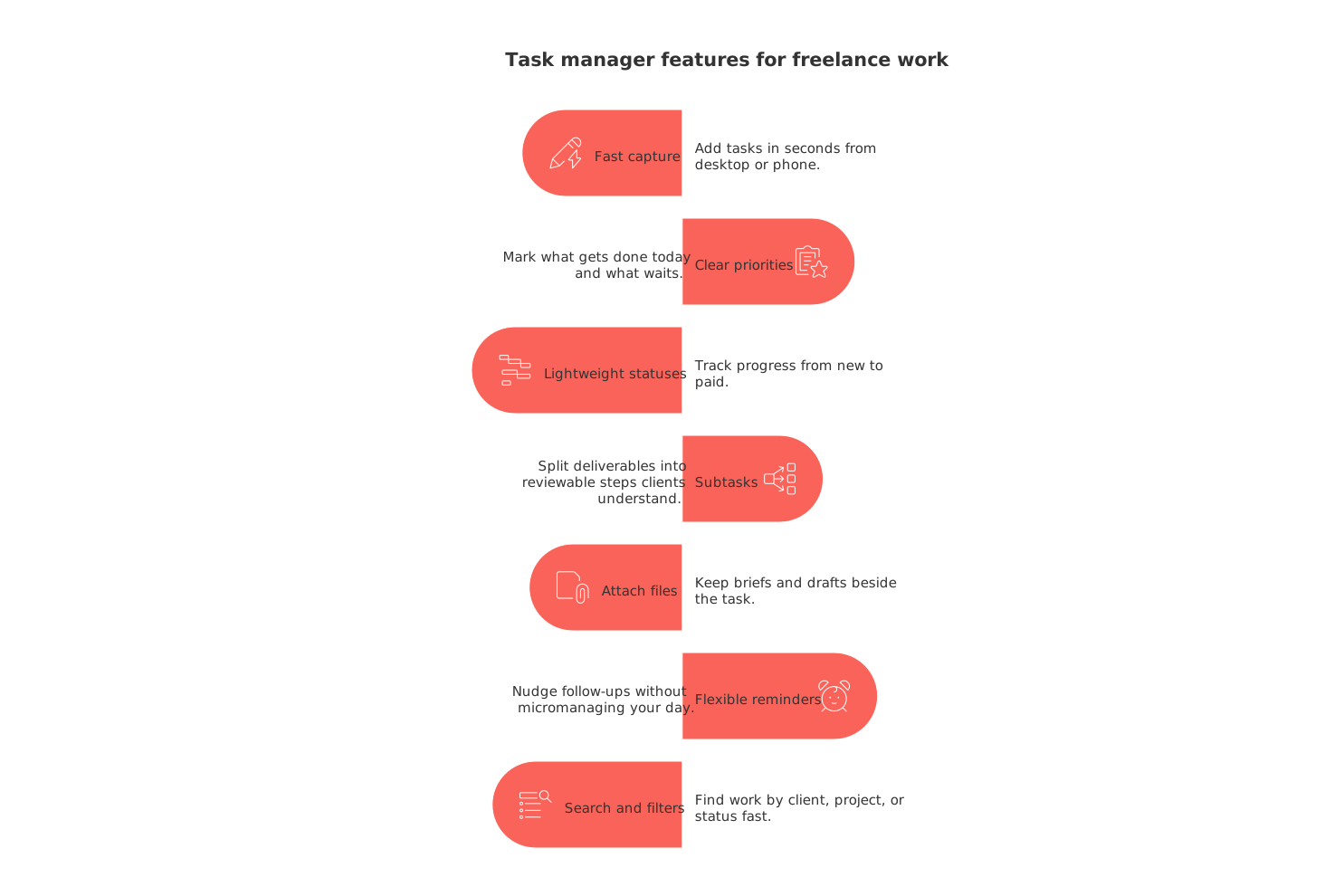
Fast capture: add tasks in seconds from desktop or phone.
Clear priorities: mark what gets done today and what waits.
Lightweight statuses: new → in progress → sent → approved → paid.
Subtasks: split deliverables into reviewable steps clients understand.
Attach files and links: keep briefs and drafts beside the task.
Flexible reminders: nudge follow‑ups without micromanaging your day.
Search and filters: find work by client, project, or status fast.
Map freelance workflows to simple task features you will actually use
Translate your pipeline into labels and views you’ll open every morning.
Leads: tag prospects; track a contacted → proposal → won/lost path with statuses.
Active projects: group tasks per client; use subtasks for drafts, feedback, and delivery.
Revisions: add a “waiting on client” status to prevent silent stalls.
Invoicing follow‑ups: create tasks for sent invoices with due dates and a “paid” checkbox.
Retention: schedule recurring check‑ins for past clients you want back.
Many apps double as a light solo CRM with tags, custom fields, and saved filters. That’s enough to track clients without a separate system.
Compare all‑in‑one workspaces versus dedicated task apps for freelancers
All‑in‑one tools unify projects, docs, and a simple CRM. Dedicated task apps stay focused and fast. Your choice depends on how much you want in one place.
All‑in‑one: centralizes tasks, knowledge, and client data. Great for complex, multi‑client work.
Dedicated task apps: quick entry, focused UI, and fewer distractions, built for swift task management.
For a deeper take, read this balanced comparison of all‑in‑one workspaces and dedicated project tools. It outlines typical trade‑offs encountered by freelancers on a daily basis.
You can test an all‑in‑one option like Routine alongside a focused app like Todoist. Compare a real client project in both before you commit.
Decide between list, board, or timeline views for solo projects
Pick the view that helps you move work forward, not the one that looks fancy.
List view: fastest for inboxes, backlogs, and punchy daily plans.
Board view: visual pipeline for drafts, reviews, and approvals.
Timeline view: plan handoffs and longer sequences at a glance.
If you need visual planning, this guide to visualizing tasks with Gantt charts and simple trackers shows when timelines help and when lists win.
Weigh pricing, privacy, and data portability before you commit
Cost matters, but switching costs matter more. Check these points before paying.
Pricing traps to avoid
Free plans that hide exports or essential filters.
Per‑seat pricing that penalizes client viewers.
Annual billing without a meaningful trial period.
Privacy and data control
Confirm exports to CSV or JSON for tasks and comments.
Look for clear data retention and deletion policies.
Ask how attachments are stored and encrypted.
Choose tools that make leaving painless. That confidence helps you stay for the right reasons.
Test integrations that cut admin time for independent professionals
Your first app should ideally connect to the services you already use, making your work process more efficient. If you prefer fewer moving parts, ensure the app’s built‑in features cover your core needs.
Email‑to‑task: turn client emails into tasks with one forward.
Chat capture: create tasks from Slack or Teams messages.
Storage links: attach Drive or Dropbox files without duplication.
Accounting hooks: log “invoice sent” tasks from Stripe or Wave.
No‑code automations: auto‑tag new tasks by client or channel.
Integrations should remove steps you often repeat. If a setup feels heavy, skip it.
Onboard yourself with a one‑week trial plan that proves value fast
Give the app seven focused days with a real client project.
Import active tasks and tag by client and status.
Set three priorities daily; finish them before anything else.
Track revision loops with a “waiting on client” status.
Create follow‑up tasks for invoices and proposals.
Review weekly: what views helped you ship faster?
Prefer compact planning periods? Experiment with a 12‑week planning rhythm paired with weekly reviews to keep your project scope manageable.
Red flags that suggest you picked the wrong tool for freelancing
You need three clicks to add a simple task.
Client follow‑ups still slip through gaps.
You avoid opening the app during busy days.
Exports break or miss comments.
Pricing jumps when you invite a client.
Experiencing two or more of these issues? You might want to reconsider your choice. Ultimately, your tool should aid in progress, not become an additional task.
Checklist for choosing your task management app as a freelancer
Confirm the app allows quick capture of tasks, can track task statuses, allows task prioritization, and supports the creation and management of subtasks.
Map your pipeline to tags and saved filters.
Pick your view: list for speed, board for flow, timeline for sequences.
Test email‑to‑task and chat capture with real messages.
Verify exports, privacy, and clear off‑ramps.
Run a one‑week trial on a real client project.
Assess weekly: did you deliver faster with less stress?
Next step: try one all‑in‑one and one focused app side by side. Evaluate with the checklist above.
Compare options neutrally: Try Todoist for a fast, focused task list and Try ClickUp for a broader workspace with tasks and light CRM.
Mentioned tools like Routine also fit the all‑in‑one camp; weigh them with the same criteria and your own client work.
FAQ
Why is choosing the right task manager crucial for freelancers?
The right task manager optimizes your workflow, minimizes stress, and accelerates the path to getting paid. It’s not about endless features; it’s about aligning with your client flow and supporting seamless solo work.
What core features should a task manager have for freelance work?
Key features include fast task capture, prioritized task lists, manageably sequenced subtasks, and efficient client communications. If your tool doesn’t streamline these processes, it adds unnecessary complexity.
Should I choose an all-in-one workspace or a dedicated task app?
An all-in-one workspace unites projects and client management but can become unwieldy. Dedicated apps offer faster task entry and a focused user interface but may lack broader functionalities. Trial each type before committing to assess fitment for your workflow.
What view is best for managing tasks: list, board, or timeline?
Choose the view that accelerates task completion, not one that merely looks appealing. List view suits rapid task management; board view visualizes process stages; timeline view helps plan for extensive project sequences. Each has its merits depending on the project complexity.
What should I consider regarding price and privacy of task managers?
Beware of pricing models with hidden constraints, like export restrictions or steep client fees. Prioritize tools that guarantee data control and transparent export options to avoid being trapped. Routine offers a good balance by integrating task management with data privacy features.
How can integrations enhance my task management tool?
Integrations should cut down on repetitive admin tasks and mesh with your existing systems seamlessly. Tools like Routine excel at connecting with critical services, transforming them into time-savers rather than feature overloads.
How do I effectively test a task manager before committing?
Start with a one-week trial using a real client project, assessing how the tool impacts speed and stress reduction. Evaluate features like task capture, email-to-task creation, and whether it genuinely aligns with your work rhythm and needs.

Julien Quintard
Founder & CEO at Routine09/25/2026
