How to Build a CRM Data Dictionary That Sales, Marketing, and Support Actually Use
Why a CRM data dictionary fails without cross-functional design
Deals stall. Hand-offs break. Dashboards don’t match. The root cause often traces back to a weak CRM data dictionary. Too often, these dictionaries simply list fields without clarifying their meaning, ownership, or intended use. This leaves sales, marketing, and support teams to develop their own interpretations, leading to data silos and inconsistencies.
“If a field lacks shared meaning, adoption dies.”
Solve these issues at the source. Design the data dictionary collaboratively, involving all major users. Gather teams who manage pipeline, campaigns, and tickets in the same space. Clarify how each field supports a specific action. Document the field’s operational role directly in the dictionary, not scattered across different repositories or team wikis.
Define the CRM data dictionary scope and concrete objectives
Start by articulating the dictionary's purpose and agreeing on specific, measurable objectives. For example, your goals might include: streamlining the qualification process to reduce deal cycle times, improving the accuracy and quality of data routing, and boosting the dependability of analytics and reporting.
Once the purpose is set, limit the scope. Focus on the 50 data fields or elements directly linked to revenue generation or service quality. Store less critical fields separately to keep the dictionary actionable.
Establish what qualifies as successful data organization in your CRM
Coverage: At least 95% of required fields are populated at each sales stage.
Validity: 98% of entries match the approved options for each field.
Actionability: Every included field has a documented, actionable use in your processes.
Tip: Link objectives to your company’s operational cadence. If leadership reviews deal pipelines weekly, ensure the dictionary supports and aligns with this frequency.
Build a standard CRM field template that teams understand easily
Develop a unique template for each data field or element in the CRM system. Ensure that the language of the dictionary is straightforward. The dictionary should be written in a manner that is easy for a new representative to understand from their first day.
Required attributes for each CRM field
Business name: The label used in the user interface.
System name: The backend or API identifier.
Definition: One-sentence description with clear boundaries.
Data type: Text, picklist, number, date, or boolean.
Allowed values: List of valid options and sample entries.
Owner: Role or team responsible for the field’s meaning and updates.
Source of truth: Indicates whether data comes from CRM entry, form, enrichment, or integration.
When required: Specify the sales stage, lifecycle point, or trigger for data entry.
Downstream use: Routing, scoring, SLAs, reporting, or other processes.
Validation rules: Patterns, ranges, or dependent fields.
Help text: A short tip or instruction visible to end users in the CRM interface.
Document your template once and apply it consistently to each strategic field across your CRM before launch. Minimize exceptions to maintain clarity.
Prompt: Draft a CRM field definition using this template: Business name, System name, Definition, Data type, Allowed values, Owner, Source of truth, When required, Downstream use, Validation rules, Help text. Create one for Lead Status tailored to B2B SaaS with clear picklist values and one-line help text.
Establish naming conventions and allowed values to prevent data drift
Consistency in naming sets expectations. Choose clear, human-readable labels for the interface and match them with stable system keys for integrations. Avoid special characters and keep verbs uniform for clarity.
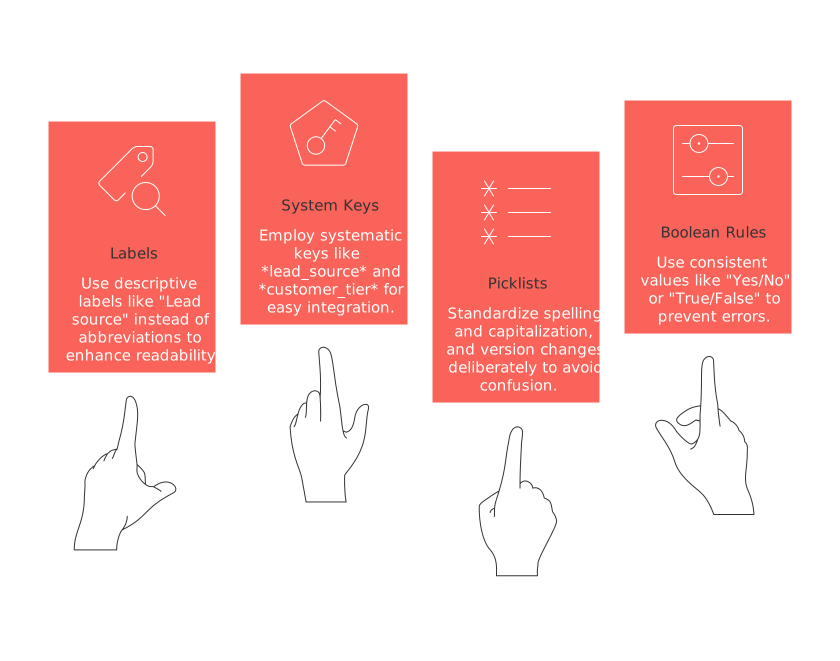
Labels: Prefer “Lead source” over abbreviations like “Src.”
System keys: Use systematic options such as lead_source and customer_tier.
Picklists: Standardize spelling and capitalization; version changes deliberately.
Boolean rules: Use “Yes/No” or “True/False”, never mix them.
Test each picklist or value with real workflows. If a user can’t select the right option within five seconds, revise the list for speed and clarity.
Map the CRM data dictionary to systems and data sources
The data dictionary should reflect and align with every tool your business uses. Map each field to corresponding properties in platforms like Salesforce or HubSpot. Extend this mapping to tools such as Zendesk, Intercom, or your data warehouse. Carefully document synchronization direction and conflict resolution rules for each integration.
Practical mapping tips
Assign a synchronization owner for every integration.
Define clear rules for resolving duplicate records, specifying which data “wins.”
Ensure you record data transformations, not just the destinations of data fields.
When different communication channels fragment customer context, bring the information together. For ideas, see our guide on merging Intercom, Front, and email data into a unified schema to keep properties consistent across hand-offs.
Assign ownership and governance for the CRM data dictionary
Effective data dictionaries have clear ownership structures. Assign a Business Owner to define meaning, a Data Steward for maintaining data quality, and a System Admin for technical configuration. Appoint Process Owners for each department, sales, marketing, and support.
Change governance flow: Checklist
Submit a standard change request form linked directly from the dictionary.
Review the impact of proposed changes on routing, analytics, and integrations (SLA: respond within 5 business days).
Approval required from Business Owner, Data Steward, and affected Process Owner(s).
Log all decisions including date, approvers, impacted version, and risk level.
Communicate approved changes to all stakeholders using a predefined update template (email or Slack).
Apply a simple risk matrix: Low (no workflow impact), Medium (affects one team/process), High (affects multiple teams or critical workflows).
Release changes according to a scheduled cycle; avoid ad hoc modifications.
Prompt: Propose a change governance flow for a CRM data dictionary used by sales, marketing, and support. Include roles, SLAs, approval steps, communication templates, and a simple risk matrix. Output as a concise checklist.
Roll out the CRM data dictionary to frontline teams with practical enablement
Actionable training is more effective than written instructions alone. Make definitions accessible where people need them. Use field-level help text, inline examples, and concise how-to videos. Embed quick reference guides directly inside the CRM for easy access.
Incorporate role-play data entry scenarios into onboarding programs.
Observe team members in the CRM to identify and revise unclear help text.
Release one-page cheat sheets for each pipeline stage.
Link definitions to real actions. Set up workflow triggers using the data dictionary and then show their impact in practice. For more inspiration, see our collection of automation ideas every B2B sales team should set up and align each automation to specific CRM fields.
Keep the CRM data dictionary effective with audits, metrics, and versioning
An outdated data dictionary erodes confidence and adoption. Schedule monthly audits and track a straightforward scorecard:
Population rate: Percentage of mandatory fields accurately filled at each pipeline stage.
Invalid value rate: Incidence of data entries that fall outside allowed lists.
Time-to-fix: Average days needed to correct identified data issues.
Report impact: Number of dashboards or reports affected by dictionary changes.
Record every change with clear semantic version tags (for example, v1.4) alongside the effective date. Communicate upcoming changes in your team’s channels prior to release, using concise release notes.
Sample CRM data dictionary entries your teams can use
Lead status
Business name: Lead Status
System name: lead_status
Definition: Current phase of sales team engagement with a lead.
Data type: Picklist
Allowed values: New, Working, Nurturing, Qualified, Disqualified
Owner: Sales operations
Source of truth: CRM input by sales rep
When required: On lead record creation and whenever stage changes
Downstream use: Drives routing logic, service-level agreements, and funnel analytics.
Validation rules: Can only move to ‘Qualified’ after Budget, Authority, Need, and Timing (BANT) has been confirmed.
Help text: Move to ‘Qualified’ only after BANT has been confirmed.
Customer tier
Business name: Customer Tier
System name: customer_tier
Definition: Commercial segment for account coverage and entitlement levels.
Data type: Picklist
Allowed values: Enterprise, Mid-market, SMB
Owner: Revenue operations
Source of truth: CRM enrichment or manual entry
When required: At account creation and annual review
Downstream use: Guides account assignments and support SLA tiers.
Validation rules: Only valid values accepted; review yearly.
Help text: Select based on annual revenue tier.
Primary use case
Business name: Primary Use Case
System name: primary_use_case
Definition: Main business need the customer aims to solve with your product.
Data type: Picklist with “Other” and text companion
Allowed values: Replace spreadsheet tracker, Centralize customer workflows, Standardize playbooks, Reduce support backlog.
Owner: Product marketing
Source of truth: Customer intake forms or rep entry
When required: On opportunity creation
Downstream use: Enables targeted personalization, success playbooks, and roadmap insights.
Validation rules: Single choice, mandatory for go-live.
Help text: Pick the closest match to customer’s stated goal.
Prompt: Generate three CRM dictionary entries for a B2B SaaS: Primary use case, Onboarding status, Renewal risk. Use this structure: Business name, System name, Definition, Data type, Allowed values, Owner, When required, Downstream use, Help text. Keep each definition under 35 words.
Primary Use Case System name: primary_use_caseDefinition: Main reason customer adopts the platform.Data type: PicklistAllowed values: Reporting, Automation, Collaboration, IntegrationOwner: Product marketingWhen required: At deal closureDownstream use: Personalization and adoption tracking.Help text: Select the customer’s main goal.
Onboarding Status System name: onboarding_statusDefinition: Stage of post-sale onboarding process.Data type: PicklistAllowed values: Not Started, In Progress, Complete, BlockedOwner: Customer successWhen required: Upon hand-off from salesDownstream use: Support prioritization, reporting.Help text: Update as steps are completed.
Renewal Risk System name: renewal_riskDefinition: Likelihood that a customer may not renew.Data type: PicklistAllowed values: High, Medium, LowOwner: Account managementWhen required: 90 days before renewalDownstream use: Escalations, forecasting.Help text: Mark as “High” if issues are unresolved.
Tools that support a shared CRM data dictionary with minimal complexity
Choose platforms your teams already use and centralize documentation close to your main project and CRM admin hubs. Suitable platforms include Routine, Notion, or Confluence as living documentation spaces. CRM-native solutions such as Salesforce Schema Builder or HubSpot property settings are excellent for structured governance. Airtable and Coda provide flexible templates for structured needs. Always assign a clear owner for whichever tool you use.
Prompt: Recommend a tool stack for hosting a CRM data dictionary for a 150-person B2B SaaS. Include one system of record, one collaboration hub, one analytics layer, and integration notes. Output a table-like list with pros and trade-offs.
System of Record: Salesforce Pros: Native to CRM, robust permissions, direct mapping. Trade-offs: Admin complexity, licensing cost.
Collaboration Hub: Notion Pros: Easy editing, real-time commenting, searchable. Trade-offs: Less structured than purpose-built schema tools.
Analytics Layer: Looker Pros: Deep reporting, integrated with data warehouse. Trade-offs: Needs setup and maintenance, training required.
Integration Notes: Use Zapier or native connectors for syncing changes between Notion, Salesforce, and Looker. Pros: Automates updates and pushes documentation. Trade-offs: Integration management, potential sync lag.
FAQ
Why is a CRM data dictionary often ineffective?
A CRM data dictionary fails when it's merely a field inventory lacking shared meanings, responsibilities, and usage guidelines, leading to misinterpretations and inconsistent data use across teams.
How can cross-functional design improve a CRM data dictionary?
Involving key teams in the design of the CRM data dictionary ensures that field definitions align with practical needs, reducing data silos and promoting a unified understanding across all departments.
What should be included in the CRM field template?
The field template must clearly outline the business name, system name, definition, data type, valid entries, ownership, source of truth, required timing, downstream uses, and any validation rules.
How can poor data dictionary management affect CRM performance?
An inadequate data dictionary can lead to stalled deals, broken hand-offs, and inaccurate reporting, ultimately eroding trust in CRM data and impairing decision-making speed and accuracy.
Why is comprehensive mapping essential for a CRM data dictionary?
Thorough mapping ensures alignment between the CRM data dictionary and all related tools, maintaining consistency and preventing data fragmentation that undermines unified customer insights.
What role does governance play in maintaining an effective data dictionary?
Governance defines the roles and procedures for making and communicating changes, ensuring quality and minimizing disruptions to workflows and integrations.
Why is it crucial to update and audit a CRM data dictionary regularly?
Regular updates and audits help prevent data dictionary obsolescence, which can lead to declining user confidence and inaccurate data interpretation, affecting business decisions.
What are the advantages of using Routine as part of the CRM tool stack?
Routine offers a centralized platform for maintaining living documentation, simplifying access and updates, ensuring that definitions are current and easily understood by all CRM users.

Julien Quintard
Founder & CEO at Routine03/02/2026
