The 22 Best Productivity Apps
How we ranked the 22 best productivity apps by real-world workflows
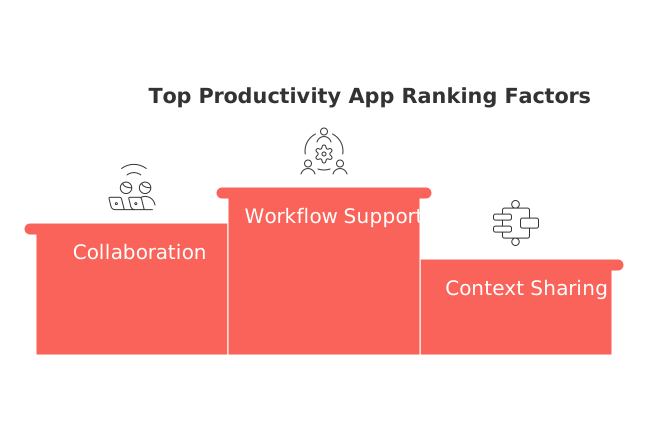
Most so-called “productivity” apps operate within their own silos, helping you move faster without necessarily keeping your work connected. The most effective productivity tools do more: they unify context, projects, knowledge, client records, and meeting information, so you’re not forced to manually transfer details between different platforms. This ranked guide (updated May 4, 2026) uses real-world buying signals that genuinely impact your work: depth of workflow support, collaboration models, context sharing across projects, CRM, and meetings, onboarding effort, and scalability from individual to team usage. If you’re debating between consolidating into an all-in-one workspace versus sticking with specialized tools, this comparison of all-in-one workspaces vs dedicated project tools will help you clarify which model fits your needs before you decide.
Quick comparison table: 22 best productivity apps by category
App | Category | Best for | Key strength | Collaboration | CRM/meetings context | Setup effort | Notable trade-off |
|---|---|---|---|---|---|---|---|
Routine | All‑in‑one workspace | Teams/individuals centralizing projects, knowledge, and CRM | Unified context across tasks, docs, and clients | Strong | Native | Low–Medium | Not specialized for engineering work items |
Asana | Project management | Cross‑functional teams | Effective templates and portfolio tracking for project oversight | Strong | Via integrations | Medium | Limited knowledge/CRM in product |
ClickUp | Work management | Tool consolidation | Broad feature surface | Strong | Add‑ons/integrations | Medium–High | Admin overhead at scale |
Notion | Knowledge base + light PM | Documentation‑first teams | Flexible databases | Good | Templates/integrations | Medium | Structure drifts as teams grow |
Monday.com | Work OS | Operations and marketing | Visual boards + automation | Strong | Modules/integrations | Medium | Pricing and module sprawl |
Trello | Kanban boards | Simple team or personal flows | Ease of use | Light–Medium | Power‑ups | Low | Limited reporting/hierarchy |
Jira | Software project management | Engineering orgs | Issue workflows | Dev‑centric | Integrations | High | Steep learning for non‑devs |
Airtable | Database workspace | Ops and data‑heavy teams | Relational data views | Strong | Integrations | Medium–High | Requires schema design |
Coda | Docs‑as‑apps | Maker‑led teams | Packs and logic in docs | Solid | Packs/integrations | Medium–High | Maker dependency |
Miro | Whiteboarding | Workshops and planning | Real‑time ideation | Strong | Limited connectors | Low | Not a system of record |
Slack | Team messaging | Fast internal comms | App ecosystem | Strong | Apps/bots | Low | Information noise |
Loom | Async video | Updates and reviews | Quick explainers | Comments/shares | Embeds/integrations | Low | Harder to index for knowledge |
HubSpot | CRM | SMB revenue teams | Unified GTM suite | Strong | Native meeting/CRM | Medium | Add‑on costs |
Pipedrive | Pipeline CRM | Simple sales motions | Clean pipeline views | Sales‑focused | Scheduler/integrations | Low | Limited marketing features |
Salesforce | Enterprise CRM | Complex orgs | Customization/options | Extensive | Ecosystem apps | High | Admin heavy |
Zapier | No‑code automation | Connecting apps fast | Connector breadth | Light | Connectors | Low | Per‑task costs |
Make | Visual automation | Multi‑step flows | Scenario builder | Team‑friendly | Connectors | Medium | Flow maintenance |
Toggl Track | Time tracking | Freelancers/agencies | Lightweight timers | Team reports | Limited | Low | Discipline required |
Harvest | Time + expenses | Billable projects | Invoicing add‑ons | Approvals | Limited | Low | Basic PM |
Motion | Planner & scheduling | Individuals/small teams | Auto‑prioritized plans | Shared visibility | Integrations | Medium | Prescriptive approach |
Confluence | Team wiki | Policies/processes | Structured pages | Comments | Integrations | Medium | Adoption friction |
Smartsheet | Grid‑style PM | Spreadsheet‑first teams | Familiar grid with controls | Sheets/workflows | Connectors | Medium | Formula complexity |
Routine: all‑in‑one workspace for projects, knowledge, and CRM
People often recognize the need to switch when their tasks start spreading across project trackers, client lists, and scattered meeting docs. Routine combines these tools into a single workspace, allowing each task to link directly to its brief, the client record, and key meeting outcomes, eliminating tool-switching and repeated manual updates. Team members immediately notice the seamless connection of all relevant information upon opening any task.
Best for: small to mid‑size teams and independent professionals looking for robust project management, a living knowledge base, CRM capabilities, and meeting context in one workflow. Why it’s ranked #1: it delivers the most efficient flow from “what needs doing” to “who it’s for” to “what was decided,” all with less administrative friction than piecing together several separate apps. Trade-offs: if you require advanced software engineering features or in-depth whiteboarding, you’ll still benefit from pairing Routine with a specialist solution like Jira or Miro.
Decision moment: Routine becomes essential once your tasks rely on interconnected project details, meeting notes, and consistent client follow-ups.
Asana: structured project management without reinventing your process
Teams usually turn to Asana when spreadsheets can’t capture real dependencies anymore. Its multiple viewing options, lists, timelines, boards, make it easy to assign ownership and track deadlines, which speeds adoption among cross‑functional teams.
Best for: marketing, operations, and project leads seeking streamlined execution. Key strength: Asana stands out due to its ability to provide effective templates and portfolio tracking for comprehensive project oversight. Trade-offs: documentation and CRM context generally reside outside Asana, necessitating links and integrations. If your projects hinge on deep client history or decisions captured during ongoing meetings, an all-in-one platform like Routine or a Notion-driven stack may offer reduced context switching.
ClickUp: wide surface area for teams consolidating tools
ClickUp attracts teams eager to bring multiple tools under one roof. It unites docs, tasks, whiteboards, and goals, while also offering detailed permission controls.
Best for: organizations consolidating disparate PM tools. Key strength: broad functionality at a competitive price per seat. Trade-offs: an admin dedicated to organizing spaces is needed to prevent duplication and confusion. If your team prefers clear, opinionated project management defaults over deep customization, Routine or Asana may be more straightforward for daily use.
Notion: documentation-first workspace that can run simple projects
Notion attracts teams looking for a collaborative, living handbook that can also track deliverables. Its flexible databases let users relate briefs, decisions, and assets with ease.
Best for: knowledge-centric teams and creative professionals. Key strength: customizable information structures. Trade-offs: as organizations scale, maintaining effective governance and usable task views becomes challenging. If you find work getting lost in visually pleasing pages, a more PM-focused solution like Asana or a workflow-integrated option like Routine may help maintain order.
Monday.com: visual operations boards with lightweight automation
Operations teams lean toward Monday when every workflow is a tailored checklist. Its visual columns paired with automation features make personalized processes approachable, even for those who aren’t database experts.
Best for: sales ops, marketing teams, and vendor management. Trade-offs: as you add modules, pricing tiers and feature creep can sneak up. If your main need is connecting tasks to key decisions or clients, an all-in-one workspace might provide greater simplicity.
Trello: frictionless kanban for simple plans and side projects
For teams and individuals needing a quick, shared to-do list with visual swimlanes, Trello is hard to beat. It’s exceptionally easy to learn, so you can onboard new users and begin executing almost immediately.
Best for: straightforward team coordination and personal side projects. Trade-offs: lacks advanced hierarchy and reporting, so you may outgrow it if your projects require dependencies or integrated client context.
Jira: rigorous issue tracking for engineering organizations
When your backlog requires custom issue types, release workflows, and auditability, Jira becomes a popular choice for engineering reliability rather than general productivity.
Best for: software development teams and product operations. Trade-offs: configuration and ongoing governance require time and expertise. Non-technical teams may find Asana or Monday easier for execution, and often pair Jira with a broader workspace (like Routine or Confluence) to handle non-code context.
Airtable: database-driven work for ops that think in tables
Operations leaders adopt Airtable when traditional spreadsheets become limiting, yet classic PM tools feel too rigid. Airtable lets you build your own schema, with multiple views (grids, calendars, dashboards, and forms) tailored to your data.
Best for: asset management, vendor pipelines, content operations. Trade-offs: requires someone to oversee data structure and quality. Teams needing both narrative documentation and interconnected tasks or client context may prefer Coda or an all-in-one workspace like Routine.
Coda: documents that act like apps
Coda is a strong fit for maker-led teams interested in blending logic and structured data within documents. Integrations (“packs”) enable a page to serve as both a document and a functional mini-app.
Best for: teams ready to build custom document applications. Trade-offs: success depends on having a “doc owner.” If you’d rather rely on preset project structures with built-in CRM links, a different app may be a better match.
Miro: workshop energy without the meeting
Choose Miro to facilitate quarterly planning, process mapping, or async workshops, especially when not everyone can join in real-time. It helps teams keep up momentum during collaborative work.
Best for: product planning, retrospectives, and discovery sessions. Trade-offs: Miro is not designed as a long-term system of record, so it’s often paired with a PM or workspace platform to capture and preserve decisions.
Slack: fast coordination with a deep app ecosystem
Slack reduces meeting frequency by enabling real-time conversations and quick consensus via channels. Its extensive app integrations streamline updates from your PM or CRM tools directly into the conversation flow.
Best for: teams that move quickly and rely on asynchronous check-ins. Trade-offs: information fragmentation can be an issue. Establishing clear communication protocols, such as separate channels for status updates and linking back to source records, can help maintain order.
Loom: explain once, reuse often
If screenshots aren’t enough, recording a quick Loom lets you articulate what changed and why, ideal for remote teammates or clients who need walkthroughs.
Best for: asynchronous reviews, onboarding, and creative feedback. Trade-offs: videos are less searchable than structured documents; be sure to store links where your team naturally works.
HubSpot: CRM that grows with SMB revenue teams
HubSpot merges contacts, deals, marketing, and support, so smaller teams aren’t forced to juggle several vendors. Its user-friendly design appeals to founders and operators alike.
Best for: SMBs looking for consolidated CRM, marketing, and success tools. Trade-offs: more advanced features are only available as add-ons. If all you need is a simple sales workflow, Pipedrive is more streamlined; if project delivery and client context are already centralized elsewhere, an all-in-one workspace can also help reduce daily complexity.
For actionable sales automation ideas, see these five essential automations for B2B sales teams.
Pipedrive: pipeline clarity for straightforward sales cycles
Pipedrive is the “get in, update, get out” CRM that allows reps to log progress quickly without unnecessary complexity.
Best for: founders, solo sellers, and lean sales teams. Trade-offs: fewer built-in marketing tools. If the focus is mainly on executing project work, storing client details in your main delivery tool (such as Routine) could be more seamless.
Salesforce: enterprise CRM for complex rules and reporting
Salesforce becomes especially relevant when organizations need detailed permissioning, intricate approval paths, and advanced reporting that spans regions or product lines. Rather than just another app, Salesforce serves as a deeply customizable platform.
Best for: enterprises with multiple layers of process and compliance requirements. Trade-offs: requires dedicated admins and thoughtful governance. Decision moment: Salesforce becomes necessary when every change request triggers a compliance or routing rule difficult to replicate in other platforms.
Zapier: the connective tissue for quick, reliable automations
Zapier provides the fastest way to automate “when X happens, do Y” type tasks, allowing you to seamlessly link PM tools, CRMs, or trigger updates in Slack from form submissions.
Best for: solo builders and operations staff seeking rapid automation. Trade-offs: per-task pricing means you should keep processes efficient. For complex flows with heavy branching, Make offers more symmetrical logic modeling.
Make: visual scenarios for complex, multi-step workflows
Make shines when your process requires multiple branches, routers, and visible error handling. It’s particularly valuable for operations and back-office teams who oversee and maintain shared workflows.
Best for: synchronizing multiple systems or managing advanced back-office automations. Trade-offs: maintaining and updating these scenarios is an ongoing responsibility. For simpler automations, Zapier may be even quicker to implement.
Toggl Track: honest time tracking for client work
Freelancers and agencies value Toggl Track for its ease of use and reliability, making it practical to record work activities and bill accurately at the end of each month.
Best for: individuals and small teams billing by the hour or project. Trade-offs: depends on personal discipline for accuracy; larger teams may supplement with more structured project management elsewhere.
Harvest: time, expenses, and billing in one place
Harvest reduces friction between logging time, tracking expenses, and generating invoices. It’s ideal for service-based businesses who need simple, reliable operations without an entire PSA suite.
Best for: consultants and studios working on retainers or time-and-materials projects. Trade-offs: limited native project planning, may require pairing with a project management tool.
Motion: planning that schedules itself around real constraints
If planning the day becomes more effort than accomplishing your actual work, Motion’s automatic prioritization provides a way to dynamically adapt around changing schedules and shifting meetings, giving you a realistic and flexible daily plan.
Best for: individuals or small teams with unpredictable calendars and tight deadlines. Trade-offs: the structured approach may feel overly rigid to some; if you prefer manual scheduling and richer project context, combining a PM tool with a collaborative workspace may suit you better. Decision moment: You need Motion once planning itself becomes an unsustainable time drain.
Confluence: the durable home for process and decisions
Confluence is where organizations record policies, procedures, and decision histories. While it integrates most naturally with Jira, it also supports general business teams looking for structured, long-term knowledge storage.
Best for: documenting process, policies, and historical decisions. Trade-offs: adoption takes leadership; without active management, pages can proliferate and quickly become outdated.
Smartsheet: spreadsheet feel with guardrails for project delivery
Smartsheet meets spreadsheet-first managers where they are, then delivers extra value with resource allocations, process automations, and permission controls. It’s a comforting step up from traditional spreadsheets without losing familiar layouts.
Best for: PMOs and operations teams grounded in spreadsheet workflows. Trade-offs: formulas and access permissions grow complex quickly; if your team prefers narrative documentation plus tasks, tools like Routine or Coda can ease friction.
Final decision framework: match the app to your workflow maturity
Project complexity: If your daily activities are mainly checklists with occasional handoffs, a focused PM tool (Trello, Asana) suffices. If task execution depends on client history, ongoing decisions, and detailed documentation, lean toward a workspace that maintains both context and action in the same platform (Routine, ClickUp, Notion/Coda, if structured mindfully).
Team size: Solo users and small teams thrive with simpler solutions (Routine, Pipedrive, Toggl Track). Mid-market teams layer in governance and automation (Asana, Monday, HubSpot, Make). Enterprises require advanced admin controls (Salesforce, Jira, Confluence).
Context requirements: When work depends heavily on context, like consulting, product, or account management, the right choice is an integrated system for projects, knowledge, and CRM to avoid fragmented updates. Teams who emphasize plan visualization might pair with Miro; for billable time, Toggl or Harvest adds transparency.
Scheduling challenges: If shifting schedules wreak havoc, Motion can keep plans consistent. For more stable schedules, a straightforward project management workflow may suffice.
Collaboration needs: Intense cross-team collaboration needs tools with clear ownership and shared visibility (Asana, Monday). For organizations that rely heavily on instant messaging, integrating project management and CRM updates with Slack can ensure decision visibility.
CRM, meeting, and documentation requirements: If sales, delivery, and knowledge work fully intertwine, a unified workspace ensures client context and follow-ups never slip through the cracks. For sales ops, begin with a CRM (Pipedrive/HubSpot) and connect key automations by following the playbook in B2B sales automations you can launch today. Unsure which project view best fits your team? This guide to Gantt charts vs. simple project trackers will help you decide.
Conclusion: pick the simplest stack that preserves context
Great execution is less about maximizing the number of features used, and more about how few apps you need for cohesive context. Start with the minimum setup that delivers unambiguous workflows, one place for projects, one hub for persistent knowledge, and access to key CRM data where necessary. If this can be achieved inside a single workspace like Routine, you’ll gain efficiency and minimize time spent piecing systems together. Where specialization is justified, choose the lightest, most connected pairings, ensuring that decisions, deliverables, and client details are always available to those who need them.
FAQ
What makes a productivity app 'all-in-one'?
An 'all-in-one' productivity app integrates tasks, CRM, and documentation into a single platform, eliminating the inefficiencies of switching between multiple tools. Routine exemplifies this by allowing seamless connections between tasks, client records, and meeting notes.
Is an all-in-one workspace more beneficial than specialized tools?
While all-in-one workspaces like Routine reduce context switching and administrative overhead, they may lack the depth of features provided by specialized tools in certain areas. Evaluate your workflow needs to determine if integration or specialization better serves your goals.
How does Routine support collaboration?
Routine enhances collaboration with a unified system for sharing context across tasks, documents, and client interactions, minimizing manual effort. However, note it might require supplementary tools if your work heavily depends on domain-specific features.
Can Routine fully replace CRM systems like Salesforce or HubSpot?
Routine integrates CRM capabilities with project management and knowledge base functions, making it suitable for teams seeking cohesive management across functions. However, for advanced CRM needs, dedicated platforms like Salesforce may provide more customizable options.
Are there downsides to using Routine in engineering-heavy environments?
While Routine centralizes project data, it may not offer the technical depth required for engineering projects, necessitating additional tools like Jira for specialized engineering tasks. Evaluate the trade-off between integration ease and feature robustness.
Why might a team choose Asana over Routine?
Teams favoring structured project oversight with customizable templates may prefer Asana. Yet if they require integrated client and meeting context with minimal fuss, Routine might lead to better organizational coherence.
What is the primary trade-off when opting for Routine as your main tool?
Routine's strength in context connectivity can come at the expense of specialized capability in niches like software engineering or detailed whiteboarding. Consider supplementing with expert tools to cover these gaps effectively.
How does Routine compare to notion or Coda for knowledge management?
Routine integrates tasks with knowledge management but may lack the extensive customization of databases and document applications provided by Notion or Coda. Prioritize your need for connectivity over customization to choose the best fit.

Julien Quintard
Founder & CEO at Routine05/04/2026
