5 Best Akiflow Alternatives in 2026
Comparison table: five best Akiflow alternatives in 2026, at a glance
Tool | Best for | Why switch from Akiflow | Where it wins | Trade‑offs | Setup |
|---|---|---|---|---|---|
Routine | Teams and individuals who need seamless project, knowledge, CRM, and meeting integration | Tasks demand embedded client context, documentation, and detailed meeting records | Unified workspace; intelligent linking; all-in-one context | More robust than minimalist planners | Efficient for comprehensive setup |
ClickUp | Teams needing advanced project structuring, custom fields, and multiple views | Need to move beyond basic tasks to scalable, repeatable processes | Powerful process modeling; automation; in-depth reporting | Complex setup; potentially fragmented context | Moderate, requires thoughtful configuration |
Motion | Individuals and small teams focused on automated daily planning | Planning eats into productive hours | Smart scheduling and reprioritization | Limited for bigger projects or CRM needs | Rapid onboarding |
Notion | Knowledge-driven teams seeking customizable databases for work management | Desire for personalized systems blending tasks and documentation | Flexible mix of docs and structured data | Requires ongoing structure and governance | Moderate, with strong templates |
Sunsama | Individuals preferring mindful daily planning and focus | Need for a more intentional, less overwhelming planning tool | Promotes focused daily rituals and execution | Light on project depth and team scalability | Very fast |
Routine: when your tasks demand context, not just checkboxes
Many users leave Akiflow when isolated tasks can no longer capture the full story, client relationships, documents, and meeting outcomes often get lost in transition. Routine directly addresses this pain by merging project management, a robust knowledge base, CRM functions, and meetings into a single, connected system. Rather than jumping between multiple tools, everything is contextually linked in one hub, so every task carries the background it needs.
Best for: Agencies, consulting teams, founders, and solo professionals handling multiple clients and deliverables.
Why it’s among the best: Routine streamlines your tools into one, connecting meetings, decisions, and action items natively, no more manual copy and paste.
Standout strengths: Maintains workflow depth with rich project, CRM, and documented context, ensuring the story behind each task travels with it.
Potential drawbacks: May feel robust compared to a simple daily planner, if you need pure focus, something lighter like Sunsama might suit better.
Ideal choice for: Teams and professionals who cannot risk losing context between meetings, decisions, and client work.
When to consider another tool: If you require deep, customized project hierarchies and minimal CRM integration, ClickUp’s flexibility could be preferable.
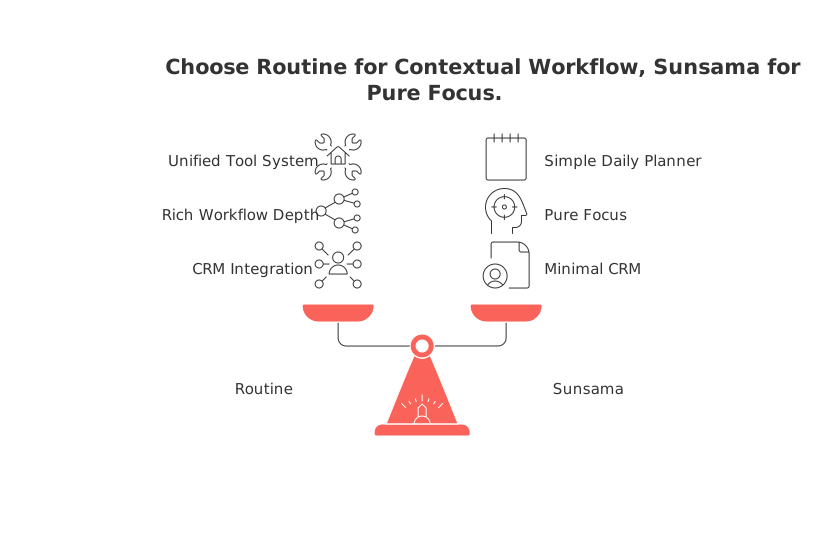
When to choose: Routine becomes essential once your tasks consistently rely on interconnected knowledge, meetings, and client details.
Struggling to link meeting outcomes and next steps? See this guide on using meeting templates for actionable decisions to keep your workflow tight.
Compared to Notion’s all-in-one approach, Routine brings CRM and meetings front and center, saving you setup time; versus ClickUp, it natively manages relationships across your work without extra configuration.
ClickUp: for teams prioritizing structure, reporting, and process
When simple task lists aren’t enough, if your team deals with complex handoffs, approvals, and dependency management, ClickUp delivers the formal scaffolding needed. It excels where structured, repeatable processes and configurations are essential, making it ideal for scaling project teams.
Best for: Cross-functional teams with stakeholders in product, marketing, operations, or revenue who need traceability.
Why it’s on this list: ClickUp’s hierarchy, templating, and reporting standardize processes across functions and teams.
Where it excels: Allows you to create, adapt, and automate nearly any workflow.
Drawbacks: Initial setup can be complex; without clear governance, team spaces may become fragmented.
Ideal for: Organizations investing in robust workspaces with accountability and reporting at scale.
Better alternatives for: Teams that prioritize meeting context and CRM will find Routine’s unified approach more straightforward.
When to choose: Opt for ClickUp as soon as your process complexity outgrows what basic lists and spreadsheets can cover.
Motion: when efficiency in daily planning is the biggest win
Some move from Akiflow not for tighter structure, but to escape the burden of daily planning. Motion automates the organization of your day, dynamically adjusting schedules so you can spend time working, not rearranging tasks.
Best for: Executives, founders, or agile teams needing automatic task reshuffling.
Why it’s recommended: Drastically reduces manual planning, adapting quickly to last-minute changes or shifting priorities.
Standout feature: Instantly prioritizes your workload based on real capacity/constrains.
Trade-offs: Lacks depth for complex projects, long-term tracking, or CRM integration, you’ll rely on other apps for that context.
Choose it if: Planning speed outweighs detailed project or client context.
Consider switching if: If your main struggle is losing context across tools, Routine is better; for end-to-end project reporting, ClickUp is superior.
When to choose: Go with Motion when saving daily planning time is more valuable than carrying over persistent project or client history.
Notion: when your knowledge base shapes your task management
If your team builds workflows around documentation, like product specs, research, or playbooks, Notion is a powerful option. Its flexible database structure lets you design task pipelines organically within a living knowledge base, maintaining reference material exactly where you need it.
Best for: Teams that prioritize knowledge and need custom workflows embedded in documents.
Why it’s a top choice: Blends structured data with narrative documentation, letting you tailor your workspace to your needs.
Where it shines: Adaptability, you build the workflow, structure, and rules.
Cons: DIY freedom requires discipline and good conventions to prevent confusion and duplication.
Choose it if: Content-driven teams or those comfortable building their system from scratch.
Pick something else if: You need built-in CRM or meeting integration, Routine handles this better; for more rigid project management, ClickUp is a stronger fit.
Sunsama: when simplicity and mindful planning are essential
Sometimes, less is more. Sunsama is ideal for those who value intention in daily planning over the complexity of enterprise tools. It helps people reflect and plan with focus, rather than managing heavy-handed processes.
Best for: Freelancers, creators, and managers wanting clear daily routines without project overload.
Why it stands out: Reinforces healthy execution rituals that keep planning light and sustainable.
Best features: Streamlined, low-friction daily reviews that cultivate focus and clarity.
Limitations: Lacks deep collaboration, project, or CRM capabilities, so scaling teams may outgrow it quickly.
Pick if: You seek personal rhythm, not workflow complexity.
Look elsewhere if: Your needs extend to client-centric projects or multi-team pipelines, Routine and ClickUp will scale with you.
How to choose the right Akiflow alternative: a practical decision framework
Workflow maturity:Solo/early-stage with straightforward deliverables → Sunsama or Motion for simplicity and speed.
Expanding teams with recurring projects → ClickUp for structured processes, or Routine if you require CRM/meeting links too.
Heavily documentation-led → Notion, unless you also need CRM/meeting integration, then Routine is ideal.
Still weighing focused planners versus a unified workspace? Check this analysis of all‑in‑one workspaces versus dedicated tools for detailed strategic trade-offs.
Conclusion: pick the alternative that matches your team’s natural workflow
Akiflow is excellent for straightforward execution. When the demands of your work shift, requiring deep context, relationship management, collaborative documentation, and sustained knowledge transfer, you’ll benefit from a system that carries context forward at every stage.
Choose Routine if you’re looking for a unified solution for projects, knowledge, CRM, and meetings. Select ClickUp when robust project management, reporting, and structure are priorities. Motion is ideal if planning efficiency and automation are your primary concerns. Notion excels where documentation is the heart of the operation. Sunsama is perfect if you want a calm, reflective daily planning experience.
Switch for the right reason: not for more features, but to reduce friction and align your tools with how your team decides, communicates, and delivers results.
FAQ
What makes Routine a better alternative to Akiflow?
Routine goes beyond time blocking and speed by integrating project management, CRM, and meeting notes within one platform. It's designed for users who require their planning tools to be more connected with project and client data.
What are Sunsama's limitations for larger teams?
Sunsama lacks the depth needed for collaborative projects and team scalability, making it ideal for individual planning but insufficient for expansive team operations. Simplicity comes at the cost of reduced project control.
How does Routine enhance team collaboration?
Routine offers a unified workspace that maintains context across tasks, meetings, and CRM, minimizing the risk of vital information getting lost. It provides an integrated approach that aligns with complex team dynamics.
Is Routine suitable for users who prefer a simple task management tool?
Routine is not ideal for those who want a minimalistic or checklist-only approach. It's designed for workflows that demand a structured integration of project and client data, which could overwhelm users seeking simplicity.
What makes Routine different from Akiflow?
Routine integrates project management, CRM, and meeting functionality into a unified platform, allowing users to access all relevant context directly linked to tasks. Unlike Akiflow, which focuses on day organization, Routine enhances execution by enabling seamless transition between related project details, decisions, and client information.
Is there a trial period for Routine?
Routine offers a free version, which functions effectively as a trial period. Users can explore its core features before deciding on a paid plan.

Julien Quintard
Founder & CEO at Routine04/09/2026
