Apps Like NotePlan for Notes and Planning
Quick comparison of apps like NotePlan for notes and planning in 2026
Tool | Best for | Notes model | Planning model | Collaboration | CRM / meetings context | Setup complexity | Platforms | Why pick this over NotePlan |
|---|---|---|---|---|---|---|---|---|
Routine | Individuals and teams needing integrated notes, planning, and client management | Docs + knowledge base | Projects, tasks, daily planning | Real-time, roles, assignments | Built-in CRM and meeting workflows | Moderate (structured) | Cross-platform | Combines “notes + planning” with CRM and meetings for complete workflow coverage |
Notion | Teams seeking customizable documentation and data organization | Docs + relational databases | Projects through database views | Strong; comments and permissions | Templates and add-ons via integrations | High (requires system design) | Cross-platform | Great for tailored, flexible systems if you can invest in configuration |
Obsidian | Thinkers prioritizing local-first, scalable, interconnected knowledge | Markdown vault + linking | Daily notes, plugins, light tasks | Limited; plugins or sync | Minimal without plugins | Medium–high (plugins) | Cross-platform | Rich personal knowledge graphs and future-proof notes, no vendor lock-in |
Craft | Writers and creators focused on polished, shareable documents | Beautiful, nested docs | Light tasks within docs | Good for shared docs | Light; external tool integration | Low–medium | Apple + web | Simplifies writing flow with less planning complexity |
Agenda | Users who organize thoughts along timelines | Date‑oriented notes | Timeline and milestones | Limited | Light; references only | Low | Apple‑only | Keeps a chronological view, notes attached to milestones instead of folders |
Things 3 | Personal planners on Apple devices | Rich notes inside tasks | Areas, projects, checklists | Solo only | None | Low | Apple‑only | Effortless personal tasking with minimal note requirement |
Todoist | Individuals or small teams needing cross-platform tasking | Task comments and attachments | Projects, labels, filters | Lightweight teamwork | None; link to other tools | Low | Cross‑platform | Fast, flexible capture for shared, simple planning |
TickTick | Personal organizers incorporating habits and focus timers | Task notes, checklists | Tasks, habits, focus views | Light | None | Low | Cross‑platform | Combines daily planning and routines without app juggling |
Sunsama | Professionals layering daily planning across systems | Notes inside tasks | Time‑blocked daily plan | Light | None; links out | Low–medium | Cross‑platform (web‑first) | Calmer day planning over existing tool stacks |
Routine: when you need notes, planning, and CRM together
If you find tasks drifting away from clients or meeting notes failing to spark the next steps, Routine steps in by uniting projects, knowledge, CRM, and meetings under one structured roof. Your notes, tasks, and relationships become central, not bolted-on extras.
Best for: Agencies, consultants, founders, and cross-functional teams who rely on client or stakeholder context in daily operations. For a deeper dive on choosing between all-in-one solutions and focused project tools, check this comparison.
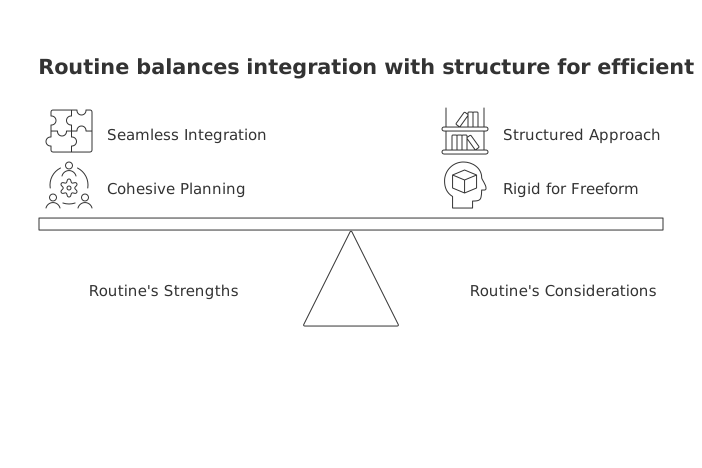
Strength: Direct linkages between docs, tasks, contacts, and meetings keep both individual and team planning cohesive, no patchwork needed.
Consider: Its structured approach may feel too rigid for journalers or those wanting freeform notes.
Choose if: You want briefs, specs, follow-ups, and client data seamlessly merged in your workflow, not scattered across tabs.
Key moment: Switch to Routine when your planner depends on project docs, meetings, and client context housed together.
Tip for teams: Link meeting agendas and templates to projects so action items always carry forward, see the effective meetings template guide for formats you can start using today.
Use another app if: You’re solo and need only a personal notebook, Craft or Things 3 will offer a lighter path.
Notion: when your notes need database power
Some teams move beyond NotePlan not for volume, but for structure. Notion elevates notes into linked, queryable records for projects, tasks, and knowledge, all sliceable and filterable to fit changing needs.
Best for: Teams that want to design workspaces using relational databases and tailored views.
Strength: Flexible documentation and tracking in a single canvas for wide-ranging use cases.
Consider: Requires investment in setup and workspace discipline, without clear management, things can get messy or duplicated.
Choose if: You need your docs to become living records across product, content, or operations teams, and want to control structure in detail.
Key moment: Notion is right when your “note” must double as a record you'll analyze multiple ways, status reports, roadmaps, decision logs, and more.
Use another app if: For CRM and meetings out of the box, Routine is simpler; for offline, local-first thinking, Obsidian is ideal.
Obsidian: when depth of thought outpaces team structure
Obsidian attracts users who want to focus on personal knowledge, idea linking, and recall over workflow mechanics. Notes connect richly, daily planning fits in via plugins, and everything stays on your device.
Best for: Researchers, engineers, and creators seeking private Markdown and boundless, non-linear thinking.
Strength: Develops durable personal knowledge; speedy capture and reflection without pressure to publish or share.
Consider: Collaboration is possible but limited by plugins; planning features must be pieced together.
Choose if: Longevity, custom workflows, and portability matter more than built-in collaboration or databases.
Key moment: Move to Obsidian once you realize your main constraint is clarity and idea retrieval, not shared process.
Use another app if: For shared teams, permissions, or CRM ties, Routine or Notion hold up better.
Craft: when your deliverables must shine
Craft thrives where “notes” are meant to become presentable, shareable documents, think proposals, briefs, or client memos. Its planning features serve the writing process, not the other way around.
Best for: Consultants and creators on Apple devices who prioritize document polish with minimal planning complexity.
Strength: Visually appealing nested pages ideal for external sharing.
Consider: Lacks advanced planning structures and built-in CRM.
Choose if: Your day is writing-focused, and planning needs are secondary.
Use another app if: For project rollups or account-based context, Routine or Notion are more futureproof.
Agenda: when your mind works in milestones and timelines
If you prefer seeing your work as a timeline, not files or folders, Agenda provides a date-based approach. Notes stick to milestones, giving you clear context on “what happened when.”
Best for: Apple users who organize thinking by dates and project phases.
Strength: Simple, chronological note management makes historical context obvious.
Consider: Minimal team features; lacks deep project structure.
Key moment: Choose Agenda when you want your planner to answer “what’s next on the timeline?” rather than track multi-client status.
Use another app if: Multi-account management or shared deliverables call for Routine’s structure or Notion’s customizable views.
Things 3: when you want effortless personal planning on Apple
Things focuses on frictionless individual planning, capture, organize, and act. Note fields support lightweight context, and everything feels designed for clarity and speed.
Best for: Apple-centric users craving calm, intuitive planning with integrated notes on tasks.
Strength: Responsive, distraction-free UI makes planning seamless.
Consider: No collaboration, CRM, or knowledge management features built-in.
Use another app if: Collaborative environments, agencies, or heavy documentation needs can be better met with Routine or Notion.
Todoist: when quick capture on every device matters
Todoist remains the “grab and go” task system. Notes are added as comments or attachments, supporting speedy personal or light team plans across devices.
Best for: Those needing swift capture, syncing, and simple team planning with light collaboration.
Strength: Fast entry, filters, and tag-based views make it easy for varied workflows.
Consider: Limited for docs (not a true knowledge base), and lacks built-in CRM.
Use another app if: You now need structured project docs and connected meeting history, Routine centralizes it all.
TickTick: when habits and focus routines are essential
TickTick fuses tasking, routines, and distraction-free focus sessions. Notes live on tasks, making it simple to manage daily operations and track habits in one spot.
Best for: Anyone wanting to manage habits, routines, and focus alongside tasks in one platform.
Strength: Habit tracking melds with task management, no need for separate apps.
Consider: Best for solo use; CRM and deep docs aren’t included.
Use another app if: Team or client context becomes central, Routine or Notion will keep pace as your needs scale.
Sunsama: when you need mindful planning over a complex tool stack
Sunsama overlays your busy toolkit with intentional, time-blocked daily planning. Notes attach to tasks, but the app’s focus is sustained planning hygiene, not documentation or CRM management.
Best for: Professionals who want gentle daily guidance in an ecosystem of existing tools.
Strength: Emphasizes daily intent and helps you avoid over-commitment.
Consider: Not designed for documentation or CRM ties, you’ll handle that elsewhere.
Use another app if: If starting fresh or aiming to consolidate, Routine or Notion minimize app-switching and centralize your context.
Final decision framework for choosing an app like NotePlan in 2026
Workflow maturity: Just starting or personal use: Things 3, TickTick, or Agenda keep it simple.
Gaining complexity: Routine brings together docs, projects, and client context; Notion is for those ready to build custom databases.
Knowledge and ideation-heavy: Obsidian supports deep thinking and long-term personal growth.
For more detailed guidance, read this side-by-side look at all-in-one workspaces vs dedicated project tools, check meeting formats and templates for team optimization, and explore why personal apps can fall short at scale and how structured platforms meet team demands.
Conclusion: choose the NotePlan alternative that matches your next year, not just today
If solo simplicity is your goal, Agenda, Things 3, and TickTick offer the familiar light structure of NotePlan. For those whose workflow now hinges on collaborating within shared projects, capturing decisions, and keeping client context central, Routine and Notion are your best bets, Routine if CRM and meetings must connect by default, Notion if you need to architect flexible data-driven workspaces. And when deep, personal knowledge is your biggest asset, Obsidian gives you clarity and retrieval without forcing a team-sized workflow. The right choice depends on your expected workflow by May 2026, go with what fits your coming challenges, not just what’s most comfortable today.
FAQ
What makes Routine a standout option for integrated notes and planning?
Routine uniquely combines notes, planning, CRM, and meeting management into a cohesive workflow, which is ideal for agencies and teams focusing on client context. However, its structured approach may feel restrictive to those preferring freeform notetaking.
Should I choose Notion if I need both note-taking and project management capabilities?
Notion excels at customizable workspaces and relational databases, but it requires significant setup and discipline. It's best for teams willing to invest the time to avoid data chaos.
Is Obsidian suitable for collaboration among teams?
Obsidian is focused on personal knowledge management with strong linking capabilities but lacks robust built-in collaboration features. It's better suited for individual thinkers who prioritize local-first, non-linear workflows.
When is Craft the better choice compared to Routine or Notion?
Craft is designed for polished, shareable documents and serves writers and consultants well. It lacks the in-depth planning and CRM integration that Routine offers, and Notion's database power for heavy documentation.
Does Todoist cater to advanced project documentation needs?
Todoist is strong in fast task capture and simple project planning but does not support extensive documentation or CRM functions. If these are critical, consider Routine or Notion.
Can TickTick handle team-based project management effectively?
TickTick is better suited for solo users focusing on task management and habit tracking. Team-based project management requires more robust tools like Routine, which integrates with client and meeting contexts.
How does Sunsama differ from Routine in day planning?
Sunsama emphasizes mindful, daily time-blocked planning across existing tools. It lacks the structural depth of Routine, which aligns notes, tasks, and CRM into a comprehensive workflow for client-focused teams.
Is Things 3 adequate for someone managing multiple client accounts?
Things 3 is optimized for personal planning simplicity and lacks client management or collaboration features. For managing multiple accounts and contacts, Routine provides a more integrated structure.
What distinguishes Agenda from other note-taking apps?
Agenda offers a date-oriented approach to note organization, best for users who prioritize timeline over folders. It doesn't provide the deep project management features found in Routine or Notion.

Julien Quintard
Founder & CEO at Routine05/07/2026
