AI Meeting Notes for 1:1s That Auto-Create Follow-Ups and Calendar Holds
The real 1:1 bottleneck isn’t note-taking, it’s follow-through
Your 1:1 ends. Intentions soar. Then reality hits. Tasks scatter and time vanishes.
Decisions deserve time on the calendar, not in the inbox.
AImeeting notes close this gap by detecting key phrases, deadlines, owners, and dependencies in your conversation, then converting those signals into concrete tasks and right-sized calendar holds. You leave with action, not ambiguity.
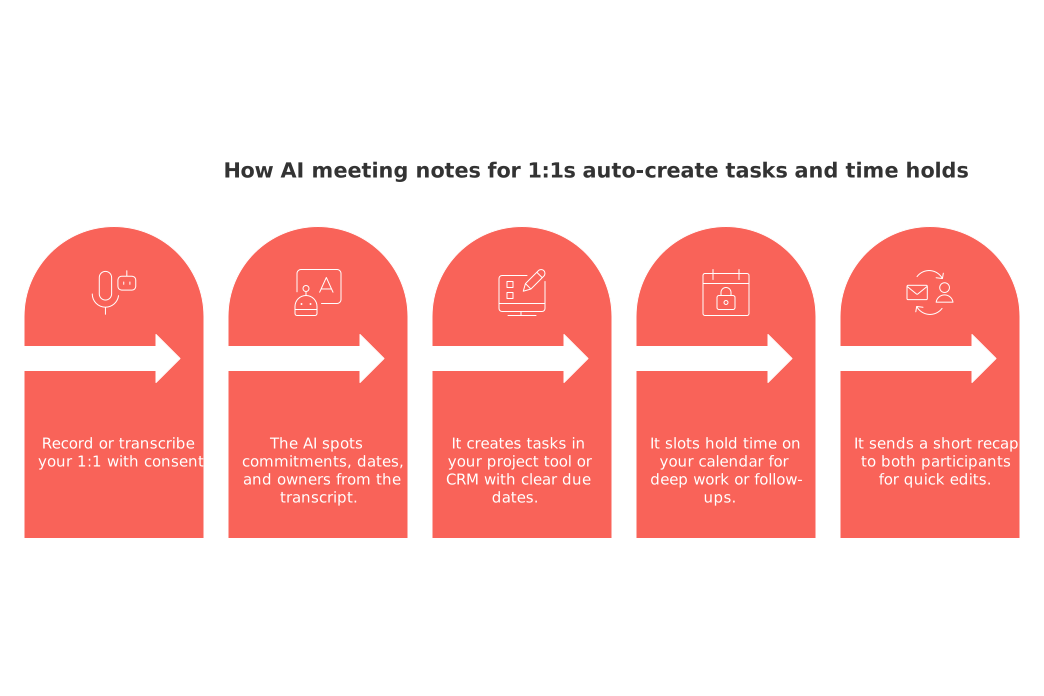
How AI meeting notes for 1:1s auto-create tasks and time holds
Here’s the basic flow most people adopt. The flexibility and efficiency make it a fit for managers, freelancers, and students who need fast capture, clear ownership, and protected time to execute.
Record or transcribe your 1:1 with consent.
The AI spots commitments, dates, and owners from the transcript.
It creates tasks in your project tool or CRM with clear due dates.
It slots hold time on your calendar for deep work or follow-ups.
It sends a short recap to both participants for quick edits.
What the AI listens for
The AI is tuned to listen for crucial components of your conversation and map them to actions:
Action verbs that signal work: “draft,” “decide,” “ship,” “review.”
Deadlines and time windows: “by August 2,” “end of week,” “within 72 hours.”
Blockers that stall progress: “waiting on data,” “needs budget approval.”
Approvals and gates: “legal sign-off,” “manager green light.”
Risks and assumptions: “tight dependency on vendor,” “uncertain scope.”
It also links related items across projects and contacts so nothing gets orphaned.
A simple, B2C-friendly workflow you can set up in under an hour
Pick a workspace that combines projects and contacts. Tools like Routine or ClickUp handle both. Notion works if you build templates.
Define trigger phrases such as “I’ll send,” “Let’s decide,” or “Ship by Friday.” The AI tags these as tasks.
Create task templates for recurring 1:1s: agenda review, decisions log, follow-up email, and blocker check.
Set your hold rules: auto-block 45 minutes within three days for any item over 30 minutes of effort.
Send a recap within 15 minutes. Edits update tasks and holds in real time.
Executives can use the same flow across skip-level 1:1s to standardize decisions, owners, and next steps beyond direct reports. Freelancers can route auto-created tasks and holds to align with client delivery windows, ensuring prep, draft, and review time are protected before milestones.
What to capture during 1:1s so the AI creates the right actions
Speak in clear, atomic statements. The AI performs best when it hears unambiguous commitments.
Owner and verb: “Maya drafts the onboarding email.”
Scope: “Two variants for A/B test.”
Deadline or window: “By August 2” or “next week.”
Success signal: “Open rate above 35%.”
Dependency: “After legal approval.”
Close each 1:1 with a quick roll call: decisions, tasks, risks, and next check-in.
Task hygiene and time holds that actually stick after the meeting
Use short holds for momentum; they’re easier to start and reduce procrastination. Long holds are more likely to be deferred or forgotten, which delays delivery.
Default to 25–50 minute holds for complex items.
Convert holds to events once scope is clear.
Expire stale holds after 72 hours if no task exists.
Protect one daily focus block for 1:1 outcomes only.
When something runs over, split it. The AI should create a new hold with a tight summary of what remains.
CRM and knowledge base handoffs from your 1:1 notes
Client 1:1s need a clean trail. Push key fields to your CRM and a brief note to your knowledge base.
Common fields include stage, next step, due date, owner, and risk level. Keep the narrative short. Link the full transcript only when required.
For meeting structure ideas, see these effective 1:1 formats with recap templates. They slot neatly into the AI cadence above.
Privacy, consent, and etiquette for recorded 1:1s in 2026
Always get verbal consent at the start. Confirm storage location and retention. As of July 2026, policies differ by region. Check your state and company rules before recording.
State the goal: action items and time holds.
Offer a no-record option for sensitive parts.
Restrict transcript access to participants only.
Delete raw audio once summaries and tasks are confirmed.
Tools that support auto-generated follow-ups and calendar holds
Choose an integrated workspace if you want to reduce switching between multiple applications, improving efficiency and productivity. Routine combines projects, contacts, and meetings in one place. Competitors like Notion or ClickUp can match parts of this with templates and automations. For voice capture, apps such as Otter, Avoma, or Fathom can feed transcripts into your workspace.
If your stack is fragmented, set clear handoffs. Notes flow to tasks, tasks to time holds, and all three sync to the contact record.
Prompts you can paste into your assistant during the next 1:1
Use these as-is. Edit names, dates, and scope.
During this 1:1, act as a silent scribe. Capture only decisions, tasks, owners, and deadlines. After we stop, draft a recap with: 1) three-sentence summary, 2) bullet decisions, 3) action list with owner and due date, 4) risks. Create 45-minute calendar holds within three days for any task estimated over 30 minutes. Ask me to confirm each hold before sending.
Convert the transcript below into tasks in my Projects database. For each task, set: title = action verb + result, owner, due date, effort estimate, dependency, and related contact. Add a one-line acceptance criterion. Schedule a 25-minute hold tomorrow for any task due within 72 hours.
Draft a CRM update for contact “Dana Patel” from the meeting notes. Include opportunity stage, next step, due date, deal risk (low/medium/high), and a two-sentence context. Create a follow-up email outline to confirm the next step. Propose two time slots for a decision review hold this week.
From this 1:1 recap, generate a weekly plan: cluster tasks by theme, order by impact, and suggest one 50-minute deep-work hold per theme. Flag anything blocked by approvals.
Metrics that prove your 1:1 system works
Track results, not transcripts. These signals show real progress:
Time from meeting end to first scheduled hold.
Task completion rate within seven days of the 1:1.
Average edits per recap before sign-off.
Share of holds converted into shipped work.
Reduction in “unowned” action items month over month.
Troubleshooting common 1:1 automation mistakes
Too many holds: adjust effort thresholds upward.
Vague tasks: enforce verb-first titles and acceptance criteria.
Calendar conflicts: place holds in flexible windows, not fixed hours.
Missed recaps: set a 15-minute post-meeting service-level agreement.
Privacy gaps: rotate transcripts off shared drives after summary.
Where to go next for templates and automations
Level up your system with proven playbooks. If sales follow-ups drive your 1:1s, start with these automation ideas every sales team should set up. Then refine your own template library and roll it out across recurring 1:1s.
FAQ
What is the primary productivity bottleneck in 1:1 meetings?
The main obstacle isn't taking notes; it's the failure to translate meeting discussions into actionable tasks. Without follow-through, the insights and decisions made during meetings are rendered ineffective.
How can AI tools, like those from Routine, help with 1:1 meetings?
AI tools can identify key phrases, deadlines, and dependencies in meeting conversations and convert them into tasks with precise calendar holds. This enables actionable outcomes instead of leaving attendees in ambiguity.
Why are calendar holds necessary for tasks identified in 1:1s?
Calendar holds ensure that time is specifically allocated for task execution, reducing procrastination. Without scheduled holds, tasks risk being neglected amidst daily distractions.
What common pitfalls should be avoided when automating 1:1 meeting follow-ups?
Avoid creating too many vague tasks or excessive calendar holds; this often leads to confusion and inefficiency. Ensure tasks have clear verbs and criteria, and place holds in adaptable time slots to mitigate conflicts.
How important is task hygiene in maintaining productivity from 1:1 meetings?
Task hygiene is critical; cluttered or neglected tasks derail productivity. By ensuring tasks are clear and holds are time-bound, you maintain momentum and prevent critical work from falling through the cracks.
What should be captured during 1:1 to optimize AI-driven task creation?
Conversations should be boiled down to clear, concise statements of ownership, action, and deadlines. This precision allows AI to effectively translate dialogue into concrete tasks and time holds.
How do Routine's features support streamlined 1:1 meeting workflows?
Routine offers an integrated workspace combining projects, contacts, and meeting functionalities, which reduces app-switching and increases efficiency. This consolidation helps in automating task creation and time management seamlessly within the workflow.

Julien Quintard
Founder & CEO at Routine07/13/2026
