Linear vs Jira in 2026: Speed, Structure, and Scale
What changes in 2026 when choosing between Linear and Jira
Without an effective structure, rapid development can collapse when attempted at a larger scale. On the flip side, a focus on structure without speed can slow down product progress and stall momentum. By 2026, software teams operate across multiple time zones, frequently share services, and face even tighter governance requirements. This reality reframes the Linear versus Jira decision as a balance between speed, structure, and scalability.
Executives want fewer systems and clearer accountabilities with traceability that can stand up to audits and board reviews. Similarly, procurement in 2026 expects options like SSO, SCIM, and data residency, in addition to the basic requirements of audit logs. Teams, meanwhile, seek faster workflows and minimal administrative burden. Your selection should reflect these mixed priorities, beyond just brand loyalty.
Why teams pick Linear for speed and focus
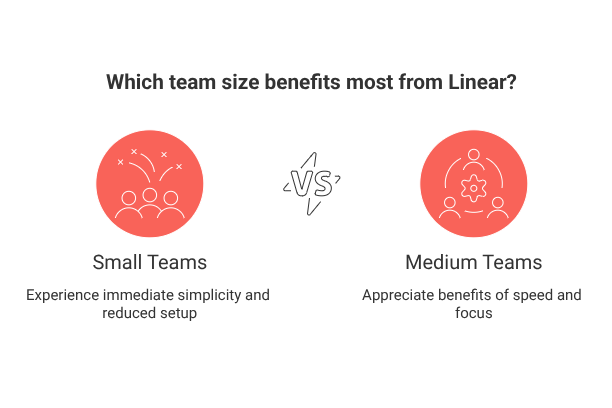
Linear is designed with opinionated simplicity at its core. It provides a clear issue model, fast-paced cycles, and minimizes unnecessary interactions. The interface remains snappy, even as work volume grows. Smaller teams feel the gain first due to the simplicity and reduced setup, but this benefit is also appreciated by medium-sized teams.
Direct path from idea to ticket, without navigating a maze of fields.
Cycles give a reliable delivery beat without complex ceremonies.
Defaults help prevent process drift and cut down on meeting time.
We shipped more because we argued less about workflow is a frequent remark from product managers who transition to Linear.
Why enterprises choose Jira for structure and governance
Jira is well-suited to organizations managing complex portfolios or operating in regulated environments. It features granular workflow controls, deep permission settings, and extensive custom field options. Program managers can establish gates, approval processes, and structured handoffs spanning many teams.
When initiatives span dozens of services, Jira’s governance features keep the map aligned with reality.
Jira especially excels in environments where engineering must tie into ITSM, risk management, or formal change control processes. The initial configuration investment pays off when audits arise or cross-team dependencies surge.
Comparing workflows: issue types, sprints, and backlogs in Linear and Jira
Issue model: Linear sticks to a few standardized types; Jira lets you add many, including custom ones.
States: Linear opts for a streamlined state machine; Jira enables intricate transitions between states.
Iterations: Linear relies on cycles for lightweight rituals; Jira offers sprints supported by comprehensive boards.
Backlogs: Linear prioritizes backlogs for execution; Jira supports detailed categorization and custom fields.
The difference in practice: Linear limits choices to speed up execution. Jira expands choices to model complex processes.
Reporting and visibility: what executives get out of Linear vs Jira
While executives are primarily interested in trend lines over individual ticket IDs, Linear caters to this by providing essential charts that show pace and predictability. Jira offers highly configurable dashboards, advanced portfolio views, and deeper historical analysis options.
Metrics that matter to executives
Lead time and cycle time: reveal where work is getting bottlenecked.
Throughput and commitment accuracy: provide insight into planning quality.
Blocked work and aging items: signal operational risks.
Request demo reports using your actual data; synthetic or sample data may miss your real edge cases.
Scalability and performance: how both tools behave from 10 to 10,000 users
Linear remains fast under heavy usage by limiting surface complexity. Jira manages scale by distributing complexity through projects, schemes, and roles. Both models are viable but demand different types of discipline from your team.
Linear requires strict naming conventions and clear ownership to avoid clutter over time.
Jira demands ongoing governance over fields, workflows, and marketplace apps to prevent process sprawl.
Test both platforms with your own peak-use scenarios, such as mass updates, large board views, and performing cross-project searches.
Security, compliance, and admin controls in Linear and Jira
Procurement teams in 2026 expect essentials like SSO, SCIM, audit logs, and data residency. Both Linear and Jira deliver on the basics; Jira, however, provides greater depth for larger organizations. Be sure to map these features to your internal policies before you begin a pilot.
Access: Implement least privilege and regularly review admin roles.
Data: Set clear retention, export, and incident response processes.
Vendors: Evaluate marketplace apps with as much rigor as your core tools.
Run security questionnaires early on, last-minute surprises can stall launch timelines.
Pricing and total cost of ownership in 2026 for Linear vs Jira
Licenses: Consider projected growth, annual contracts, and guest user rules.
Apps: Add-on and integration fees from marketplaces can ramp up quickly.
People: Recurring costs include admin time, training, and maintaining processes.
Migrations: Account for costs tied to mapping, testing, and potential downtime.
Compliance: Requirements for audits, data retention, and backups may necessitate higher pricing tiers.
Construct a three-year total cost of ownership (TCO) estimate using careful seat count projections. Don’t forget to include change management alongside the obvious software spend.
Integration strategies: connecting Linear or Jira with CRM and data tools
Your backlog should align with customer value, not just internal demands. Integrate your issue tracker with CRM opportunities, contract renewals, and support cases. Clearly route escalations and tag items with revenue impact where possible.
CRM: Link defects directly to deals to quantify outcomes.
Support: Pipe in tickets as issues with clear ownership rules.
Data: Send events to your warehouse for analysis of funnels and quality signals.
Favor event-driven integration strategies rather than brittle, point-to-point automations. Document who owns each integration to avoid silent failures over time.
Visualization and planning: roadmaps, timelines, and dependency views
Executives require a narrative that persists across quarters. Whether using Linear or Jira, keep a high-level view of sequences, capacity, and risk factors. Many teams adopt straightforward and easy-to-understand visual aids to explain their plans without overwhelming detail.
For a practical look at visuals that connect with senior leaders, explore these visualization tools for simple project management. Use clear visuals for alignment, letting the tracker handle the underlying details.
Decision framework: how to pick Linear or Jira based on your operating model
Choose Linear if your priority is fast planning, minimal ceremony, and a product-focused squad structure.
Choose Jira if you mandate strict workflows, multi-program reporting, and layered permission controls.
Only blend tools when you have a robust integration plan and a clearly defined system of record.
Uncertain? Pilot both tools with an actual initiative for four to six weeks. Measure time-to-ticket, grooming investment, and stakeholder clarity.
When an all-in-one workspace replaces both Linear and Jira
Some teams simplify their tools suite by adopting an all-in-one workspace for projects, documentation, and CRM context. Solutions like Routine or Notion bring work together and minimize context switching. This approach is particularly effective for small to mid-sized teams with consistent workflows.
Explore trade-offs in this comprehensive comparison of all-in-one workspaces vs specialized project tools. Consider reading “Mastering the Project Lifecycle” for strategies to maintain structure as your team expands.
Migration and change management: moving between Linear and Jira
Tool migrations are primarily people projects. Begin with a detailed migration plan listing projects, fields, and system owners. Run test imports in a sandbox environment, collect feedback, and refine your approach.
Establish a freeze window and define a rollback plan.
Set up naming standards ahead of the switch.
Train champions first, then scale training to all users.
Retire old systems to prevent shadow workflows from re-emerging.
Celebrate the successful completion of your first cycle or sprint post-migration, early momentum is vital for lasting adoption.
Final checklist for CXOs before signing a 2026 contract
Validate that reporting meets board expectations without manual spreadsheets.
Ensure security controls align with your enterprise policy and legal standards.
Load test for performance on your largest boards and most complex queries.
Lock in a three-year TCO that includes apps, integrations, and migration support.
Designate a single system of record and a clear escalation pathway.
Assign product ownership and accountability for the tool itself.
Ready to conduct a hands-on evaluation? Review the official pages for up-to-date details on tiers and functionality: see Linear plans and features and Jira software pricing and capabilities. Choose the platform that matches your operational model, and commit to making the process effective over the long term.
FAQ
How does Linear prioritize speed over structure?
Linear minimizes complexity by standardizing issue types and streamlining workflows, which accelerates task movement but can sacrifice nuanced control over processes.
Why might Jira be preferable for complex governance needs?
Jira's extensive customization options and detailed workflow controls allow it to support complex, multi-layered projects with strict compliance requirements, though this can slow execution if not managed meticulously.
What should teams consider regarding the total cost of ownership of these tools by 2026?
While upfront license costs matter, hidden expenses like administrative overhead, integration fees, and compliance-related upgrades can significantly inflate the total cost of ownership. Plan for long-term financial commitments.
Can an all-in-one workspace replace both Linear and Jira?
All-in-one solutions like Routine and Notion can streamline workflows by centralizing tasks and documentation, but they may lack the specialized depth that distinct tools provide for larger, more regulated teams.
How important is integration with CRM and data tools for Linear or Jira?
Integration ensures that issue tracking aligns with business objectives by linking tasks to customer impacts, but poorly managed integrations can lead to data silos and operational inefficiencies.
What migration challenges should be anticipated when switching between Linear and Jira?
Migrations often hit roadblocks due to underestimated people factors, inadequate test phases, and legacy system inertia. Prepare a meticulous plan and stress-test its execution.
Why do procurement teams prioritize features like SSO, SCIM, and data residency by 2026?
Procurement demands these features to ensure compliance with evolving security and data protection regulations, but neglecting regular policy reviews can unravel these safeguards over time.
What are the risks of not having a defined system of record?
Without a clear system of record, decision-making becomes opaque, accountability blurs, and data discrepancies proliferate, leading to strategic misalignments.
What visualization tools complement roadmaps and planning in Linear and Jira?
Use lucid, high-level visual aids to translate complex data into actionable insights, but beware of oversimplification, which can obscure critical detail necessary for executive buy-in.

Julien Quintard
Founder & CEO at Routine03/24/2026
